Preview





Description
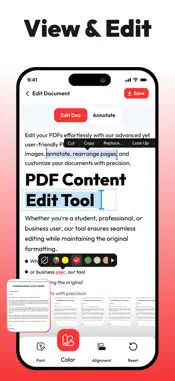
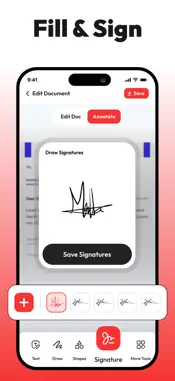
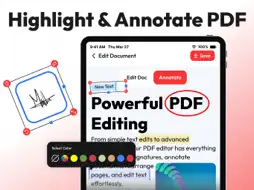
Change the way you manage your PDFs on your iPhone and iPad with our PDF Editor. This is a powerful and innovative application designed and programmed to handle all your PDF management needs. Whether you’re a student handling academic notes, a business professional viewing posters/brochures, or a casual user having tons of PDF photos, our editor app provides plenty of features that’ll help you view, edit, sign, annotate, and even share your PDFs without putting much effort. USPs of PDF Editor and Reader View and Read PDF Docs Our app allows you to open and read PDF files no matter what the size. You can customize your viewing experience by changing the layout or you can simply zoom in or out for better readability. Edit PDF Text Users can easily modify text in the PDF document. Our app allows you to change font size, style, colors, and alignment, and make other amends. You can make quick corrections on your iPhone without requiring premium software or a desktop. Annotate PDFs With this PDF editor, you can easily add comments to the document, highlight text, underline sentences, and even add notes to your PDFs. The drawing tool allows users to add annotations and customize colors for markups. E-Signatures You can also fill out PDF forms quickly without changing the format or use the signature feature to add your e-signature to documents. You can create, save, and reuse your signature without any hassle. Organize Pages The PDF editor app allows you to rearrange, delete, rotate, or extract pages from your documents in a matter of seconds. You can also merge multiple PDFs into one, or split a large file into smaller, more manageable parts. Document Security Users can keep documents safe and secure by setting passwords or applying other encryption options. You can control who can access your PDF content and can restrict unauthorized editing or copying of content. Cloud Integration Sync in the PDF editor with popular cloud services such as iCloud, Dropbox, Google Drive, and OneDrive to access your PDFs across all your devices. Edit and save directly to your preferred storage space. Export and Share You can save your edited PDFs in various formats, including PDF, JPG/PNG, and Word documents. The app also allows you to share your documents via email, messaging apps, or directly to iCloud storage. Why Choose this PDF Editor? • PDF editor and reader comes with a simple and clean interface which makes it easy to use even for new and non-technical users just getting started. • The app is optimized for speed and responsiveness, providing a smooth experience even with large or complex documents. • PDF editor combines all the tools you need in one app; this way you don’t need to juggle multiple apps to get your work done. Everything you need is under one dashboard. • Our team always listens to user feedback and continuously improves the app with new features, bug fixes, and enhancements to make PDF editing easier and more efficient. This PDF editor has been programmed and designed for all kinds of users who need to edit, sign, and share documents, contracts, reports, etc. which makes it an ideal utility for anyone who needs a reliable editing solution. Download our PDF Editor today and take full control over your PDFs on your iPhone or iPad. Say goodbye to premium PDF managers and get an all-in-one solution for your iOS devices! Support URL:https://www.trostun.com/contact-us/ Terms of Use: https://www.trostun.com/terms-of-use/
What's New
Version 1.1.9 2026-01-08
This update brings powerful new editing tools, smoother performance, and improved annotation features to help you work with PDFs faster and more efficiently. E...This update brings powerful new editing tools, smoother performance, and improved annotation features to help you work with PDFs faster and more efficiently. ENHANCED PDF EDITING Edit text, adjust layouts, and modify pages with improved accuracy. Cleaner rendering and better font handling make editing more precise than ever. ADVANCED ANNOTATION TOOLS New annotation options include improved highlighting, underlining, strike-through, shapes, and freehand drawing. Mark up documents with smoother strokes and better color control. E-SIGN IMPROVEMENTS Faster, cleaner signing experience with better signature placement, resizing, and multi-signature support. Perfect for agreements, forms, and approvals. PAGE MANAGEMENT UPDATES Easily reorder, delete, rotate, and duplicate pages with updated controls for quicker document editing. IMPORT & EXPORT ENHANCEMENTS Improved file compatibility and higher-quality exports ensure your edited PDFs look sharp and professional across all devices. NEW COMMENT SYSTEM Add comments and notes with improved formatting, better visibility, and cleaner organization. PERFORMANCE BOOST Faster loading of large PDFs, reduced lag while editing, and overall smoother navigation throughout the app. BUG FIXES AND UI REFINEMENTS Resolved minor issues, polished interface details, and improved tool responsiveness for a more seamless editing workflow. Technical Analysis
Package Overview Basic metadata
Bundle ID
com.pdfEditor.dzm Current Version 1.1.9
Minimum iOS 14.0
Package Size App Store Size
Package Metadata 1 / 20 version records
4.5 / 5.0 (17 ratings)
Detailed binary, privacy manifest, framework, and Info.plist results have not been indexed for this package yet. The verified App Store and archive metadata above remains available.
Developer Information
Known Version Records
1 version record with stored package metadata • 20 known version records
Stored metadata does not guarantee a package is currently available to download.
| Details | Version / IDs | Version date | Action |
|---|---|---|---|
| 37.18 MB | v1.1.9 App Store ID: 880543416Build: 1.1.9 | 2026-01-08 02:48:44 | Get Version |
| Not archived | App Store ID: 877961373 | Unknown | Request Version |
| Not archived | App Store ID: 877795857 | Unknown | Request Version |
| Not archived | App Store ID: 877443993 | Unknown | Request Version |
| Not archived | App Store ID: 877338008 | Unknown | Request Version |
| Not archived | App Store ID: 877111720 | Unknown | Request Version |
| Not archived | App Store ID: 876559119 | Unknown | Request Version |
| Not archived | App Store ID: 876463481 | Unknown | Request Version |
| Not archived | App Store ID: 876432945 | Unknown | Request Version |
| Not archived | App Store ID: 876308267 | Unknown | Request Version |
| Not archived | App Store ID: 875989285 | Unknown | Request Version |
| Not archived | App Store ID: 875900615 | Unknown | Request Version |
| Not archived | App Store ID: 875285707 | Unknown | Request Version |
| Not archived | App Store ID: 875201240 | Unknown | Request Version |
| Not archived | App Store ID: 874098591 | Unknown | Request Version |
| Not archived | App Store ID: 872952758 | Unknown | Request Version |
| Not archived | App Store ID: 872833089 | Unknown | Request Version |
| Not archived | App Store ID: 872580447 | Unknown | Request Version |
| Not archived | App Store ID: 872224082 | Unknown | Request Version |
| Not archived | App Store ID: 870687623 | Unknown | Request Version |