Preview




Description
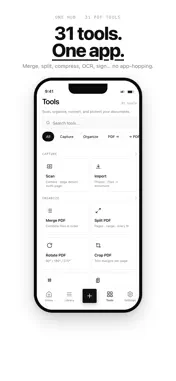
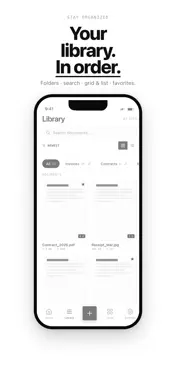
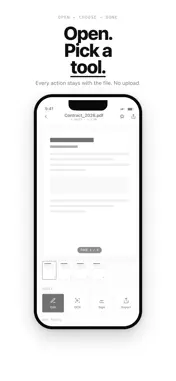
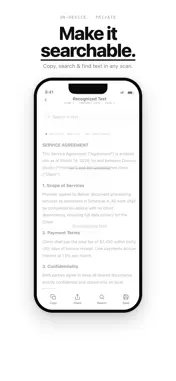
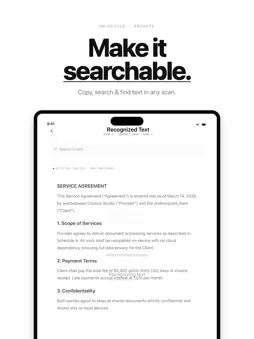
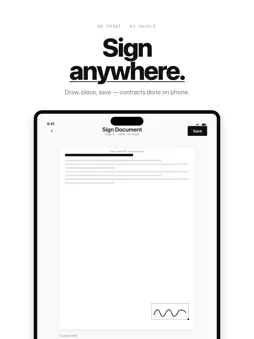
Scan documents to PDF, then merge, compress, OCR, sign, convert, and protect — 31 tools on iPhone, iPad, and Mac. On-device. No account. Dococo is a document scanner and PDF toolkit that stays on your device. Open the app and get to work: no signup, no upload, no ads. SCAN TO PDF Turn paper into a clean PDF in seconds. Dococo detects edges, corrects perspective, and lets you capture multiple pages in one file. • Auto crop and edge detection • Color, black & white, grayscale, or original • Import from Photos or Files ORGANIZE PAGES • Merge and split PDFs • Rotate, crop, extract, and reorder pages • Add page numbers, headers, and footers OPTIMIZE AND SEARCH • Compress large files so they are easier to email • On-device OCR so scans become searchable • Repair damaged PDFs SIGN AND SECURE • Draw or import a signature • Watermark and flatten • Password-protect or unlock • Redact sensitive text so it is permanently removed CONVERT • Export extracted PDF text to Word, Excel, or PowerPoint • Create PDFs from images, Office text, or local HTML • Export pages as JPG • Compare extracted text between two PDFs YOUR LIBRARY Documents live in a local library with folders, search, and favorites. Recently Deleted keeps files for 30 days. Optional iCloud Sync (off by default) uses your Apple ID so iPhone and Mac stay in sync. Dococo cannot read those files. FREE AND PRO Core tools are free for everyday jobs (files up to 10 pages). Dococo Pro unlocks OCR, redaction, and Office conversion, removes single-file page limits, and raises batch queues — monthly, yearly, or a one-time lifetime purchase. BUILT FOR EVERYDAY PAPERWORK Scan receipts, homework, contracts, IDs, and notes. Merge handouts, compress a file before you send it, sign a PDF, lock a contract with a password, or make a scan searchable with OCR — without sending documents to a server. Privacy by design: scanning, OCR, conversion, and export run on your device. Anonymous usage stats and crash reports via Firebase (opt-out in Settings → Support). No ads. SUBSCRIPTIONS Payment is charged to your Apple ID at confirmation of purchase. Subscriptions automatically renew unless cancelled at least 24 hours before the end of the current period. Your account will be charged for renewal within 24 hours prior to the end of the current period. You can manage and cancel subscriptions in your App Store account settings. Current prices and available offers are shown in the app for your App Store region. Privacy Policy: https://dococo.dwirandyh.dev/privacy.html Terms of Use (EULA): https://dococo.dwirandyh.dev/terms.html
What's New
Version 1.1.1 2026-11-02
Performance improvements, bug fixes, and stability improvements across PDF tools and scanning. Technical Analysis
Package Overview Basic metadata
Bundle ID
dev.dwirandyh.dococo Current Version 1.1.1
Minimum iOS 17.0
Package Size App Store Size
Package Metadata 0 / 0 version records
Detailed binary, privacy manifest, framework, and Info.plist results have not been indexed for this package yet. The verified App Store and archive metadata above remains available.
Developer Information
Known Version Records
0 version records with stored package metadata
Stored metadata does not guarantee a package is currently available to download.
| Details | Version / IDs | Version date | Action |
|---|