
Preview






Description
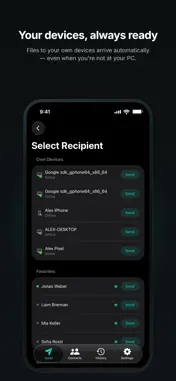
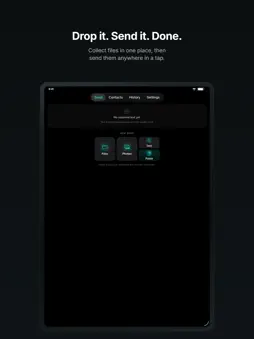
Aetherly sends your files directly to the other device, peer to peer, whenever a direct connection is possible. Drop in your files, then choose where they go: a contact, or one of your own devices. A contact receives a request and decides. Your own devices, as long as they are online, simply receive. There is nothing to accept and nothing to wait for. DIRECT FIRST, NO CLOUD STORAGE Files travel device to device first, over an encrypted WebRTC connection, so the transfer begins the moment the connection does. Our server only connects the devices: it handles sign-in, your contact list, permission checks, presence, connection setup and your history. It never stores a file. The history records what was sent and when, never the files themselves. If no direct connection is possible, the sender decides, with a setting or one click, whether the file runs end-to-end encrypted over a relay server from Cloudflare. It is neither stored there nor readable. YOUR OWN DEVICES ARE A PRIVATE LANE Sign in on your phone and on your desktop and they find each other. No request, no confirmation, no contact to add. A photo you take on the phone is on the desktop before you have switched chairs. SEND TEXT, NOT ONLY FILES A link, an address, a booking code, a paragraph you want on the other screen: send it as text instead of turning it into a file first. Switch on automatic clipboard copy on the desktop and received text goes straight into your clipboard. The link from your phone is then one paste away, with no file to open and delete afterwards. WORKS NEAR AND FAR On the same network the connection stays local, which is as fast as your Wi-Fi allows. Across the internet the two devices connect to each other directly. Where a network blocks direct connections, such as a strict corporate firewall, the transfer can still go through over the relay if the sender allows it. A few very restrictive networks block even that. HAND A TRANSFER TO ANOTHER DEVICE An incoming transfer does not have to be accepted where it arrives. Send it to another desktop on your account and it downloads there instead. If that device is offline, declines, runs out of space or no longer has the file, the request comes back to you rather than quietly vanishing. REACH BACK INTO YOUR HISTORY Your history covers every device on your account, not just this one. If a file is still on one of them and that device is reachable, request it from here. No re-sending, no asking the other person again. PRESENCE IS OPT-IN You decide when your contacts can see you. Turn it on to see who is online, turn it off to stay private. PLANS Free sends up to 500 MB per transfer, 5 files at a time, across 2 devices. Basic raises that to 2 GB and 20 files across 5 devices. Pro removes the size limit entirely and allows 300 files across 15 devices. Relay transfers per month: 10 on Free, 50 on Basic, unlimited on Pro. No resume — both devices must stay connected until the transfer reaches 100%. Subscriptions are billed through your Apple ID. Manage or cancel anytime in your App Store account settings. Terms of Use (EULA): https://aetherly-app.com/en/terms/ Privacy Policy: https://aetherly-app.com/en/privacy/
What's New
Version 1.5.1 2026-11-09
Improvements and bug fixes • When files arrive from your own devices, a Live Activity now shows the progress, even with the app closed. • Running transfers now ...Improvements and bug fixes • When files arrive from your own devices, a Live Activity now shows the progress, even with the app closed. • Running transfers now reliably keep going in the background. • Transfers now continue after a network change, for example from Wi-Fi to mobile data. • Interrupted transfers now show up in your history with a clear reason. • New notification sounds: a distinct tone for transfer requests and a calmer one for everything else. • Declining or accepting a request now reliably reaches the sender, even after a brief connection drop. • Minor stability improvements. Technical Analysis
Package Overview Basic metadata
Bundle ID
com.aetherly.app Current Version 1.5.1
Minimum iOS 17.0
Package Size App Store Size
Package Metadata 0 / 0 version records
Detailed binary, privacy manifest, framework, and Info.plist results have not been indexed for this package yet. The verified App Store and archive metadata above remains available.
Known Version Records
0 version records with stored package metadata
Stored metadata does not guarantee a package is currently available to download.
| Details | Version / IDs | Version date | Action |
|---|