
Preview




Description
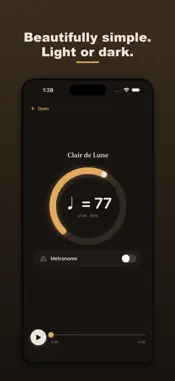
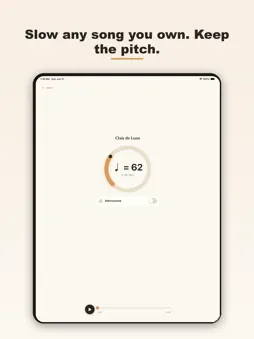
Meno Mosso slows your music down so you can finally play along. Built for music students — and anyone learning a piece by ear — Meno Mosso takes any song you own (an MP3, an M4A, a practice track) and slows it to a comfortable practice tempo, without the chipmunk effect. The pitch stays exactly where it should, so every note is still in the right key while you work up to speed. Set your tempo two ways: • By percentage — ease a tricky passage down to 75%, 60%, or wherever you need it • By BPM — dial in an exact beat-per-minute target and play right along Meno Mosso even listens to your track and estimates its tempo for you. When the beat is subtle, as it often is with classical and acoustic pieces, set the exact BPM yourself on the dial and it stays locked there. KEEP TIME WITH THE BUILT-IN METRONOME Switch on a metronome that follows the real beats of your song, and add 1/8 or 1/16 subdivisions to lock in the rhythm of tricky passages. WHY MUSICIANS LOVE IT • Pitch-perfect slow-down — change the speed, never the key • Practice by percentage or a target BPM, always kept in sync • A metronome that locks to your song's beats, with subdivisions • Automatic tempo detection — or set the exact BPM yourself on the dial • One beautifully simple screen — no clutter, no learning curve • Warm light and dark themes that look great on any device HOW IT WORKS Open a song from your Files, your music library, or a direct web link, choose your tempo on the elegant dial, and press play. Start slow, nail the part, then nudge the tempo back up as you improve. Your last track and tempo are remembered, so you pick up right where you left off. Slow it down. Learn it. Speed it up. A note on sources: Meno Mosso plays audio files you own. Streaming tracks from Apple Music and similar services are copy-protected and can't be slowed down — open your own files instead.
Technical Analysis
Package Overview Basic metadata
Bundle ID
com.durbinware.MenoMosso Current Version 1.0.0
Minimum iOS 26.0
Package Size App Store Size
Package Metadata 0 / 0 version records
Detailed binary, privacy manifest, framework, and Info.plist results have not been indexed for this package yet. The verified App Store and archive metadata above remains available.
Developer Information
Known Version Records
0 version records with stored package metadata
Stored metadata does not guarantee a package is currently available to download.
| Details | Version / IDs | Version date | Action |
|---|