Preview






Description
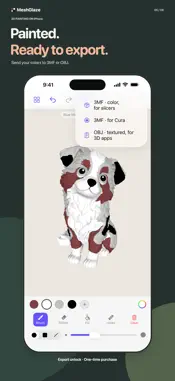
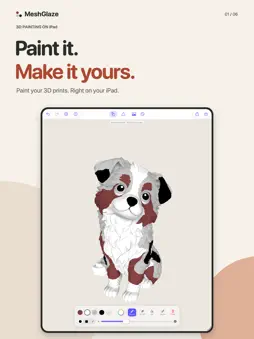
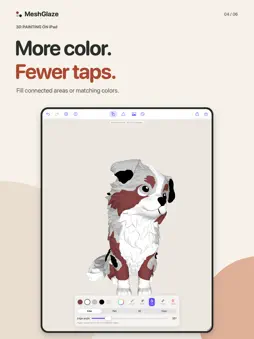
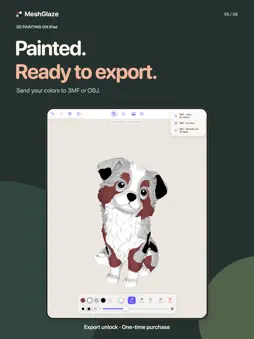
Paint 3D models for multicolor printing, right on your iPhone or iPad. Import an STL, 3MF or OBJ, choose your colors, and paint with your finger, or with Apple Pencil on iPad. All painting tools are free. A one-time purchase unlocks 3MF and OBJ export. No subscription. MAKE THE MODEL YOURS • Paint directly on the surface with round, square and flat brushes. • On iPad, use Apple Pencil pressure to vary stroke size. • Fill connected areas, parts, matching colors or the whole model. • Adjust Edge fill to control how color spreads across sharp edges. • Choose Detailed mode for finer painted details. • Build a palette of up to 8 colors and pick colors from a reference image. • Rotate, zoom and undo as you explore your color scheme. FROM MODEL TO PRINT WORKFLOW Import STL, 3MF and OBJ files, including 3MF models that already have painted colors. Export a painted 3MF or an OBJ with material and texture files to continue in your desktop slicer or 3D art tools. Before printing, check the imported colors and assign filaments in your slicer. Color handling depends on the slicer and export format. PAINT WHEREVER YOU ARE Paint offline, with no account, ads or tracking. Automatic saving lets you resume your current painting. Start with the included sample model or import your own. FREE PAINTING. ONE-TIME EXPORT UNLOCK. Import and paint for free. The optional in-app purchase unlocks all export formats. No recurring payments.
What's New
Version 2.3 2026-11-17
Open OBJ models, and more reliable imports and exports. • Open OBJ files: import a Wavefront OBJ the way you import an STL, with the import button or from the ...Open OBJ models, and more reliable imports and exports. • Open OBJ files: import a Wavefront OBJ the way you import an STL, with the import button or from the Files app. Colors and textures in an OBJ are not imported. • 3MF · color, for slicers: Bambu Studio now slices the export of a Standard painting. Before, it could stop with an “empty layer” error. • OBJ · for Flash Studio: Flash Studio now slices the export. Before, it refused most models. • 3MF · for Cura: Cura now prints each color where you painted it. Before, it put colors in the wrong places. • 3MF · for Cura and OBJ · textured: very detailed models and small painted details keep their exact colors. • More than 16 colors: each extra color prints with the closest filament, and MeshGlaze tells you before you share the file. • Some Detailed paintings that could not be exported as 3MF now export. Large 3MF exports use less memory and can be cancelled. • More files open: binary STLs with a wrong triangle count, text STLs with an accented part name or Windows line endings, and large text STLs, now much faster. • PrusaSlicer projects no longer show modifiers and support blockers as solid parts. Bambu Studio and OrcaSlicer projects with a filament per part arrive painted. • A model file with invalid coordinates no longer crashes the app. • Contact Support, next to How to paint, opens an email to us. Technical Analysis
Package Overview Basic metadata
Bundle ID
cz.druidori.ModelPainter Current Version 2.3
Minimum iOS 26.0
Package Size App Store Size
Package Metadata 0 / 0 version records
Detailed binary, privacy manifest, framework, and Info.plist results have not been indexed for this package yet. The verified App Store and archive metadata above remains available.
Developer Information
Known Version Records
0 version records with stored package metadata
Stored metadata does not guarantee a package is currently available to download.
| Details | Version / IDs | Version date | Action |
|---|