
Preview


Description
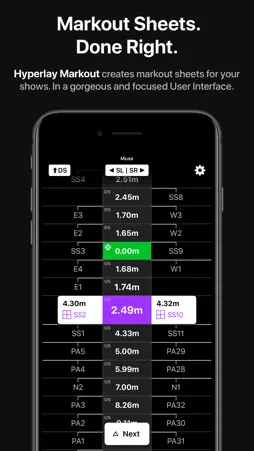
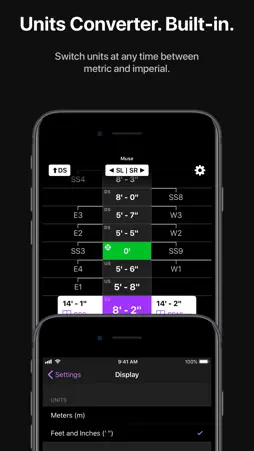
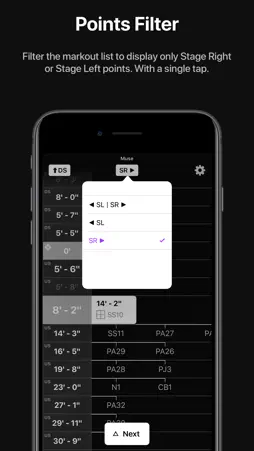
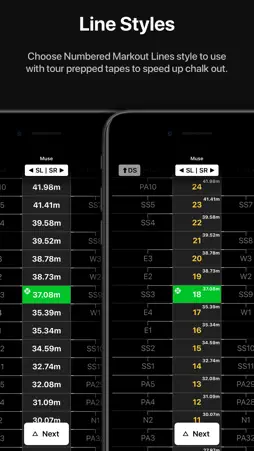
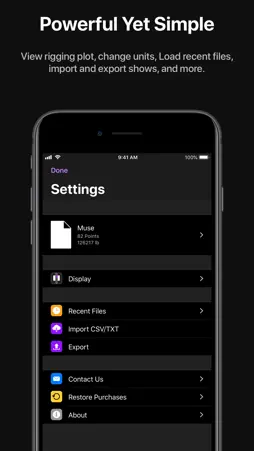
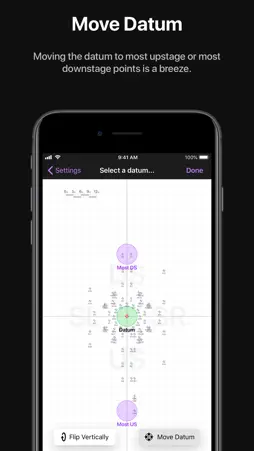
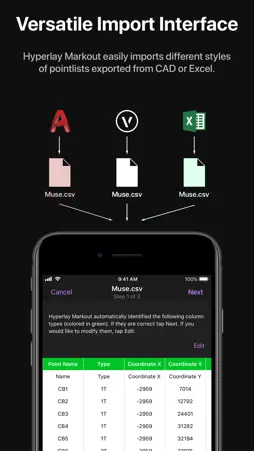
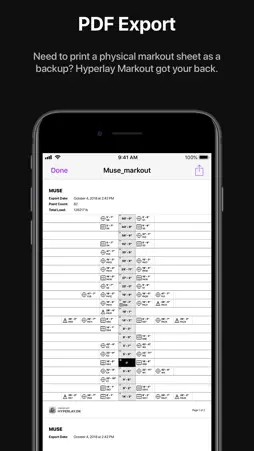
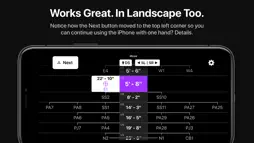
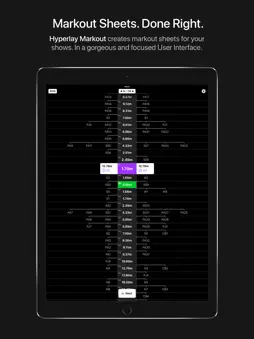
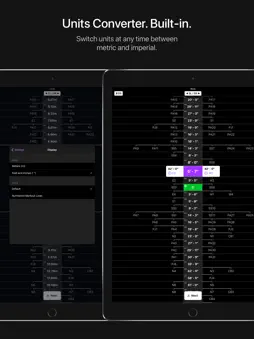
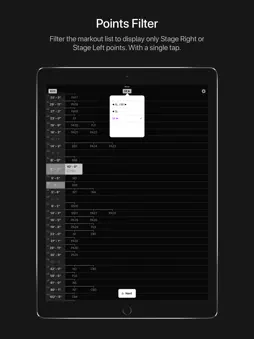
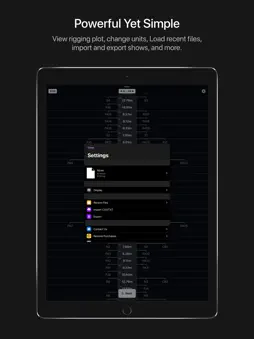
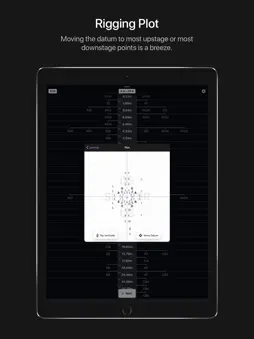
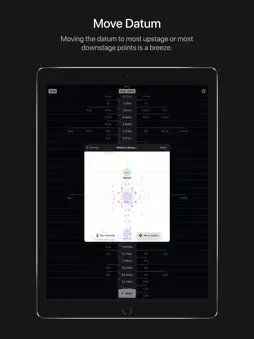
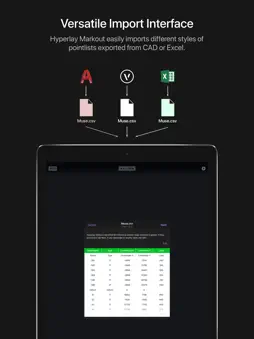
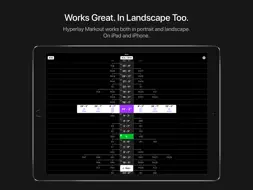
Hyperlay Markout is an innovative rigging app that automates the process of creating a markout list for the rigging industry. Hyperlay Markout does away with markout using a piece of paper, replacing it with an app that is orders of magnitude faster and more efficient all while still being easy to use and familiar to riggers. With over 9 unique features and integration into existing workflows by supporting inputs from AutoCAD, Excel, and Vectorworks Spotlight, Hyperlay Markout will transform your rigging workflow allowing you to save hundreds of hours in markout time taking in more shows as a result. Features: --------- + Interactive markout sheet A step-through markout list with a beautiful and focused dark User Interface that supports both portrait and landscape orientations. + Built-in Unit Converter Load data from a drawing with any unit and mark it out in another. All units are supported (metric & imperial) and can be changed at any time from the settings. + Move Datum Move datum to most upstage or most downstage points with a single tap and save valuable time by eliminating 3 of 6 tapes on the floor. + Rigging Plot Automatic creation of a rigging plot along with the Markout sheet for easy access to information. + Points Filter Ability to filter the markout list to display only SR or SL points + Versatile Import Interface Hyperlay Markout easily imports different styles of pointlists exported from CAD (e.g. AutoCAD, Vectorworks) or Excel. Simply import your show file into Hyperlay Markout from settings and it will do the rest, guiding you through the import process. + Recent Files Hyperlay Markout automatically stores locally the 10 most recently-opened show files on the device, so the app will still work even without a cellular data connection. + PDF export Ability to export the markout list as a PDF, for example, if you need to print the markout list to have as a physical backup. + Designed for iPhone and iPad Hyperlay Markout is a universal app, designed for both iPhone and iPad. On bigger screens, more points are displayed vertically and horizontally. In addition, Both landscape and portrait on both device families are supported. ----------------- You can try out Hyperlay Markout for free with an example show available under Recent Files in the settings screen. To import your own shows, a subscription is required. All plans however come with 1 month FREE trial and can be cancelled at any time, no strings attached. This means you can subscribe, try out your own shows for one month and cancel at any time without having to pay anything. Don't hesitate to contact us at any time with your questions and feedback via email (tap Contact Us in the settings). Payment will be charged to your iTunes account at confirmation of purchase. Subscription automatically renews unless auto-renew is turned off at least 24-hours before the end of the current period. Your account will be charged for renewal within 24-hours prior to the end of the current period. To manage subscriptions or turn off auto-renewal go to your iTunes account settings after the purchase. Any unused portion of the free trial period will be forfeited when you purchase a subscription. Privacy Policy: https://www.hyperlay.dk/markout/privacypolicy Terms of Use: https://www.hyperlay.dk/markout/termsofuse
What's New
Version 1.2.2 2023-11-28
+ Fixed an issue that caused markout points to appear blank. Technical Analysis
Package Overview Package analysis available
Bundle ID
com.drop.hypermark Current Version 1.2.2
Minimum iOS 13.0
Package Size App Store Size
Package Metadata 1 / 7 version records
SwiftyStoreKit
com.taphive.SwiftyStoreKit v1.0iOS 12.0+277.08 KB
Developer Information
Known Version Records
1 version record with stored package metadata • 7 known version records
Stored metadata does not guarantee a package is currently available to download.
| Details | Version / IDs | Version date | Action |
|---|---|---|---|
 3.19 MB | v1.2.2 App Store ID: 861768275Build: 82 | 2023-11-27 01:15:12 | Get Version |
| Not archived | App Store ID: 834500039 | Unknown | Request Version |
| Not archived | App Store ID: 834045155 | Unknown | Request Version |
| Not archived | App Store ID: 830560938 | Unknown | Request Version |
| Not archived | App Store ID: 829087488 | Unknown | Request Version |
| Not archived | App Store ID: 828949850 | Unknown | Request Version |
| Not archived | App Store ID: 825943383 | Unknown | Request Version |
Sources and limitations
This page combines App Store catalog metadata, historical version records, and archived package scans where available. Ratings are from the App Store, and technical findings are observations rather than certifications. Data freshness, compatibility, availability, and analysis limitations apply.
Stored catalog source: USA App Store storefront. A catalog collection timestamp is not available on this page; displayed metadata is not a live availability, price, or installation check.