
Preview


Description
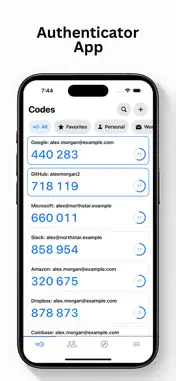
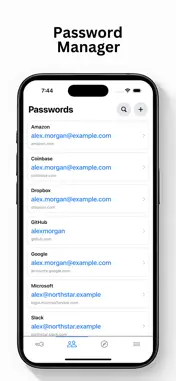
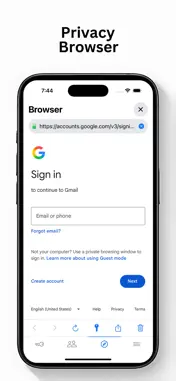
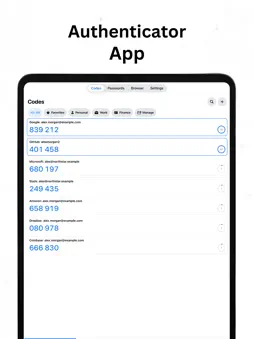
Authenticator app gives you everything you need to generate secure 2FA codes, protect your online accounts, and manage passwords in one place. Includes essential tools for two-factor authentication, password storage, and secure sign-ins. Whether you’re protecting email, social media, work accounts, banking, shopping, or personal services — Authenticator helps keep your accounts secure and easy to access. Useful for: individuals, students, professionals, businesses, travelers, families, security-conscious users, and anyone who wants stronger account protection. You will find all the helpful tools: • TOTP & HOTP Authentication Codes • Fast QR Code Scanner • Import QR Codes from Photos • Manual Setup Key Entry • SHA-1, SHA-256 & SHA-512 Support • 6-Digit & 8-Digit Verification Codes • Password Vault • Password AutoFill in Apps & Websites • Safari Extension for Multi-Page Sign-Ins • Automatic Verification Code Filling • Face ID, Touch ID & Device Passcode Protection • Search, Favorites & Custom Folders • Home Screen & Lock Screen Widgets • Import & Export Tools • Dark Mode Two-Factor Authenticator: Scan a QR code or enter a setup key to generate secure verification codes for your online accounts. Compatible with services that support standard TOTP or HOTP authentication, including email providers, social networks, cloud services, developer tools, financial services, and more. Password Manager: Save usernames, passwords, and websites in your secure vault. Fill login details from the keyboard in Safari and other supported apps. Authenticator for Safari: Sign in to websites directly from Safari, including websites that ask for your username and password on separate pages. Saved credentials are matched to the correct website before filling. Security & Privacy: Protect your vault with Face ID, Touch ID, or your device passcode. Your authentication codes continue working offline, so you can access them without an internet connection. Stay organized with folders, favorites, search, and widgets that make your most-used authentication codes easy to find. Protect your accounts, manage your passwords, and sign in securely — all from one Authenticator app. Terms & Conditions: https://draunt.com/terms Privacy Policy: https://draunt.com/privacy
Technical Analysis
Package Overview Basic metadata
Bundle ID
draunt.authenticator Current Version 1.0
Minimum iOS 18.0
Package Size App Store Size
Package Metadata 0 / 0 version records
Detailed binary, privacy manifest, framework, and Info.plist results have not been indexed for this package yet. The verified App Store and archive metadata above remains available.
Known Version Records
0 version records with stored package metadata
Stored metadata does not guarantee a package is currently available to download.
| Details | Version / IDs | Version date | Action |
|---|