Preview

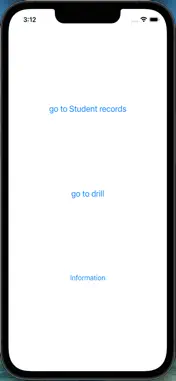


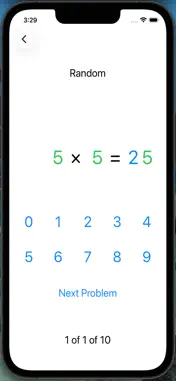


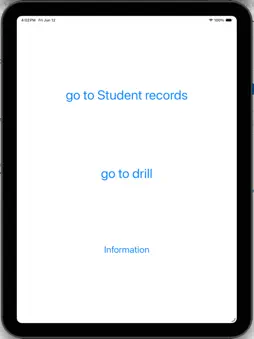

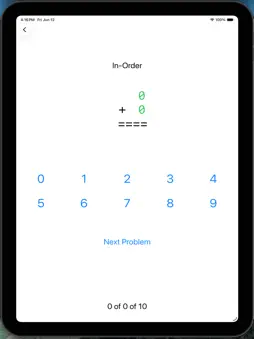


Description
This is a no frills math facts drill app that the developer hopes you will find helpful. It is designed for teachers, especially those who work with struggling students. But any teacher or parent working with a student learning the basic facts should find it useful. It is designed to start off with the easy-to-master facts and to build on success. Student only sees correct answer: If an incorrect digit is touched it will be recorded as an incorrect answer and the correct answer will be displayed in purple. Then the student can answer correctly and move on to the next problem. Automatic Advancement Built-in: when a student scores 100% on the second random practice for that drill type the student record automatically advances to the next level in that type of drill, or to the next type of drill where appropriate. The student can start at the increased level the next time on the app or they are given the option of continuing at that new level immediately. Here is how to use the app: Go to Student Records and press the 'Add Student' button to enter the name of a new student. When you add a new student to the list their record is created with addition as the operation, 0 as the Selected Number and In-order as the type of drill. This area is also used to edit individual student records giving teachers or parents a way to adjust the drills presented to meet individual student needs. Choose a student and edit the drill options. Below you will find a brief description of those options. Operations: Addition, Subtraction, Multiplication or Division. (As you will see below if you choose Addition and Subtraction, Multiplication and Division, Pairs, Pairs Random, Squares, or Squares Random as the Type of Drill those are special cases that over-ride any selection made here.) Selected Number: allows you to select a single number to work on or, in the case of where you choose review as the Type of Drill, a range - which will consist of the selected number and the two numbers below that number. Type of Drill: allows you to select from the following: In-Order: presents each number from 0 thru 9 in order. For example if Selected Number is 8 and the Operation is multiplication the first problem would be 8 X 0, and the last problem would be 8 X 9. Random: presents 10 problems using each of the digits 0 thru 9 but presented in random order. Review: presents 30 problems in random order over a range from the Selected Number and the two numbers below it. For example if the operation were addition and the Selected Number 3, then combinations 1 + 0 continuing through to 3 + 9 would be presented in random order. Review All: In-Order: reviews all the combinations in order from 0 + 0, 0 + 1, ... to 8 + 9, 9 + 9 (a total of 100 problems for the operations of addition, multiplication, and subtraction. Division is similar but there are less problems, 81, since division of or by 0 is avoided.). Review All: Random: presents the same 100 or 81 problems as above except that they are in random order. Pairs: add each of the numbers to itself in order from 0 + 0 to 9 + 9.\n\n”) Pairs Random: add each number to itself. All ten problems are presented in random order. Squares: multiply each number by itself in order from 0 to 9. Squares Random: each number multiplied by itself but presented in random order. Addition and Subtraction: Similar to the In-order Type of Drill above, each number is added to the selected number, then when the correct sum is entered the selected number is subtracted from the sum and the second addend is subtracted from the sum. For example, if the selected number is 3 the student would be presented in order, 3 + 0, then 3 - 3, and 3 - 0, with the last three problems 3 + 9, 12 - 3, 12 - 9 for a total of 30 problems. Multiplication and Division: is similar to Addition and Subtraction except that 0 is avoided resulting in 27 problems total.
What's New
Version 1.2 2026-08-22
corrected errors producing negative numbers and transition from Add and Subtract drill to Multiply and Divide drill. Technical Analysis
Package Overview Basic metadata
Bundle ID
drevlawson.MathFactsHelper Current Version 1.2
Minimum iOS 26.0
Package Size App Store Size
Package Metadata 0 / 1 version records
Detailed binary, privacy manifest, framework, and Info.plist results have not been indexed for this package yet. The verified App Store and archive metadata above remains available.
Developer Information
Known Version Records
0 version records with stored package metadata • 1 known version records
Stored metadata does not guarantee a package is currently available to download.
| Details | Version / IDs | Version date | Action |
|---|---|---|---|
| Not archived | App Store ID: 886449903 | Unknown | Paid / Arcade |