Preview





Description
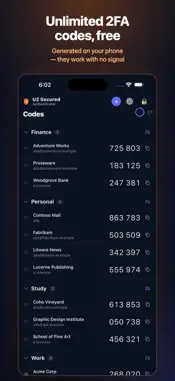
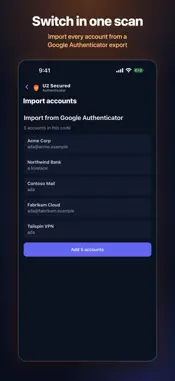
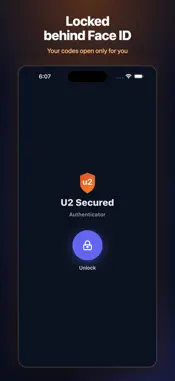
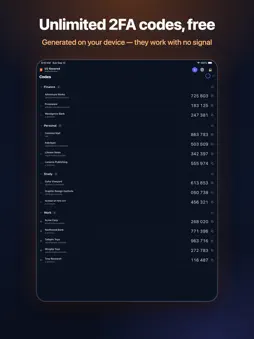
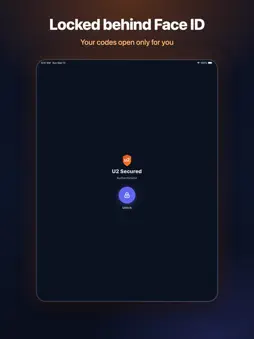
U2 Secured Authenticator replaces the six-digit code with a single tap. TAP TO APPROVE For services built on U2 Secured, signing in sends a prompt straight to your phone. The prompt shows you who is asking, from which browser, and roughly where the attempt came from — then asks you to pick the matching number from three. A prompt you did not trigger looks wrong immediately, and an approval cannot be granted by reflex. Every approval is confirmed with Face ID, Touch ID or your passcode before it is sent. TWO-FACTOR CODES THAT WORK ANYWHERE Standard RFC 6238 codes for any service that offers "authenticator app" two-factor. Add an account by scanning its QR code or typing the setup key. Codes are generated on your device, so they keep working on a plane, in a subway, or with no signal at all. SWITCH IN ONE SCAN Moving from Google Authenticator? Export your accounts there and scan the code: every account comes across in one tap, and any you already have are skipped. Coming from an app with no export, the app shows how to move each account. PASSKEYS Create and store passkeys in the app, and offer them to apps and websites through AutoFill once U2 Secured is enabled in Settings › General › AutoFill & Passwords. BUILT SO WE CANNOT READ YOUR SECRETS Your codes are encrypted on your device before anything leaves it. We store ciphertext and never hold the key, so we cannot read your codes even if we wanted to. Unlocking the app needs your face, fingerprint or passcode. PREMIUM — ENCRYPTED BACKUP An optional annual subscription adds encrypted cloud backup for up to 1,000 items, so you can restore everything onto a new phone instead of losing it with the old one. The backup is encrypted with a key derived from your password; a recovery key is issued at setup for the case where you forget it. Your account lives on one phone at a time. Moving to a new device restores from your backup and retires the old one, which erases its copy — so there is only ever one place your secrets exist. Everything else is free and stays free: codes, tap-to-approve, biometric lock, passkeys and offline use. PRIVACY We collect what the service needs to work and nothing to track you. Location is optional and used only to show you where a sign-in was approved from; approvals work normally if you decline it. Privacy Policy: https://auth.u2secured.com/privacy Terms of Use: https://auth.u2secured.com/terms
What's New
Version 1.1.11 2026-11-18
Fixed: with a long list of codes, the last one could be hidden under the bottom tabs and could not be scrolled into view. Technical Analysis
Package Overview Basic metadata
Bundle ID
com.u2secured.authenticator Current Version 1.1.11
Minimum iOS 15.1
Package Size App Store Size
Package Metadata 0 / 0 version records
Detailed binary, privacy manifest, framework, and Info.plist results have not been indexed for this package yet. The verified App Store and archive metadata above remains available.
Developer Information
Known Version Records
0 version records with stored package metadata
Stored metadata does not guarantee a package is currently available to download.
| Details | Version / IDs | Version date | Action |
|---|