
Preview










Description
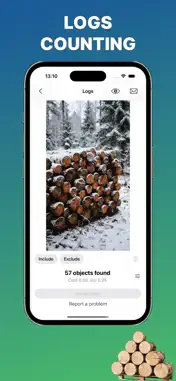
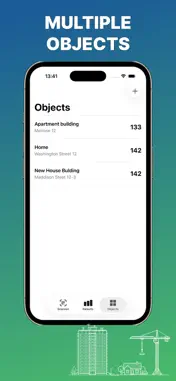
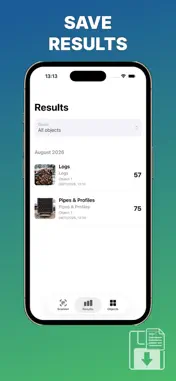
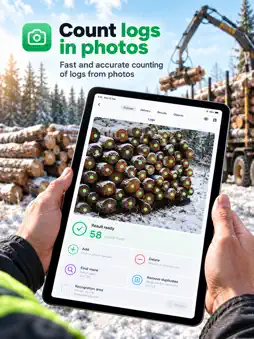
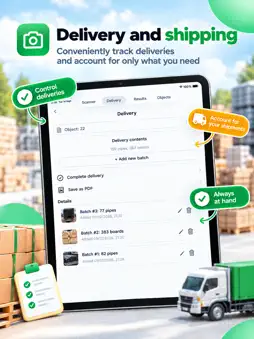
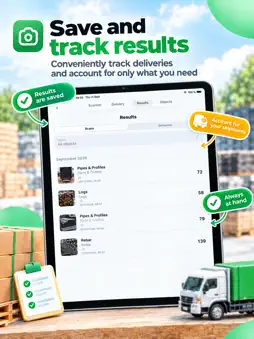
Take Inventory in Seconds! Need to quickly count pipes in a new delivery or find out the exact quantity of metal profiles in your warehouse? With our app, it’s quick and easy! Simply take a photo of a bundle of rebar or a stack of logs from the end face. The app will automatically detect the objects, count them, and mark each one on your screen. Your Indispensable Assistant The app is designed specifically for warehouse workers, builders, and loggers. It quickly and accurately counts: Logs, timber, and boards Rebar and metal profiles Pipes of any diameter Works 100% Offline! All neural networks are built directly into the app. Object counting happens instantly without requiring internet access—work seamlessly even at remote sites or underground parking lots. Key Features Timber and Lumber Scanner Log counting in stacks: Take a photo of the log ends, and the app will instantly give you an exact count. Perfect for loggers! Timber and board counting: An indispensable feature for sawmills and construction warehouses. Select the "Timber and boards" mode, take a picture, and your result is ready. Metal and Pipe Scanner Pipe counting: Receiving large shipments of pipes in various diameters? Select the "Pipes" mode, take a photo, and get the count without manual tallying. Profiles and rebar: Checking an incoming delivery of metal profiles or rebar on a construction site now takes just a couple of taps. Convenient Tools and Settings Scan Zone Editing Did unwanted objects end up in the frame? No problem! Tap "Include" to highlight the specific area you want to count. Tap "Exclude" to remove unnecessary areas from detection. Run the count and save the finished result to your database. Multi-Site Tracking Working across multiple locations? Add construction sites and warehouses under a dedicated tab. When saving a photo, simply select the relevant location to easily filter and sort your inspection history later. Auto-Launch Your Favorite Scanner Mostly counting rebar or only logs? Go to Settings and choose your default scanner—it will open immediately whenever you launch the app. Markup Customization and Numbering Customize the color of the circles highlighting detected objects to suit your preferences. Enable numbering for each detected object directly on the photo (available in the Premium version). Easy Result Exporting Click on any saved result from your list and tap "Share". The app will generate a report featuring the final photo and the exact object count, ready to send via email or messaging apps. Precision Mode: Sensitivity Adjustment (IoU) In the settings, you can adjust the IoU parameter (detection sensitivity): The higher the parameter, the more details the scanner detects (though the likelihood of duplicates increases). If the app missed some log ends or pipe edges, adjust the sensitivity to find the perfect setting for your specific lighting and material. Some features available only with a PREMIUM account. You can buy premium: Monthly subscription - $2,99 per Month Yearly subscription - $22.99 per Year A monthly purchase will be applied to your iTunes account on confirmation. Subscriptions will automatically renew unless canceled within 24-hours before the end of the current period. You can cancel anytime with your iTunes account settings. Any unused portion of a free trial will be forfeited if you purchase a subscription. For more information, see Terms and Conditions https://mobile-testing.ru/terms/ & Privacy Policy https://mobile-testing.ru/privacy-policy-for-countthings-app/
What's New
Version 1.3 2026-09-18
Interface Optimizing Technical Analysis
Package Overview Basic metadata
Bundle ID
ru.ai.countthings Current Version 1.3
Minimum iOS 17.6
Package Size App Store Size
Package Metadata 0 / 0 version records
Detailed binary, privacy manifest, framework, and Info.plist results have not been indexed for this package yet. The verified App Store and archive metadata above remains available.
Known Version Records
0 version records with stored package metadata
Stored metadata does not guarantee a package is currently available to download.
| Details | Version / IDs | Version date | Action |
|---|