
Preview





Description
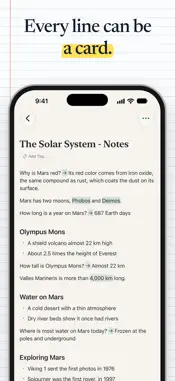
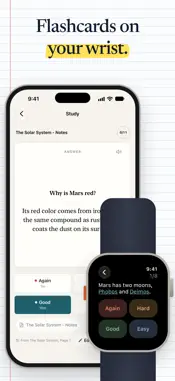
Take notes, highlight your PDFs, and review with spaced repetition flashcards. New: study the day's cards on Apple Watch, with your iPhone nearby or not. Spelling dictations read each card aloud and correct you letter by letter. Built for iPhone, iPad, and Mac. CuaderNote brings notes, handwritten notebooks, reading, annotation, and flashcards into one native workflow. Capture an idea, connect it to what you are reading, turn it into a card, and review it without moving your study material between apps. WRITE Create focused notes with a block-based editor designed for learning. Structure ideas, connect related notes, and turn what you write into flashcards using simple inline syntax. DRAW Think visually in a notebook. Handwrite with Apple Pencil on iPad, sketch diagrams, add shapes, and keep visual notes beside the rest of your library. READ Import PDFs and EPUBs or save web articles. Highlight in four colors, annotate, draw directly on PDFs, and keep a companion note beside your reading. Select a word to look it up in the dictionary, and read books and articles in White, Sepia or Night, or let the theme follow light and dark mode. If you delete a highlight or a sticky note by mistake, Undo brings it back. REMEMBER Review everything in one place with FSRS spaced repetition. Create question-and-answer, cloze, image occlusion, and set-based cards. When answers belong together, one cloze card can hide them all. Each session starts with the cards that are due and adds up to 20 new ones a day, an optional daily reminder tells you when cards are waiting, and Undo takes back a rating you gave by mistake. To practice spelling, turn on Dictation in a note: CuaderNote reads each card aloud, you type the answer, and you see the correction letter by letter. On Apple Watch, you can see how many cards are due and review them from your wrist. AI STUDY TOOLS When you choose to use them, AI tools can suggest flashcards, summarize or explain selected text, translate passages beside the page, generate LaTeX, and extract text from images. An optional account is required only for these tools. CuaderNote is built natively for iPhone, iPad, and Mac, with a companion app for Apple Watch. Your study library is local-first and can stay in sync across your devices with iCloud. Write. Draw. Read. Remember.
What's New
Version 0.56.0 2026-11-02
Writing that keeps up, a page label in your PDFs and flashcards that look like the ones you study. • Writing that keeps up: long strokes and full pages keep up... Technical Analysis
Package Overview Basic metadata
Bundle ID
com.cuadernote.mobile Current Version 0.56.0
Minimum iOS 17.0
Package Size App Store Size
Package Metadata 0 / 0 version records
Detailed binary, privacy manifest, framework, and Info.plist results have not been indexed for this package yet. The verified App Store and archive metadata above remains available.
Developer Information
Known Version Records
0 version records with stored package metadata
Stored metadata does not guarantee a package is currently available to download.
| Details | Version / IDs | Version date | Action |
|---|