
Preview

Description
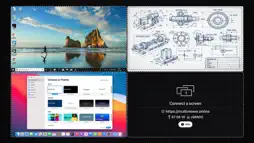
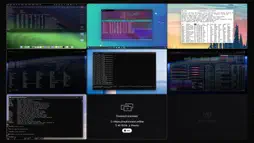
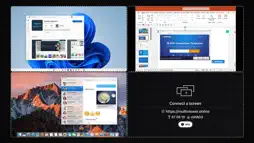
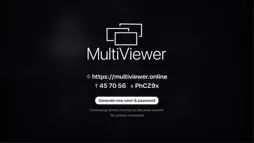
ZERO CONFIGURATION • Team members visit https://multiviewer.online from any browser • Enter the room code displayed on screen • Share their screen • Instant visibility—no software installation required BUILT FOR PROFESSIONAL TEAMS Whether you're running a 24-hour hackathon, monitoring production systems, or coordinating across distributed teams, MultiViewer provides real-time visibility into what everyone is working on. • Display up to 16 screens in an adaptive grid layout • Focus any screen to full-display with a single click • Automatic quality optimization based on active streams • Cross-platform support: Chrome, Firefox, Edge, Safari PRIVACY & SECURITY FIRST Security with local network streaming. MultiViewer uses WebRTC peer-to-peer technology-video streams never pass through cloud servers. • Direct peer-to-peer encrypted connections • No video data stored or transmitted to servers • Password-protected rooms • All streams remain on your local network USE CASES • Development Teams: Hackathons, pair programming, code reviews • DevOps & SRE: Multi-dashboard monitoring, incident response • Remote Teams: Daily standups, sprint planning, collaboration sessions • IT Operations: Network operations centers (NOC), system monitoring • Education: Instructor oversight, lab monitoring, student collaboration • Design Teams: Simultaneous design review, feedback sessions • Support Centers: Multi-client troubleshooting, training environments • Conference & Events: Multi-presenter coordination, livestream production KEY FEATURES • 1-16 simultaneous screen displays • Responsive grid layout (2×2, 3×3, 4×4) • Full-display zoom for detailed inspection • Dynamic video quality adaptation • Audio notifications for connection events • Secure room-based access control • WebRTC direct streaming • Platform-agnostic web client (Mac, Windows, Linux, ChromeOS) TECHNICAL ARCHITECTURE MultiViewer leverages WebRTC for secure, low-latency peer-to-peer screen sharing. The application acts as a receiver hub, aggregating screen shares from web browsers across your network. A lightweight cloud signaling server coordinates initial handshakes, but all video streams flow directly point-to-point—no data is persisted or recorded. DEPLOYMENT MODEL Try MultiViewer with a 10-minute evaluation session. Unlock unlimited usage with a one-time professional license—no recurring subscription fees. SYSTEM REQUIREMENTS • Source Devices: Modern desktop web browser (Chrome, Firefox, Edge, Safari) • Network: Stable WiFi or Ethernet connection • Bandwidth: 10+ Mbps recommended for optimal quality with multiple streams
What's New
Version 1.1 2026-06-30
• Fixed an issue where generating a new room and password didn't always update correctly on screen. • Performance and stability improvements. Technical Analysis
Package Overview Basic metadata
Bundle ID
se.dissolve.devwall.DevWall Current Version 1.1
Minimum iOS 26.0
Package Size App Store Size
Package Metadata 0 / 2 version records
Detailed binary, privacy manifest, framework, and Info.plist results have not been indexed for this package yet. The verified App Store and archive metadata above remains available.
Developer Information
Known Version Records
0 version records with stored package metadata • 2 known version records
Stored metadata does not guarantee a package is currently available to download.
| Details | Version / IDs | Version date | Action |
|---|---|---|---|
| Not archived | App Store ID: 887405222 | Unknown | Request Version |
| Not archived | App Store ID: 883987170 | Unknown | Request Version |