
Preview

Description
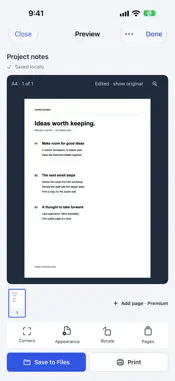
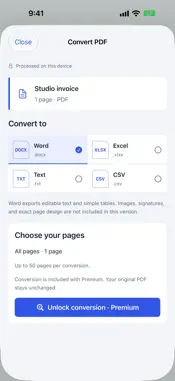
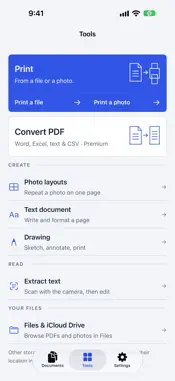
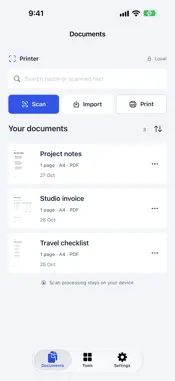
Scan a document, fix its corners and keep a clear PDF ready to use. Printer brings scanning, local document storage, AirPrint printing and editable PDF conversion into one workspace on iPhone. SCAN PAPER OR IMPORT PHOTOS Use the camera or choose images from your gallery and files from the Files app. Choose Document, ID Card, Passport, Business Card or Receipt format. Adjust each corner after capture or import, correct perspective and choose a cleanup style for a readable page. Keep the original image so you can adjust it again. KEEP YOUR DOCUMENTS CLOSE Save scans automatically to your local library. Rename documents, search names and recognized text, preview pages and save a PDF to Files. Initial multi-page scans and imports, corner adjustment, cleanup and PDF saving are included in the basic workspace. PRINT WITH AIRPRINT Preview your PDF or photo and use the familiar Apple print sheet. Printing requires an AirPrint-compatible printer on the same network. Printer does not add support for printers that do not support AirPrint. DO MORE WITH PRINTER PREMIUM • Add camera scans, gallery images or files to an existing PDF. • Convert PDF text and simple tables to Word (DOCX), Excel (XLSX), text or CSV on your device. • Review and edit detected table cells before exporting to Excel. • Unlock unlimited printing and PDF sharing. Conversion recreates editable text and simple tables. Images, signatures and exact page layout are not preserved. Excel exports do not recover formulas. Results depend on source clarity and document structure; review important files before use. YOUR WORKSPACE, YOUR CHOICE A short question-led setup suggests a first task and document format. Compare Premium plans after setup or continue with the basic workspace. Document processing and conversion run on your device. You choose when to export, print or share a file. Files can also access document providers you have enabled in the Files app. SUBSCRIPTIONS Premium is available as a weekly, monthly or yearly auto-renewing subscription. The localized price and billing period appear before purchase. Payment is charged to your Apple Account after confirmation. Subscriptions renew automatically unless canceled at least 24 hours before the current period ends. Manage or cancel in your App Store account settings. Restore purchases from the paywall or Settings. Privacy Policy https://sites.google.com/view/printer-app-privacy/home Terms of Use https://sites.google.com/view/printer-app-terms-use/home
What's New
Version 4.0 2026-11-02
A new workspace for your paperwork. • Question-led setup and clear Premium plans. • Scan paper or import photos, then adjust every corner and clean up page colo... Technical Analysis
Package Overview Basic metadata
Bundle ID
com.sbapp.printerapp Current Version 4.0
Minimum iOS 18.6
Package Size App Store Size
Package Metadata 1 / 10 version records
Detailed binary, privacy manifest, framework, and Info.plist results have not been indexed for this package yet. The verified App Store and archive metadata above remains available.
Known Version Records
1 version record with stored package metadata • 10 known version records
Stored metadata does not guarantee a package is currently available to download.
| Details | Version / IDs | Version date | Action |
|---|---|---|---|
| 11.85 MB | v3.5 App Store ID: 855405445Build: 3.5 | 2023-04-11 04:11:18 | Get Version |
| Not archived | App Store ID: 854401225 | Unknown | Request Version |
| Not archived | App Store ID: 854301502 | Unknown | Request Version |
| Not archived | App Store ID: 853959611 | Unknown | Request Version |
| Not archived | App Store ID: 853543878 | Unknown | Request Version |
| Not archived | App Store ID: 853021461 | Unknown | Request Version |
| Not archived | App Store ID: 852690859 | Unknown | Request Version |
| Not archived | App Store ID: 852515333 | Unknown | Request Version |
| Not archived | App Store ID: 852407999 | Unknown | Request Version |
| Not archived | App Store ID: 850636606 | Unknown | Request Version |