
Preview








Description
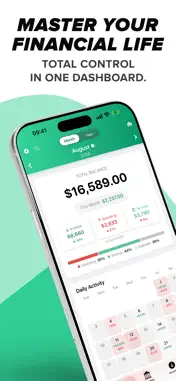
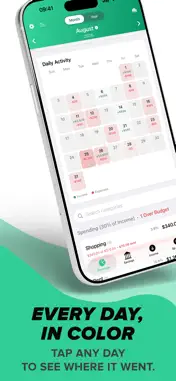
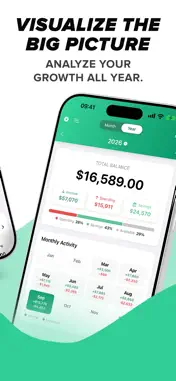
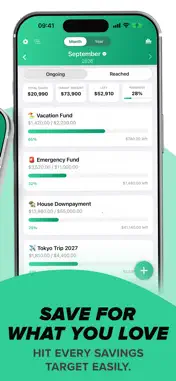
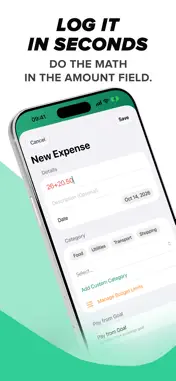
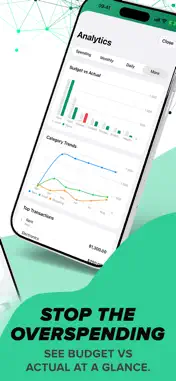
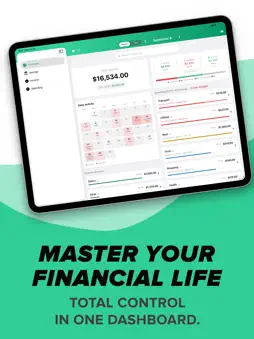
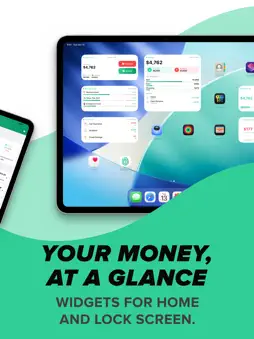
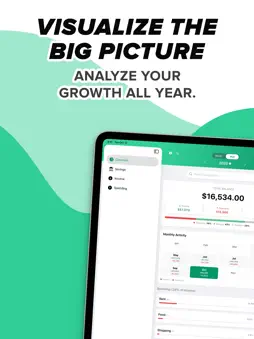
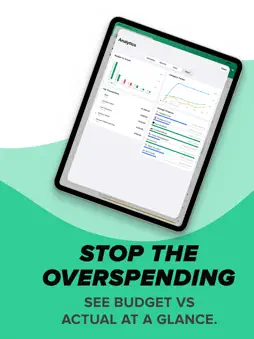
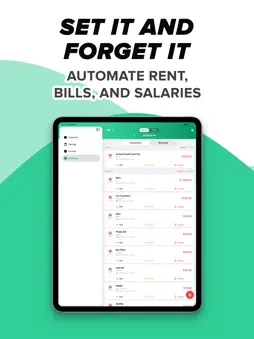
Stop guessing where your money went. Start telling it where to go. CoreSpend is the personal finance companion for people who value speed, visual clarity and absolute privacy. A clean, powerful budgeting app that puts you back in control — with no subscription. Whether you need a quick expense tracker for the daily coffee or a full financial tracker for yearly trends, CoreSpend makes it effortless, beautiful and 100% private. THE PRIVACY PROMISE Your financial data is your business, not ours. • Zero Sign-Ups: No accounts. No emails. No passwords. • 100% Private: Your data lives on your devices and in your personal iCloud. We never see it. • No Data Selling: You are the customer, not the product. • No Subscriptions: One-time purchase, lifetime ownership. ONE BUDGET ON iPHONE, iPAD AND MAC • iCloud Sync: Add an expense on your phone and it's on your iPad and Mac in seconds. • New device or reinstall: Sign in with the same Apple ID and everything comes back. • iPad: Wide two-column layouts and keyboard shortcuts. • Mac: A native app with a sidebar, menus, ⌘ shortcuts and desktop widgets. A CLEARER OVERVIEW • Income, Spending and Savings, each with how it changed since last month. • A bar showing where your income went: Spending, Savings and what's still Available. • Budget bars turn blue, amber or red as you near a limit; over-budget categories rise to the top. • A calendar tinted by how much you spent each day. Tap any day to see and edit its transactions. WIDGETS & LOCK SCREEN • Home Screen and desktop widgets: Balance with your latest transactions, Budget Left, Today's Spending, Savings Goals, Upcoming Bills, Quick Add Expense and Income, and a Yearly Overview. • Lock Screen widgets: Check your balance at a glance, or tap once to log a transaction. SIRI & SHORTCUTS • "Hey Siri, add a 12 dollar expense for lunch." • Ask Siri for your balance, today's spending, or how much is left in any category. • Long-press the app icon for instant Add Expense, Add Income and Balance. VISUAL ANALYTICS • Spending by Category and Income by Source as clear donut charts. • Monthly income vs expenses, Savings Rate, Average Spend by Weekday. • Budget vs Actual, Category Over Time, Top Transactions and Savings Progress. BUILT-IN CALCULATOR Type 24+18.50 straight into the amount field and CoreSpend does the math. RECURRING TRANSACTIONS • Rent, salaries and subscriptions are logged automatically on their due date. • Daily, Weekly, Bi-weekly, Monthly or Yearly. See what's Active or Paused at a glance. CUSTOM MONTH START Set your financial month to start on payday (e.g. the 9th or 25th). Dashboard, calendar and analytics all follow your real budget period. SMARTER SAVINGS & GOALS • Realistic projections: Goal dates are calculated from your whole contribution history, skipped months included. • Plan for a raise or a tight month with your own monthly contribution. • Track your "Piggy Banks" with color-coded progress bars. • A summary of Total Saved, Target, Left and Progress above your goals. BUDGET LIMITS Set a monthly ceiling for any category and see how close you are in every list and widget. GLOBAL BY DESIGN 31 languages and 34 currencies, including English, Spanish, French, German, Japanese, Hindi, Turkish, Italian, Portuguese and more; USD, EUR, GBP, JPY, INR, CHF, TRY, PLN, SEK, NOK, DKK and more. CoreSpend is more than a spending tracker — it's your path to financial freedom. Download CoreSpend today and master your money.
What's New
Version 1.4.0 2026-11-06
Version 1.4: The "Everywhere" Update. CoreSpend now runs on your iPhone, iPad and Mac, and keeps them all in step. NEW: iCLOUD SYNC • Your transactions, budget...Version 1.4: The "Everywhere" Update. CoreSpend now runs on your iPhone, iPad and Mac, and keeps them all in step. NEW: iCLOUD SYNC • Your transactions, budgets, recurring payments and savings goals sync across your iPhone, iPad and Mac. Add an expense on one device and it's on the others in seconds. • Reinstall the app or get a new device: sign in with the same Apple ID and everything comes back. • Nothing changes if you don't use iCloud — the app keeps working on its own. NEW: iPAD AND MAC • iPad: wide two-column layouts, a sidebar, keyboard shortcuts and the same widgets. • Mac: a native Mac app with a sidebar, File and View menus, ⌘ shortcuts, a proper app icon and desktop widgets. IMPROVED: OVERVIEW • Income, Spending and Savings are labeled and show how they changed since last month. • A new bar shows where your income went: Spending, Savings and what's still Available. • Budget bars turn blue, amber or red as you approach a limit; over-budget categories move to the top, and the header tells you how many there are. • Each category now opens into neat boxes per day, so a day and its transactions read as one unit. • Search categories right on the Overview. IMPROVED: CALENDAR AND RECURRING PAYMENTS • Days in the calendar are tinted by how much you spent, so heavy days stand out. • Recurring payments are now added at midnight on their due day. IMPROVED: CALCULATOR • Type a calculation such as 20-12 in any amount field and save — CoreSpend stores the result. No need to press = first. IMPROVED: WIDGETS • Large widgets use their full height. Upcoming Bills lists up to seven bills for the next 30 days with the total due, Savings Goals shows active goals first, the Balance widget adds your latest transactions, and the Yearly Overview lists every month so far. • Today's Spending shows how today compares with yesterday. • Amounts are shown whole unless the cents matter, and currencies such as zł and Kč sit after the number, as in the app. • A larger balance on Quick Add Expense and Quick Add Income. Long amounts and long translations fit in every widget. IMPROVED: SAVINGS • A summary above your goals: Total Saved, Target, Left and Progress. Four cards on iPad and Mac, a compact strip on iPhone. • Savings Goals and Analytics use the same clean switch as Spending and Income. IMPROVED: INCOME AND SPENDING • Cleaner pages: a Transactions / Recurring switch, a search field with the filter button beside it, and your entries in one card. On iPad the rows have columns for Date, Name, Category and Amount. • Transactions created by a recurring payment no longer show a time. FIXED • Amounts in every card, list and chart stay on one line and scale to fit, even with long currencies. • More labels translated in all 31 languages, including theme names, Delete, Edit and General. • Faster loading with a long history. • Empty calendar days are grey boxes on iPhone and iPad, matching the Mac. Technical Analysis
Package Overview Basic metadata
Bundle ID
com.DimitarGermanov.CoreSpend Current Version 1.4.0
Minimum iOS 17.6
Package Size App Store Size
Package Metadata 1 / 4 version records
Detailed binary, privacy manifest, framework, and Info.plist results have not been indexed for this package yet. The verified App Store and archive metadata above remains available.
Developer Information
Known Version Records
1 version record with stored package metadata • 4 known version records
Stored metadata does not guarantee a package is currently available to download.
| Details | Version / IDs | Version date | Action |
|---|---|---|---|
| 9.57 MB | v1.3 App Store ID: 884649281Build: 1.3 | 2026-08-28 08:35:01 | Paid / Arcade |
| Not archived | App Store ID: 884245547 | Unknown | Paid / Arcade |
| Not archived | App Store ID: 882934249 | Unknown | Paid / Arcade |
| Not archived | App Store ID: 882506530 | Unknown | Paid / Arcade |