Preview


Description
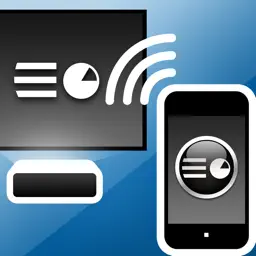
Control PowerPoint presentations that are running on your computer. Rehearse your slide show while on the go. Show your presentation without a computer by using a VGA adapter (iPhone 4 / iPad or later) or an Apple TV via AirPlay mirroring (iPhone4S, iPad 2, or later). MyPoint improves the slideshow for both the presenter and the audience in many ways: - Presenter can keep in contact with the audience at all times, no need to turn around or go back to the computer. - Comments or notes on the current slide are visible to the presenter. - Preview of the next slides helps presenter to prepare audience on what's coming next. - Requests from the audience to go back to a certain slide can be fulfilled in an instant. Features: * Slide navigation: back / next / jump to slide via slide browser * Display on iPhone: Current slide, notes, preview of next 3 slides * Network connection: Wifi, auto-detection of computer via Bonjour * Slideshows: Supports slideshows with notes, animations, and different screen ratio's (e.g. widescreen) * Portrait, landscape and full-screen mode (iPad only) * Several pointer shapes to choose from, replacing a traditional laser pointer * Annotate or mark the current slide with the pen in different colors * A timer keeps let's you easily keep track of your time while presenting. * Synchronizes automatically with current slide after re-launch of App during a presentation You need to install a small application on your PC/Mac, which can be downloaded at: http://mypointpro.com/download.html This allows you to: * control presentations on your computer * load presentations from your computer to your iOS device so that you can later on show or rehearse your presentation without a computer. Current limitations; most of them we plan to address in future releases: - When controlling presentations on your computer: * You cannot switch presentations via MyPoint, but you can switch presentations on your computer and MyPoint will pick up the new presentation. - When showing presentations via VGA adapter or AirPlay (AppleTV) : * Movements of animations or slide transitions are not displayed. * The supported slide resolution is limited by the resolution of the computer display used when loading the presentation from your computer. In case you are interested in a particular enhancement please contact us via our support email. Currently supported: * PowerPoint 2003, 2007, 2010 or 2013 on Windows 8, 7, Vista, XP, or 2003 * PowerPoint 2008 or 2011 on Mac OS X 10.6, 10.7, 10.8, or 10.9 For controlling or loading presentations iPhone / iPad / iPod touch and computer have to be connected to the same WiFi network.
What's New
Version 1.2.2 2014-09-16
Support for iOS 8 Technical Analysis
Package Overview Basic metadata
Bundle ID
com.didonai.mypointpro Current Version 1.2.2
Minimum iOS 7.0
Package Size App Store Size
Package Metadata 1 / 6 version records
Detailed binary, privacy manifest, framework, and Info.plist results have not been indexed for this package yet. The verified App Store and archive metadata above remains available.
Developer Information
Known Version Records
1 version record with stored package metadata • 6 known version records
Stored metadata does not guarantee a package is currently available to download.
| Details | Version / IDs | Version date | Action |
|---|---|---|---|
| 15.58 MB | v1.2.2 App Store ID: 837119139Build: 1.2.2 | 2014-09-16 16:38:34 | Paid / Arcade |
| Not archived | App Store ID: 15523248 | Unknown | Paid / Arcade |
| Not archived | App Store ID: 14208693 | Unknown | Paid / Arcade |
| Not archived | App Store ID: 11684031 | Unknown | Paid / Arcade |
| Not archived | App Store ID: 7938441 | Unknown | Paid / Arcade |
| Not archived | App Store ID: 6076058 | Unknown | Paid / Arcade |