Preview





Description
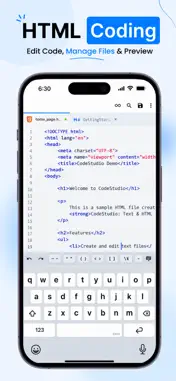
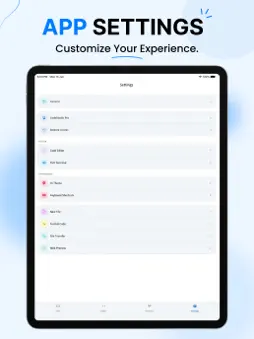
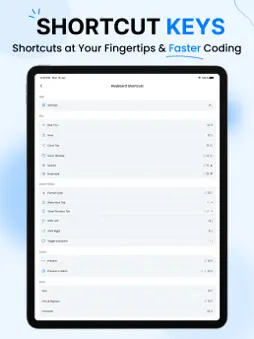
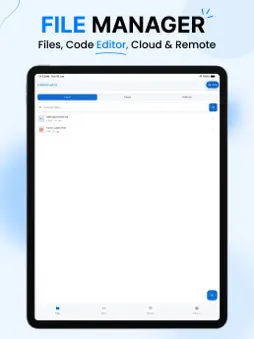
CodeStudio helps you create, edit, preview, and manage code projects from one place. Write HTML, CSS, JavaScript, PHP, Python, JSON, and 60+ other languages with syntax highlighting in a fast, focused editor. Preview pages instantly, connect to remote servers with SSH and SFTP, and export your projects to your device whenever you're ready. CodeStudio is a powerful code-editing workspace designed for developers who need to write, edit, and manage files from anywhere. Whether you're updating website files, reviewing source code, or working on a remote server, CodeStudio gives you a streamlined environment built around speed and productivity. KEY FEATURES • Fast source code and text editor • Syntax highlighting for 60+ languages, including HTML, CSS, JavaScript, TypeScript, PHP, Python, JSON, Java, C/C++, Swift, Kotlin, Go, Rust, Ruby, SQL, YAML, XML, Markdown, and Shell • Built-in code formatting (beautify) for HTML, CSS, JavaScript, and JSON • SSH terminal and SFTP file transfer for secure remote access • Local file management plus iCloud Drive and external folders from the Files app • Tab-based editing for multiple files at once • Powerful find & replace, including regular expressions, and search across files • Instant Web Preview for HTML and Markdown • Dark and light themes, custom fonts, font sizes, and editor/terminal themes • External keyboard, mouse, and trackpad support, plus a quick programming-keys row WORK WITH FILES FROM ANYWHERE • Open and edit HTML, CSS, JavaScript, JSON, PHP, Python, and other text-based files directly on your device. • Use the built-in Web Preview to see your HTML and Markdown pages without leaving the app. • Import files shared from other apps, cloud storage, email attachments, and messaging apps for quick viewing and editing. • Create, edit, organize, and manage your projects in one workspace. • Compress projects into ZIP archives, then export and share them whenever you need. • Connect to remote servers over SSH and SFTP to manage and edit files, and open a full terminal session. Built for developers, web designers, system administrators, and students, CodeStudio helps you edit code, manage projects, and work with files efficiently from your device. Whether you're making quick website updates, reviewing source code, or managing files on a remote server, CodeStudio delivers a reliable coding experience designed around modern development workflows. CODESTUDIO PRO CodeStudio offers an optional Pro subscription that unlocks the full file manager, SFTP transfers, the SSH terminal, and search across files. Subscriptions are billed weekly, monthly, or yearly through your App Store account and renew automatically unless cancelled at least 24 hours before the end of the current period. Privacy Policy: https://codestudiotexthtmleditor.blogspot.com/2026/06/codestudio-text-html-editor-app-privacy.html Terms of Use (EULA): https://www.apple.com/legal/internet-services/itunes/dev/stdeula/
What's New
Version 1.1 2026-09-18
Updated UI with support for the new iOS 26 Liquid Glass design. Connect to servers securely using SSH. Import and open files from different sources. Preview fil... Technical Analysis
Package Overview Basic metadata
Bundle ID
com.text.code.html.editor Current Version 1.1
Minimum iOS 15
Package Size App Store Size
Package Metadata 1 / 1 version records
Detailed binary, privacy manifest, framework, and Info.plist results have not been indexed for this package yet. The verified App Store and archive metadata above remains available.
Known Version Records
1 version record with stored package metadata
Stored metadata does not guarantee a package is currently available to download.
| Details | Version / IDs | Version date | Action |
|---|---|---|---|
| 59.16 MB | v1.1 App Store ID: 886658491Build: 1.1 | 2026-09-18 14:11:17 | Get Version |