
Preview









Description
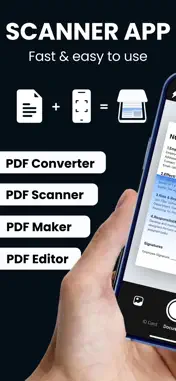
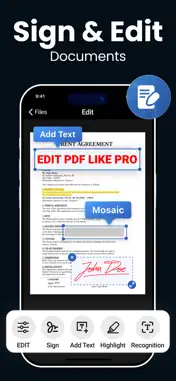
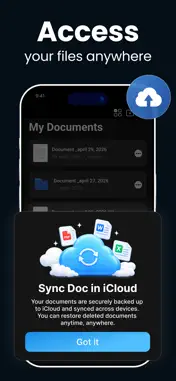
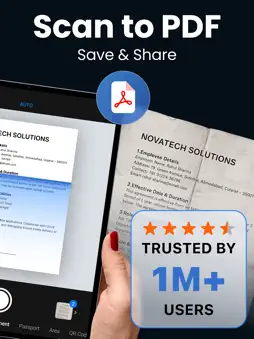
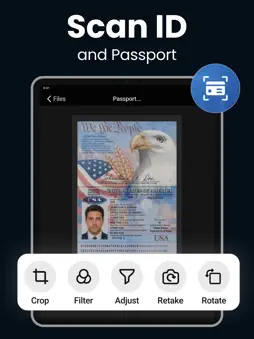
Scan, edit and convert documents instantly with a powerful PDF scanner and document scanner. Create high-quality PDFs from photos, receipts, notes, and IDs in seconds. Fast, accurate, and easy to use — everything you need in one smart scanner app. Whether you need a reliable doc scanner, advanced PDF maker, or quick PDF converter, this app helps you stay productive anytime, anywhere. Key Features: • Scan anything with a smart document scanner • Use a fast and reliable PDF scanner for all your files • Convert JPG, images to PDF with an advanced PDF maker • Edit files using a powerful PDF editor • Transform documents with a built-in PDF converter • Use a simple and efficient doc scanner anytime, anywhere • Use as your daily scanner app and doc scanner for work, school, or business Smart Scanning Made Simple Automatically detects document edges, removes shadows, and enhances clarity for professional-quality scans. Turn any paper into a clean, readable digital file. Scan to PDF in Seconds Scan receipts, notes, invoices, business cards, or contracts and convert them into high-quality PDFs instantly. Save time and stay organized. Batch Scan & Merge Scan multiple pages and combine them into one PDF. Easily reorder, rename, or delete pages as needed. OCR Text Recognition Extract text from scanned documents and copy, edit, or share it instantly. Perfect for students and professionals. Best Scanner to PDF Tools Crop, enhance, compress, and export — everything you need to manage your digital documents. Organize & Share Anywhere Save your files to iCloud or device storage, and share via Email, WhatsApp, or AirDrop in seconds. Why Choose This Scanner App? • Fast, accurate, and easy to use • Clean and simple interface • Works offline for scanning anytime • Simple, secure, and accurate — no sign-up required • Designed for students, professionals, and businesses Use Cases: Students: Scan notes, assignments, and study materials Professionals: Scan invoices, receipts, and business documents Personal: Digitize bills, IDs, and important papers Premium Subscriptions & Terms : USD $ 2.99 Weekly Subscription USD $ 4.99 Monthly Subscription USD $ 9.99 Yearly Subscription The subscription will automatically renew unless turned off in your iTunes Account Settings at least 24 hours before the current period ends. You can go to your iTunes Account settings to manage your subscription and turn off auto-renew. Your iTunes Account will be charged when the purchase is confirmed. Privacy Policy Link : https://sites.google.com/view/scanner-pp?usp=sharing Terms and Conditions Link : https://sites.google.com/view/scanner-tou?usp=sharing Feedback:- If you have any concerns or recommendations, please mail us at [email protected] Download now and convert photo to PDF instantly with a fast PDF scanner and easy-to-use scanner app for iPhone. Always Happy To Help :) Thank you so much!
What's New
Version 2.4 2026-10-07
Thanks for using our Document Scanner app! We’ve made improvements to enhance your experience: • Improved edge detection and auto-crop for more accurate scans ...Thanks for using our Document Scanner app! We’ve made improvements to enhance your experience: • Improved edge detection and auto-crop for more accurate scans • Faster and more accurate OCR text recognition • Enhanced PDF compression for smaller file sizes • Performance improvements and bug fixes We’re constantly working to make scanning app faster and easier. Update now for the best experience! Technical Analysis
Package Overview Basic metadata
Bundle ID
com.dhara.scanner Current Version 2.4
Minimum iOS 15.0
Package Size App Store Size
Package Metadata 0 / 15 version records
5.0 / 5.0 (4 ratings)
Detailed binary, privacy manifest, framework, and Info.plist results have not been indexed for this package yet. The verified App Store and archive metadata above remains available.
Developer Information
Known Version Records
0 version records with stored package metadata • 15 known version records
Stored metadata does not guarantee a package is currently available to download.
| Details | Version / IDs | Version date | Action |
|---|---|---|---|
| Not archived | App Store ID: 892604053 | Unknown | Request Version |
| Not archived | App Store ID: 892121037 | Unknown | Request Version |
| Not archived | App Store ID: 885959795 | Unknown | Request Version |
| Not archived | App Store ID: 884545307 | Unknown | Request Version |
| Not archived | App Store ID: 884043746 | Unknown | Request Version |
| Not archived | App Store ID: 883958670 | Unknown | Request Version |
| Not archived | App Store ID: 882930362 | Unknown | Request Version |
| Not archived | App Store ID: 882773381 | Unknown | Request Version |
| Not archived | App Store ID: 882707132 | Unknown | Request Version |
| Not archived | App Store ID: 881620594 | Unknown | Request Version |
| Not archived | App Store ID: 881371160 | Unknown | Request Version |
| Not archived | App Store ID: 879822701 | Unknown | Request Version |
| Not archived | App Store ID: 879383109 | Unknown | Request Version |
| Not archived | App Store ID: 878153432 | Unknown | Request Version |
| Not archived | App Store ID: 878055778 | Unknown | Request Version |