Preview



Description
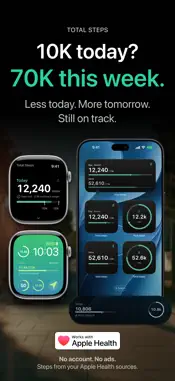
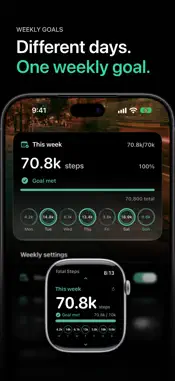
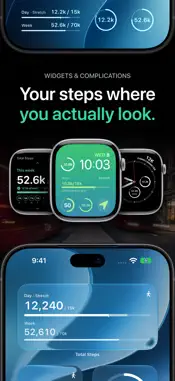
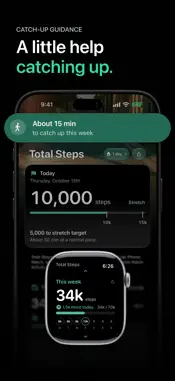
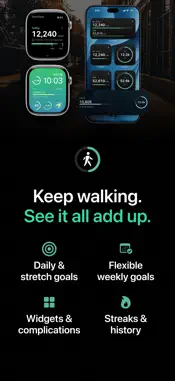
Not every day gives you the same time to walk. A 10K-step target can feel easy on Saturday and out of reach on a busy Tuesday. Total Steps is a step counter with flexible weekly goals. Lower days can be balanced by higher days, so one quiet day doesn't have to throw off your progress. Think 70K steps across the week, or choose a target that suits you. DESIGNED FOR A QUICK LOOK On iPhone, black glass cards and clear progress bars sit over walking photography that changes with the time of day. Keep progress in view on your Home Screen, Lock Screen and Apple Watch. TODAY'S STEPS, YOUR WAY • See today's step count, daily goal progress and the steps you have left. • Choose your own daily target and add an optional stretch target for longer walks. • Use a weekly goal alone, or simply count steps without setting goals. • See approximate walking time for the remaining steps to your target. KEEP YOUR WEEK ON TRACK • See how each day's steps contribute to your weekly total. • Get a suggested target for today based on what remains and the days left. • See catch-up guidance when a manageable extra walk could help your week. • Choose optional weekly catch-up reminders, plus celebrations for stretch targets and weekly goals. KEEP PROGRESS IN VIEW • Home Screen: choose daily, weekly or combined widgets, with rings, side-by-side bars and two-row layouts. • Lock Screen: see step counts or goal percentages without opening the app. • Apple Watch: check Today, This week and Streak. Choose circular, corner or rectangular complications, including nested rings for day and week, with app colors or your watch face's colors. An Apple Watch is optional. On a wide iPhone Duo display, see Today and This week side by side. STREAKS AND STEP HISTORY Follow current and best daily or weekly goal streaks. Browse available step counts month by month, and compare completed weeks in a weekly progress chart with averages. Keep your past counts in view even when goals are off. SHARE YOUR PROGRESS Create a portrait or square step-count or progress image. Add your own photo and move stickers into place, then share it when you choose. READS APPLE HEALTH Total Steps reads your existing step data from Apple Health, including available steps from iPhone, Apple Watch and compatible apps or devices that write steps to Health. It does not write Health data. Step data is processed on your devices; exporting a progress image is your choice. No account or sign-up is required. The app has no ads. FULL ACCESS Today's step count, an optional daily goal and basic count sharing are free. Full Access adds weekly goals, stretch targets, reminders, widgets, Watch complications, streaks, history and premium sharing styles. Choose a monthly or annual subscription, or a one-time lifetime purchase. Terms of Use: https://www.apple.com/legal/internet-services/itunes/dev/stdeula/
What's New
Version 1.1.2 2026-11-17
Weekly catch-up nudges now suggest manageable walks and spread the extra effort across the days you have left. Optional weekly reminders use the same guidance. ...Weekly catch-up nudges now suggest manageable walks and spread the extra effort across the days you have left. Optional weekly reminders use the same guidance. The weekly card shows your pace and how many steps are left. Technical Analysis
Package Overview Basic metadata
Bundle ID
app.dvnkshl.steps Current Version 1.1.2
Minimum iOS 18.0
Package Size App Store Size
Package Metadata 0 / 0 version records
Detailed binary, privacy manifest, framework, and Info.plist results have not been indexed for this package yet. The verified App Store and archive metadata above remains available.
Developer Information
Known Version Records
0 version records with stored package metadata
Stored metadata does not guarantee a package is currently available to download.
| Details | Version / IDs | Version date | Action |
|---|