
Preview



Description
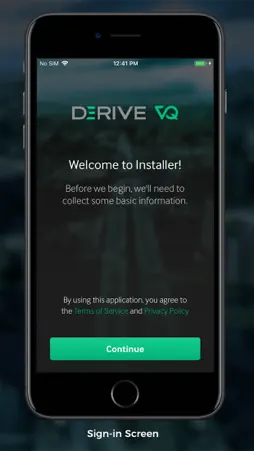
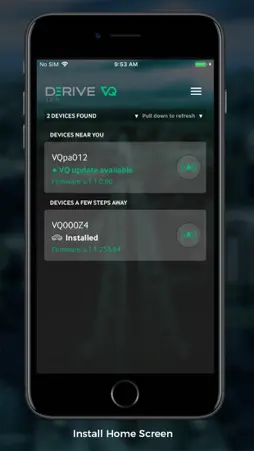
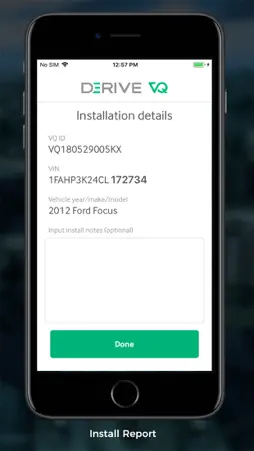
The Derive Systems platform goes beyond traditional telematics solutions, providing an active, intelligent fleet solution. The Derive VQ Installer is the beginning of that experience. Use Derive VQ Installer to install your VQ in your vehicle’s ODB2 port and get your systems set to transmit telematics information and distracted driving solutions. Once our hardware is installed in a vehicle, drivers pair their device by enabling Bluetooth and using a simple tap on the steering wheel when prompted. Once paired, the vehicle is enabled and can be driven normally. --- Note: You must be a Derive VQ customer in order to use this app. For more information contact Derive Systems Enterprise Sales by visiting https://www.derivesystems.com/enterprise/contact
What's New
Version 1.3.0 2019-05-29
We regularly update the VQ Installer app to bring you additional features and performance improvements that will enhance your overall experience. This version ... Technical Analysis
Package Overview Basic metadata
Bundle ID
com.derivesystems.vq-installer Current Version 1.3.0
Minimum iOS 10.3
Package Size App Store Size
Package Metadata 0 / 7 version records
Detailed binary, privacy manifest, framework, and Info.plist results have not been indexed for this package yet. The verified App Store and archive metadata above remains available.
Developer Information
Known Version Records
0 version records with stored package metadata • 7 known version records
Stored metadata does not guarantee a package is currently available to download.
| Details | Version / IDs | Version date | Action |
|---|---|---|---|
| Not archived | App Store ID: 831376180 | Unknown | Request Version |
| Not archived | App Store ID: 830120179 | Unknown | Request Version |
| Not archived | App Store ID: 829441663 | Unknown | Request Version |
| Not archived | App Store ID: 828194284 | Unknown | Request Version |
| Not archived | App Store ID: 827901049 | Unknown | Request Version |
| Not archived | App Store ID: 827625187 | Unknown | Request Version |
| Not archived | App Store ID: 826820168 | Unknown | Request Version |