Preview


Description
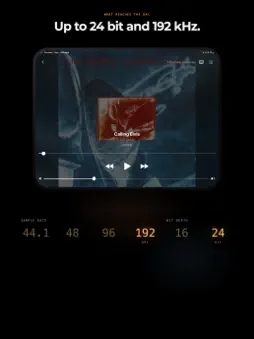
Nothing in the path but your DAC. One device plays Apple Music over USB-C straight into your DAC, like a FiiO Warmer, or through a converter such as the HiBy UC10 into your stereo's input, whether coaxial, optical or RCA. The other controls it from the couch, and so can your Apple Watch. AirPlay 2 stops at 16 bit and 44.1 kHz — DACmote leaves the stream alone, so your DAC receives exactly what Apple Music delivers to the stereo: Lossless, or Hi-Res Lossless all the way up to 24 bit and 192 kHz. Only the commands travel over Wi-Fi, never the audio. HOW IT WORKS The first time you open DACmote, you tell it where the device lives: at the stereo or in your hand. It remembers. With a DAC or converter on the USB-C port, it starts right at the stereo. The remote finds your stereo on the Wi-Fi network and connects on its own, but never to someone else's without you. FEATURES * Apple Watch as a remote: play, pause, skip forward and back, switch the stereo's display on or off, plus title, album and sample rate * Search everything: songs, albums, artists and playlists from the Apple Music catalog * Your library: playlists, albums and songs, ready to send to the stereo * The queue, in your hands: drag to reorder, swipe to remove, one tap to clear it * The queue stays: the stereo remembers the track and where you were, even across a restart * Quality at a glance: Lossless, Hi-Res Lossless and Dolby Atmos on every result, plus the sample rate with USB audio * Animated cover art, full screen at the stereo, wherever Apple Music provides it * After a few seconds without a touch, the stereo shows just the artwork * Artist and album linked right from the player * Lock screen and Control Center: skip a track without unlocking the remote * Discography by year: an artist's albums in the order they were released * Artwork, or a dark room: switch the stereo's screen on or off from where you sit, even from your watch * Portrait and landscape: the player turns with the device, and on iPad every screen does * No remote? No problem: pick music right at the stereo * Fully localized in English and German PRIVATE BY DESIGN No subscription, no tracking, no ads. There is no server: DACmote has no backend and no account and collects nothing, because there is nowhere to send it. The devices talk to each other directly, exclusively on your local network, and to nobody else. REQUIREMENTS * Apple Music subscription. DACmote plays your subscription, it doesn't sell one. * One iPhone or iPad running iOS 26 at the stereo. For the remote, a second one, iPhone and iPad in any combination, on the same Wi-Fi network. * Optional: an Apple Watch running watchOS 26, paired with one of the iPhones * Optional: over USB-C, a DAC like the FiiO Warmer or a converter like the HiBy UC10 for your stereo's input, whether coaxial, optical or RCA. DACmote works without one, too. Playback quality depends on your subscription and the Music settings of the stereo device. Apple Music is a trademark of Apple Inc. Enjoy your music!
What's New
Version 1.1.0 2026-11-13
New: DACmote on Apple Watch. Control playback from your wrist and see the title, album and sample rate. • Simpler start: choose "At the stereo" or "Remote contr...New: DACmote on Apple Watch. Control playback from your wrist and see the title, album and sample rate. • Simpler start: choose "At the stereo" or "Remote control" once and DACmote remembers it. With USB audio connected, it starts right at the stereo. • The remote finds your stereo and connects on its own. • A new player with queue and cover mode. • The stereo remembers the queue, even across a restart. • The player works in landscape too, and everywhere on iPad. Technical Analysis
Package Overview Basic metadata
Bundle ID
de.krannich.dkRemote Current Version 1.1.0
Minimum iOS 26.0
Package Size App Store Size
Package Metadata 0 / 0 version records
Detailed binary, privacy manifest, framework, and Info.plist results have not been indexed for this package yet. The verified App Store and archive metadata above remains available.
Developer Information
Known Version Records
0 version records with stored package metadata
Stored metadata does not guarantee a package is currently available to download.
| Details | Version / IDs | Version date | Action |
|---|