Preview


Description
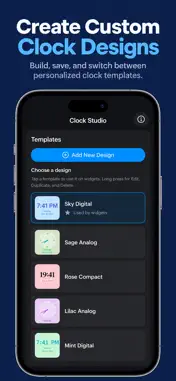
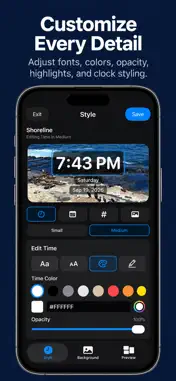
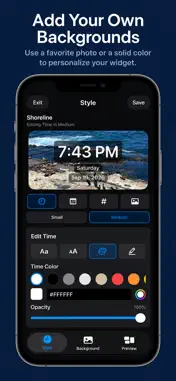
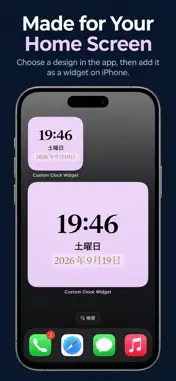
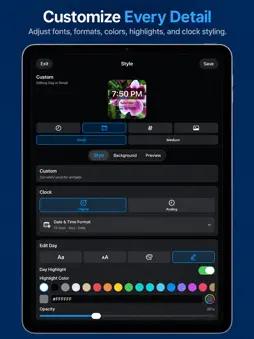
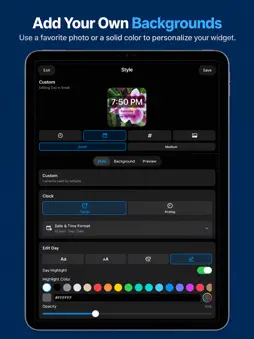
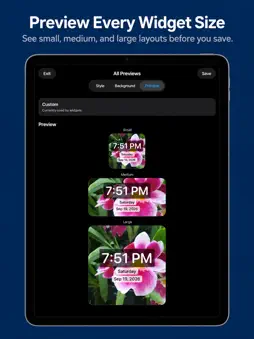
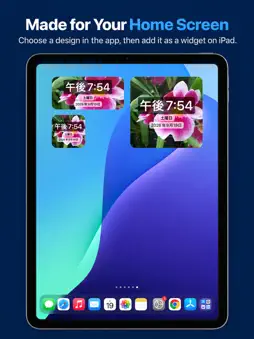
Create a clock widget that feels like it belongs on your Home Screen. Custom Clock Widget lets you design personalized digital and analog clocks with your own fonts, colors, layouts, backgrounds, and styling. Create multiple designs, preview them in different widget sizes, and choose which design appears on your Home Screen. CUSTOMIZE YOUR CLOCK Choose between digital and analog clock styles and personalize the appearance to match your Home Screen. • Digital and analog clock designs • 12-hour and 24-hour time formats • Custom time, day, and date display • Adjustable fonts and text sizes • Custom text colors and opacity • Text highlight styling • Custom analog clock faces, numbers, and hands MAKE IT YOURS Choose a solid color background or select one of your own photos to create a more personal widget. Photo backgrounds can be framed separately for small, medium, and large widget sizes so your design looks right wherever you use it. SAVE MULTIPLE DESIGNS Create and save multiple clock designs for different Home Screen styles. Duplicate an existing design, make changes, and switch your active clock whenever you want. PREVIEW BEFORE YOU USE IT Preview your clock in small, medium, and large widget sizes directly in the app before choosing the design you want to display. SIMPLE WIDGET SETUP Choose your design in the app, then add the Custom Clock widget to your iPhone Home Screen using the standard iOS widget controls. No account required. Your clock designs and selected photo backgrounds are used locally on your device.
Technical Analysis
Package Overview Basic metadata
Bundle ID
com.dtieng.CustomClockWidget Current Version 1.0
Minimum iOS 17.6
Package Size App Store Size
Package Metadata 0 / 0 version records
Detailed binary, privacy manifest, framework, and Info.plist results have not been indexed for this package yet. The verified App Store and archive metadata above remains available.
Known Version Records
0 version records with stored package metadata
Stored metadata does not guarantee a package is currently available to download.
| Details | Version / IDs | Version date | Action |
|---|