
Preview




Description
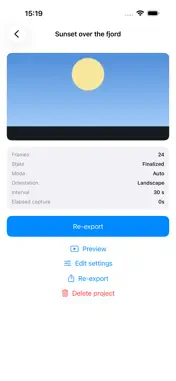
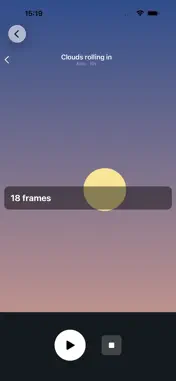
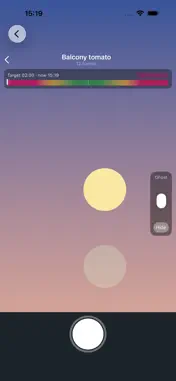
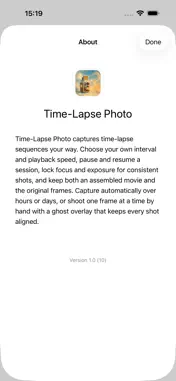
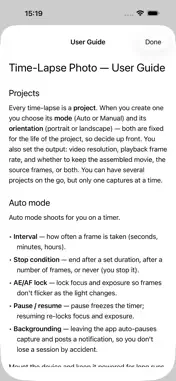
Time-Lapse Photo — time-lapses your way. The built-in camera makes one kind of time-lapse, its way. Time-Lapse Photo hands you the controls: choose exactly how often it shoots, how fast it plays back, and keep both the finished movie and every original frame. TWO WAYS TO SHOOT • Auto — mount your iPhone and let it capture on a timer. Set any interval, from a frame every second to one every few hours. • Manual — take one shot at a time. Perfect for a daily photo of the same scene, with a faint "ghost" of your last frame overlaid on the camera so every shot lines up. MADE FOR REAL TIME-LAPSES • Your interval, your speed — dial in the capture interval and the playback frame rate independently. • Lock focus & exposure — keep every frame consistent so your time-lapse doesn't flicker as the light changes. • Pause and resume — stop for a coffee and pick up right where you left off. Your session survives backgrounding, and even a reboot. • Stop when you want — after a set time, a number of frames, or keep going until you say stop. • Daily reminders — Manual projects can nudge you when it's time for today's shot. KEEP EVERYTHING • Get both an assembled movie and the full set of original frames — re-edit or re-export anytime. • Preview your sequence in the app before you export. • Export to Photos, to Files, or share it anywhere. • Shoot in portrait or landscape, up to 4K. GREAT FOR Sunsets and skies, clouds and storms, plants growing, building projects, crafts and cooking, a daily self-portrait, or any slow change you want to watch unfold. PRIVATE BY DESIGN Your photos and videos stay on your device. Nothing is uploaded. Set it up, press start, and watch time unfold.
What's New
Version 1.6 2026-10-28
Reworked assets Technical Analysis
Package Overview Basic metadata
Bundle ID
no.delichon.Time-Lapse-Photo Current Version 1.6
Minimum iOS 26.5
Package Size App Store Size
Package Metadata 1 / 1 version records
Detailed binary, privacy manifest, framework, and Info.plist results have not been indexed for this package yet. The verified App Store and archive metadata above remains available.
Developer Information
Known Version Records
1 version record with stored package metadata
Stored metadata does not guarantee a package is currently available to download.
| Details | Version / IDs | Version date | Action |
|---|---|---|---|
| 5.24 MB | v1.2 App Store ID: 886295057Build: 1.2 | 2026-07-28 23:10:17 | Paid / Arcade |