
Preview



Description
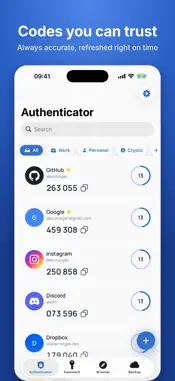
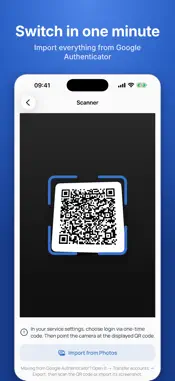
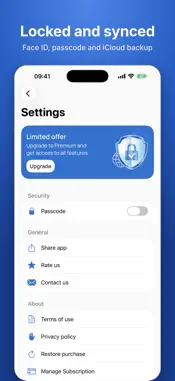
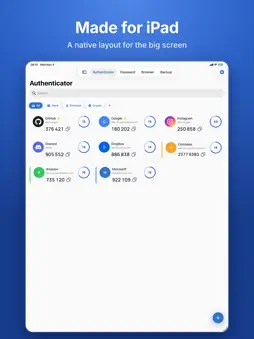
Accurate verification codes that refresh on time, even offline. Import from Google Authenticator in a minute and keep your accounts in sync with iCloud. Keep everyday sign-ins simple, with your codes and passwords in one place. - Generate TOTP codes with 6, 7 or 8 digits, SHA1, SHA256 or SHA512, and 30- or 60-second intervals. - Import from Google Authenticator using its Transfer accounts QR codes, including transfers split across several QR codes. You can also select QR screenshots from Photos. - Scan otpauth QR codes from websites or enter a secret key manually. - Sync and back up with iCloud. Secrets are encrypted; protect access with Face ID or a passcode. - Find accounts quickly with folders, favorites, color labels and search. - Generate and store passwords, and use the built-in private browser. - Enjoy a native layout on iPhone and iPad, an iPad sidebar and the Liquid Glass design on iOS 26. - Generate verification codes without an internet connection. Authenticator+ unlocks full access to code management, iCloud sync and backup, password tools and the private browser. Choose a weekly subscription with a 3-day free trial, or a monthly or yearly subscription. Payment is charged to your Apple ID at purchase confirmation, or when the free trial ends. Your subscription auto-renews unless canceled at least 24 hours before the end of the current period. To avoid a charge, cancel the trial at least 24 hours before it ends. Manage or cancel your subscription in Settings. Terms: https://telegra.ph/Terms-of-Use-07-14 Privacy: https://telegra.ph/Privacy-Policy-07-14-56
What's New
Version 1.1.0 2026-11-04
What’s new in 1.1.0: - More accurate TOTP codes, with timely updates. - Import from Google Authenticator, including transfers with several QR codes and screensh... Technical Analysis
Package Overview Basic metadata
Bundle ID
auth.otp.verification.prod Current Version 1.1.0
Minimum iOS 16.0
Package Size App Store Size
Package Metadata 1 / 5 version records
4.5 / 5.0 (57 ratings)
Detailed binary, privacy manifest, framework, and Info.plist results have not been indexed for this package yet. The verified App Store and archive metadata above remains available.
Known Version Records
1 version record with stored package metadata • 5 known version records
Stored metadata does not guarantee a package is currently available to download.
| Details | Version / IDs | Version date | Action |
|---|---|---|---|
 18.79 MB | v1.0.4 App Store ID: 885121014Build: 1 | 2026-04-30 15:28:30 | Get Version |
| Not archived | App Store ID: 885005583 | Unknown | Request Version |
| Not archived | App Store ID: 884989986 | Unknown | Request Version |
| Not archived | App Store ID: 876481595 | Unknown | Request Version |
| Not archived | App Store ID: 876258715 | Unknown | Request Version |