
Preview




Description
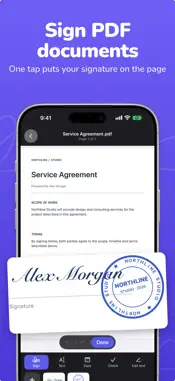
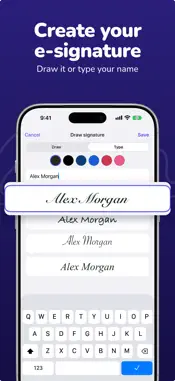
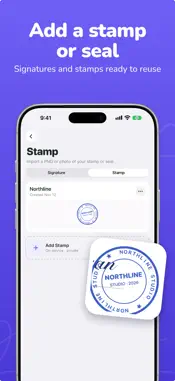
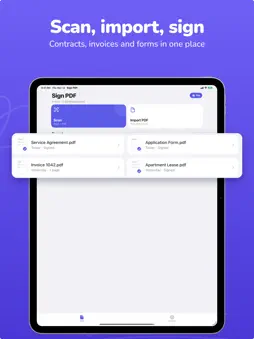
Sign PDF documents, fill out forms and add your own stamp on iPhone and iPad. Open a PDF, tap the page and your signature is there. No account needed. SIGN • Draw your signature or type your name and pick a handwriting style • Tap the page to place it, then move and resize FILL FORMS • Add text, dates and checkmarks anywhere on the page • Edit existing text in a PDF STAMPS AND SEALS • Import a photo of your stamp or seal, the background is removed on your device SCAN AND SHARE • Scan paper documents to PDF or import files and images • Send the signed PDF by Mail, AirDrop or save it to Files FREE AND PRO Sign your first 3 documents for free. Pro unlocks unlimited documents, more signatures and stamps, merging and splitting PDFs and Face ID lock. Plans and prices are shown in the app before you buy. PRIVACY Your documents stay on your device. Saved signatures and stamps can sync through your iCloud. The app collects usage and diagnostic data, see the Privacy Policy. Subscriptions renew automatically unless cancelled at least 24 hours before the end of the current period. Manage or cancel anytime in your Apple ID settings. Terms of Use: https://getsignpdf.pages.dev/terms Privacy Policy: https://getsignpdf.pages.dev/privacy
What's New
Version 1.5.3 2026-11-13
• Signing is faster: open a PDF, tap the page and your signature is there • New form tools: text, dates and checkmarks • Type your signature instead of drawing ...• Signing is faster: open a PDF, tap the page and your signature is there • New form tools: text, dates and checkmarks • Type your signature instead of drawing it • Dark mode, larger text and a better iPad layout Technical Analysis
Package Overview Basic metadata
Bundle ID
com.nomly.signpdf-esign Current Version 1.5.3
Minimum iOS 18
Package Size App Store Size
Package Metadata 0 / 5 version records
Detailed binary, privacy manifest, framework, and Info.plist results have not been indexed for this package yet. The verified App Store and archive metadata above remains available.
Developer Information
Known Version Records
0 version records with stored package metadata • 5 known version records
Stored metadata does not guarantee a package is currently available to download.
| Details | Version / IDs | Version date | Action |
|---|---|---|---|
| Not archived | App Store ID: 887644103 | Unknown | Request Version |
| Not archived | App Store ID: 886718972 | Unknown | Request Version |
| Not archived | App Store ID: 886424834 | Unknown | Request Version |
| Not archived | App Store ID: 885567215 | Unknown | Request Version |
| Not archived | App Store ID: 884884363 | Unknown | Request Version |