
Preview






Description
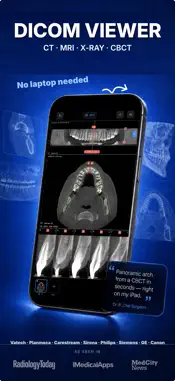
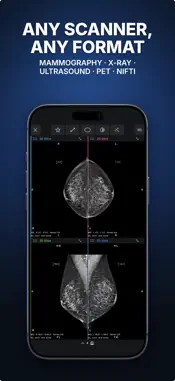
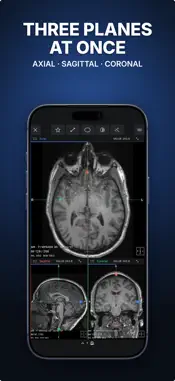
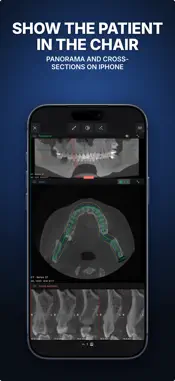
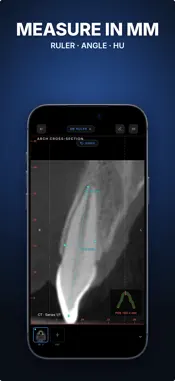
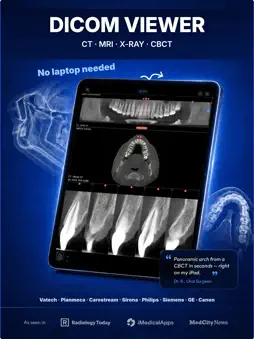
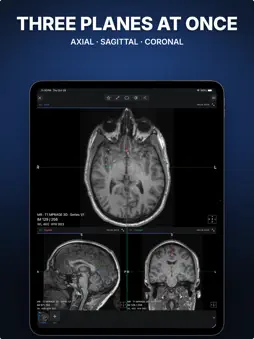
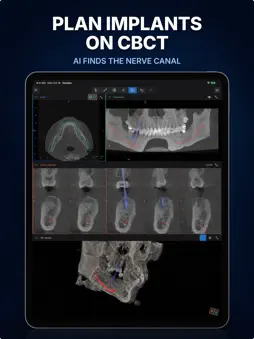
View CT, MRI and dental CBCT images on iPhone and iPad. Open DICOM files, plan dental implant positions and use on-device AI to mark mandibular canals. Dental implant planning Position virtual implants on CT slices. Select implants from the library or enter dimensions manually. Adjust position, angle and depth using linked slice, panoramic and 3D views. Save your implant plan, reopen it later and export a PDF report. Mandibular canal segmentation with AI AI suggests the paths of the mandibular canals in the lower jaw on compatible dental CBCT images. Check the result on CT slices and adjust the paths manually. If a model download is needed, choose an available download source in the app. Processing runs on your device. The app confirms when the result is saved. Return to your plan or run segmentation again. DICOM, CT and MRI viewing Scroll through CT and MRI slices, adjust window/level and measure. Explore compatible volumes with multiplanar reconstruction (MPR), slab MIP and 3D. Compare image series side by side. Draw a dental arch to reconstruct a panoramic image and cross-sections. View downloaded medical images offline, without an account or automatic upload. Try the built-in sample CBCT. Supported files DICOM (.dcm, .dicom, .ima), DICOMDIR, Enhanced CT/MR and NIfTI-1/2 (.nii, .nii.gz). Archives and disc images: ZIP, RAR, 7z, TAR, GZIP, ISO, CAB. Images and reports: JPEG, PNG, TIFF, BMP, GIF, HEIC/HEIF, WebP, PDF. 3D surface files: STL, PLY, OBJ. Open supported DICOM exports from dental and medical scanners, including Planmeca, Carestream, Vatech, Dentsply Sirona, NewTom, i-CAT, KaVo, DEXIS, PointNix, Siemens, GE HealthCare, Philips, Canon and United Imaging. Proprietary viewer projects and raw scanner signals are not image formats. Codec support, archive encryption and file size may limit import. Import and 2D viewing are free. Advanced tools on your own images, including MPR, 3D, dental arch, multi-panel layouts and implant planning with AI mandibular canal segmentation, require Ossidex Pro. Try advanced tools on the sample images. Export limits apply. Images are processed on your device. Share only when you choose. For reference and education; not intended for primary diagnosis. https://ossidex.com/privacy https://ossidex.com/terms
What's New
Version 2.0 2026-10-31
• Two bundled demos: a dental CBCT and a brain MRI, pick one right after onboarding • MRI in 3D is fast again, with a better default window • Implant planning: ... Technical Analysis
Package Overview Basic metadata
Bundle ID
com.medscan.dicom.ct.mri.radiology.scan.viewer Current Version 2.0
Minimum iOS 17.0
Package Size App Store Size
Package Metadata 3 / 17 version records
Detailed binary, privacy manifest, framework, and Info.plist results have not been indexed for this package yet. The verified App Store and archive metadata above remains available.
Developer Information
Known Version Records
3 version records with stored package metadata • 17 known version records
Stored metadata does not guarantee a package is currently available to download.
| Details | Version / IDs | Version date | Action |
|---|---|---|---|
| 59.15 MB | v1.10.5 App Store ID: 891428557Build: 41 | 2026-09-17 20:18:19 | Get Version |
| Not archived | v1.10.4 App Store ID: 891322536Build: 1.10.4 | 2026-09-15 17:51:32 | Request Version |
| Not archived | v1.10.3 App Store ID: 891104349Build: 1.10.3 | 2026-09-12 01:27:37 | Request Version |
| Not archived | v1.10.2 App Store ID: 891031485Build: 1.10.2 | 2026-09-09 20:01:09 | Request Version |
| Not archived | v1.10.1 App Store ID: 890944123Build: 1.10.1 | 2026-09-07 19:34:32 | Request Version |
| Not archived | v1.10.0 App Store ID: 890843093Build: 1.10.0 | 2026-09-05 18:18:44 | Request Version |
| 43.15 MB | v1.9.2 App Store ID: 890520123Build: 1.9.2 | 2026-08-31 12:36:42 | Get Version |
| Not archived | v1.9.1 App Store ID: 890406658Build: 1.9.1 | 2026-08-29 10:26:29 | Request Version |
| Not archived | v1.9 App Store ID: 890198987Build: 1.9 | 2026-08-26 16:59:29 | Request Version |
| Not archived | v1.8 App Store ID: 890073042Build: 1.8 | 2026-08-24 02:50:10 | Request Version |
| Not archived | v1.7 App Store ID: 889846234Build: 1.7 | 2026-08-18 23:49:53 | Request Version |
| Not archived | v1.6 App Store ID: 888189936Build: 1.6 | 2026-07-15 19:53:46 | Request Version |
| 41.69 MB | v1.9 App Store ID: 887113627Build: 1.9 | 2026-08-26 16:59:29 | Get Version |
| Not archived | v1.3 App Store ID: 885910172Build: 1.3 | 2026-05-29 05:14:55 | Request Version |
| Not archived | v1.2 App Store ID: 885682126Build: 1.2 | 2026-05-15 03:14:02 | Request Version |
| Not archived | v1.1 App Store ID: 885215218Build: 1.1 | 2026-05-05 03:01:56 | Request Version |
| Not archived | v1.0 App Store ID: 884430535Build: 1.0 | 2026-04-26 16:52:02 | Request Version |