Preview




Description
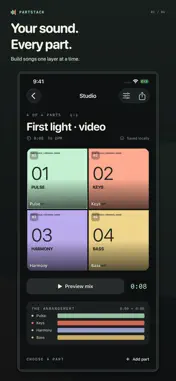
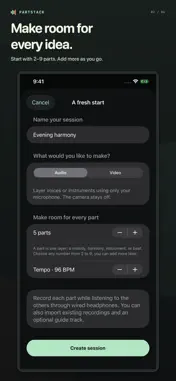
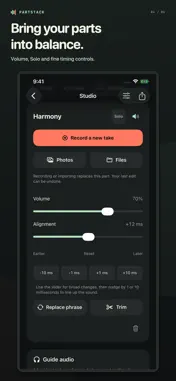
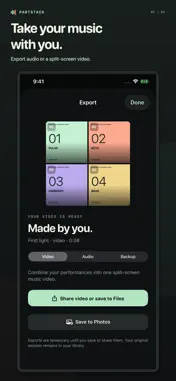
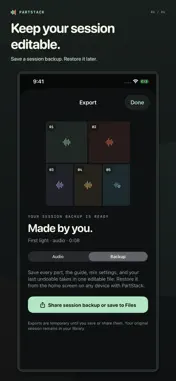
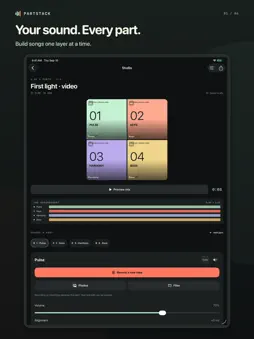
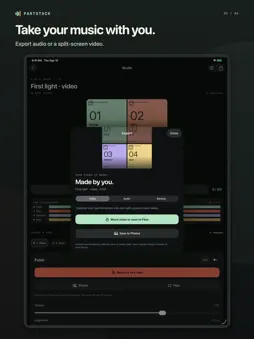
Build a song one part at a time. Record a melody, add a harmony, then bring in the bass or guitar. PartStack plays your earlier parts while you record the next one, so you can build an arrangement on your iPhone or iPad. CHOOSE AUDIO OR VIDEO Create an Audio session to record with just your microphone, or choose Video for a split-screen performance. Start with any number of parts from 2 to 9 and add more as your arrangement grows. Video sessions offer square, portrait and landscape canvases. Each session uses one recording mode. RECORD AT YOUR PACE Use an optional 4- or 8-beat count-in, with sound you can turn off. Review each take before keeping it, and retake whenever you need another try. Record or import source clips up to 10 minutes long. BRING YOUR OWN RECORDINGS Import videos into Video sessions from Photos or Files. Audio sessions accept sound files from Files or the sound from a video selected in Photos or Files. Add an optional guide track from Files to play along with; it stays out of your exported mix unless you choose to include it. Imports must be playable, unprotected files. REFINE THE PERFORMANCE Adjust each part's volume, mute or solo it, trim its beginning and end, or nudge its timing into place. Replace a phrase without redoing the whole part. One-step take undo lets you return to the previous take after a recording or supported edit. KEEP AND SHARE YOUR WORK Export a mixed M4A audio file or an MP4 split-screen video. Video sessions can also export audio alone. Save completed videos to Photos, or use the system share sheet to choose where your files go. Exports have no PartStack watermark. Save an editable .partstack backup to Files when you want to keep a separate copy or move a session to another device with PartStack. Backups include the parts, guide audio, mix settings and saved undo takes. Restoring a backup creates an independent session. A PRIVATE, LOCAL STUDIO Sessions are stored on your device. PartStack has no account, ads, analytics or automatic cloud sync. One App Store purchase includes the app's current features, with no subscription or in-app purchases. Start with the included original synthesized demo, or make something entirely your own. Wired headphones are recommended when layering parts; fine timing controls help you adjust for your recording setup. Requires iOS 18 or later. Save a session backup before removing the app or changing devices. The count-in cues the start of a take; it is not an ongoing metronome.
Technical Analysis
Package Overview Basic metadata
Bundle ID
com.daytonthorpe.PartStack Current Version 1.0
Minimum iOS 18.0
Package Size App Store Size
Package Metadata 0 / 0 version records
Detailed binary, privacy manifest, framework, and Info.plist results have not been indexed for this package yet. The verified App Store and archive metadata above remains available.
Developer Information
Known Version Records
0 version records with stored package metadata
Stored metadata does not guarantee a package is currently available to download.
| Details | Version / IDs | Version date | Action |
|---|