
Preview



Description
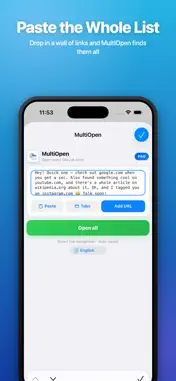
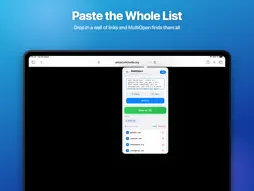
MultiOpen lets you open many links at once in Safari - paste a list, tap once, and every URL opens in its own tab. WHAT YOU CAN DO • Open dozens of links in a single tap • Save link sets for your daily routines and reopen them anytime • Grab all open tabs into a list • Smart paste - finds links inside any block of text • Your list auto-saves between sessions • Works on iPhone, iPad and Mac WHY MULTIOPEN No more tapping links one by one. Whether you start your day with the same set of sites, gather research, or share a batch of pages, MultiOpen turns a tedious chore into one tap. PRO Try everything free for 7 days. Then keep MultiOpen Pro for less than a coffee - $0.99/year, or $2.99 once, forever. MultiOpen is a Safari extension. After installing, enable it in Settings › Apps › Safari › Extensions. This app is governed by Apple's standard End User License Agreement (EULA), available at https://www.apple.com/legal/internet-services/itunes/dev/stdeula/.
What's New
Version 2.2 2026-11-03
New in the Safari extension: • Page: collect every link on the open page, or only the links in your selection, and choose what to add. • Opening "One by one": a... Technical Analysis
Package Overview Basic metadata
Bundle ID
com.devidgruts.multiopen.plus Current Version 2.2
Minimum iOS 16.4
Package Size App Store Size
Package Metadata 0 / 3 version records
Detailed binary, privacy manifest, framework, and Info.plist results have not been indexed for this package yet. The verified App Store and archive metadata above remains available.
Price History (USA store)
2 recorded price change points. These are historical observations, not a guarantee of the current price.
| Recorded at | Price | Currency |
|---|---|---|
| 0.99 | USD | |
| 0.0 | USD |
Developer Information
Known Version Records
0 version records with stored package metadata • 3 known version records
Stored metadata does not guarantee a package is currently available to download.
| Details | Version / IDs | Version date | Action |
|---|---|---|---|
| Not archived | App Store ID: 884407719 | Unknown | Request Version |
| Not archived | App Store ID: 878602795 | Unknown | Request Version |
| Not archived | App Store ID: 878526010 | Unknown | Request Version |