Preview





Description
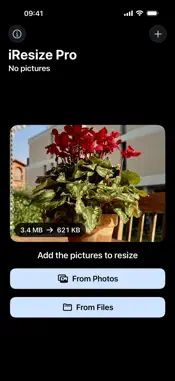
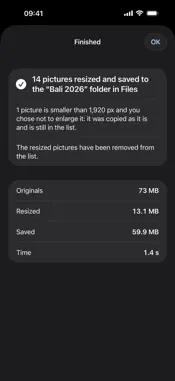
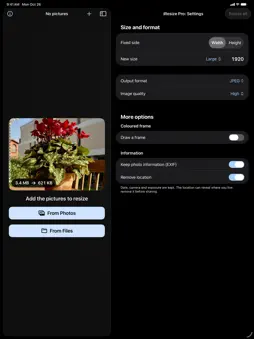
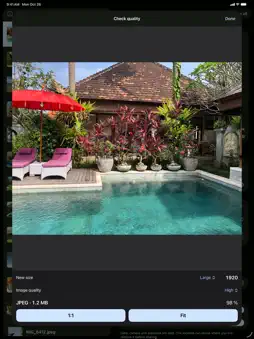
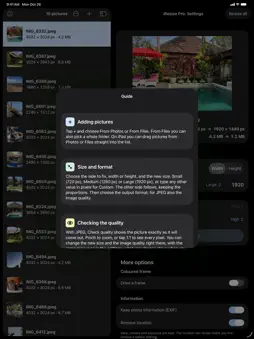
iResize Pro resizes and converts lots of photos at once, on iPhone and iPad. Choose the size, format and quality, tap "Resize all", and within seconds your photos are lighter and ready to save or share. ADD YOUR PHOTOS • From your Photos library, from the Files app (even a whole folder) or, on iPad, by dragging them straight into the list • Each photo shows a thumbnail, its size in pixels and its file size • Reads JPEG, HEIC, PNG, TIFF, GIF, WebP and BMP CHOOSE HOW TO RESIZE • Fix the width or the height in pixels: the other side follows, keeping the proportions • Output format: JPEG, HEIC, PNG, TIFF or GIF — for example from HEIC to PNG in one tap • Adjustable JPEG quality, with "Check quality" to see the photo exactly as it will come out, zoomed pixel by pixel • Preview with the new dimensions and the estimated file size, before you even start • Photos smaller than the chosen size are never enlarged behind your back: you decide whether to be asked every time, to always enlarge or never WHERE YOUR PHOTOS GO • To your Photos library, and if you like to a dedicated "iResize" album • To a folder in the Files app • Straight to the share sheet, to send them by Mail, Messages or AirDrop as soon as they're resized Photos resized successfully leave the list: only what's left to do remains. HUNDREDS OF PHOTOS, NO WAITING iResize Pro handles one photo at a time with very little memory, even with hundreds of 48-megapixel photos. Switch to another app and the work goes on, with its progress shown on the Lock Screen too. If a batch is interrupted, you pick up where it stopped next time you open the app. AND ALSO • Rename with a common name and a running number (holidays-001, holidays-002…) • A coloured frame around every photo, in the colour and thickness you choose • Keeps date, camera and exposure (EXIF) and, if you want, removes the GPS location before sharing • Large text and high contrast, designed to be easy to read • Built-in guide explaining every feature in a few lines FREE AND RESPECTFUL iResize Pro is free, has no ads and collects no data at all: your photos never leave your device. If you like it, you can support its development with a small optional tip. Available in English, Italian, French, German and Spanish.
What's New
Version 1.1 2026-10-27
What's new in 1.1 • A welcome screen with a short slideshow and the three steps to get started • New size menu: Small (720 px), Medium (1280 px), Large (1920 px...What's new in 1.1 • A welcome screen with a short slideshow and the three steps to get started • New size menu: Small (720 px), Medium (1280 px), Large (1920 px) or any custom value, instead of the imprecise slider • Check quality: change the new size and the image quality right there; zoom now follows your fingers, double-tap to zoom in or back out, 1:1 and Fit • Settings arranged in two clear areas: Size and format, and More options • Wider photo list on iPad • Small fixes and better readability with large text Technical Analysis
Package Overview Basic metadata
Bundle ID
com.daniele.iResizePro-iOS Current Version 1.1
Minimum iOS 17.0
Package Size App Store Size
Package Metadata 0 / 0 version records
Detailed binary, privacy manifest, framework, and Info.plist results have not been indexed for this package yet. The verified App Store and archive metadata above remains available.
Known Version Records
0 version records with stored package metadata
Stored metadata does not guarantee a package is currently available to download.
| Details | Version / IDs | Version date | Action |
|---|