Preview








Description
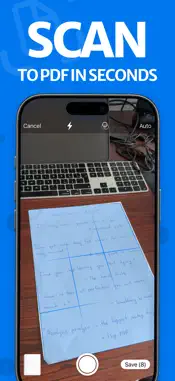
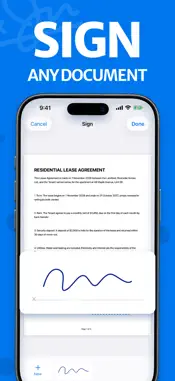
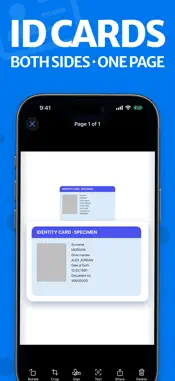
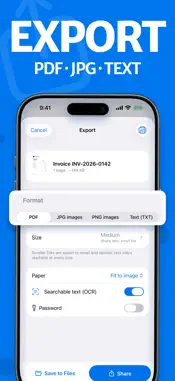
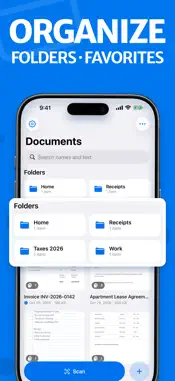
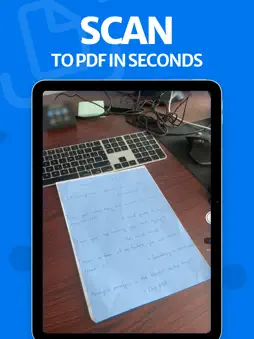
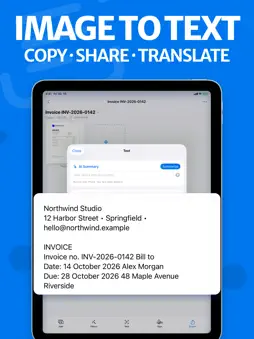
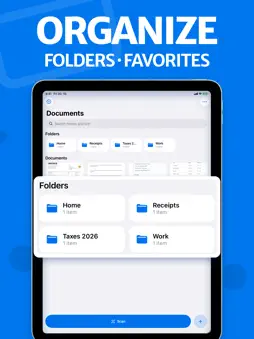
Scanlet turns paper into clean, searchable PDFs in seconds. Point the camera at a page and tap the shutter: Scanlet finds the edges, straightens the page, removes shadows and reads the text, so you can find any scan later by the words on it. SCAN ANYTHING • Documents, contracts, letters, forms, handwritten notes and homework • Receipts and invoices for expenses and taxes • ID cards: a card-shaped guide, front then back, both sides on one page at real size, ready to print or send • As many pages as you like in one PDF; review every page and retake any of them before you save • Capture when you tap the shutter, or let Scanlet take the photo as soon as the page holds still • Import photos and pictures from your library, and PDFs or images from Files; the page is found and cropped automatically CLEAN, READABLE PAGES • Automatic edge detection and perspective correction • Enhance (off, low, medium, high): white paper, no shadows, dark readable text, even in low light • Color, grayscale or black & white • Crop with corner handles, rotate, reorder, delete or add pages any time; every edit can be undone IMAGE TO TEXT (OCR) • Printed and handwritten text is recognized on your iPhone right after you scan • Search your whole library by the words inside your documents • Search inside a document and see the words highlighted on the page • Choose the recognition language, or let Scanlet detect it • Read the text as paragraphs or line by line, then copy, share or translate it • Export searchable PDFs that you can search and copy from on any computer SIGN AND SEND • Fill and sign: draw your signature once and place it on any page • Export as PDF, JPG, PNG or text • Compress PDFs: small files for email and forms, or 300 dpi print quality • Paper size: fit to image, A4, US Letter or US Legal • Save to Files, share to any app, or print • Export favorites: save a format, size and destination once, then export in one tap ORGANIZED AND PRIVATE • Folders and subfolders, favorites, sorting, grid or list • Merge documents, extract pages and duplicate files • Every tool one tap away in the Tools tab • Recently Deleted keeps removed documents for 7, 30 or 90 days • Sync through your private iCloud to your iPhone and iPad, or keep scans on this device only. No account needed • Start a scan from Home Screen and Lock Screen widgets, Control Center, Siri, the Shortcuts app or a long press on the app icon • Find any scan from iPhone Search by the words inside it SCANLET PRO Scanlet is free to use with ads. Scanlet Pro removes all ads and adds: • Face ID lock for single documents or the whole app • Signatures on any page • Password-protected PDFs • AI summaries and questions about your documents, processed on device (on devices that support Apple Intelligence) Scanlet Pro is available as an auto-renewing weekly or yearly subscription, or as a one-time lifetime purchase. Prices are shown in the app before you buy. Payment is charged to your Apple Account when you confirm the purchase. Subscriptions renew automatically unless auto-renew is turned off at least 24 hours before the end of the current period. Manage or cancel them anytime in your Apple Account settings. Any unused part of a free trial is forfeited when you buy a subscription. Terms of Use: https://www.documentscannerapp.com/terms/ Privacy Policy: https://www.documentscannerapp.com/privacy/
What's New
Version 1.1.1 2026-11-03
Meet Scanlet, the new Document Scanner. • A new camera: the photo is taken when you tap, or automatically when the page holds still • Review every page and ret...Meet Scanlet, the new Document Scanner. • A new camera: the photo is taken when you tap, or automatically when the page holds still • Review every page and retake any of them before you save • Clearer scans: whiter paper and darker, sharper text, even in low light • Search every scan by its words, and inside a document with the words highlighted • Choose the text recognition language; read text as paragraphs or line by line • ID card mode: both sides on one page at real size • iCloud sync between your iPhone and iPad • Export favorites for one-tap exports, in PDF, JPG, PNG or text • Sign documents and protect PDFs with a password • A Tools tab with every feature one tap away • Widgets, a Control Center button and iPhone Search for your scans • Scanlet Pro is now also available as a one-time purchase • A fresh look and a new icon Technical Analysis
Package Overview Basic metadata
Bundle ID
com.dcztapps.easydocumentscanner Current Version 1.1.1
Minimum iOS 18.5
Package Size App Store Size
Package Metadata 0 / 1 version records
Detailed binary, privacy manifest, framework, and Info.plist results have not been indexed for this package yet. The verified App Store and archive metadata above remains available.
Developer Information
Known Version Records
0 version records with stored package metadata • 1 known version records
Stored metadata does not guarantee a package is currently available to download.
| Details | Version / IDs | Version date | Action |
|---|---|---|---|
| Not archived | App Store ID: 877516173 | Unknown | Request Version |