
Preview

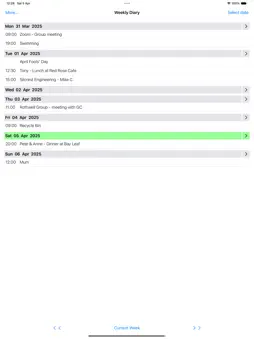
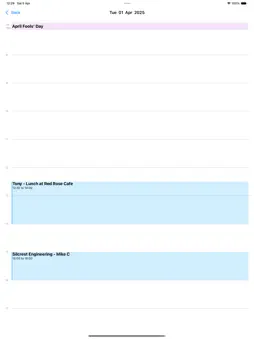


Description
Diary entries are displayed in a ‘Week to View’ format, showing start time and title. Weekly Diary is automatically synchronised with your Apple Calendar app. Navigation - Tap chevrons to switch back and forth between weeks. Tap ’Select date’ button to locate a specific date. Add new diary entry - Tap on a date header to show a ‘New Event’ form. Selecting ‘All-day’ on the form leaves the start time blank. Edit an existing diary entry - Tap an existing diary entry to display an ‘Edit Event’ form. Day View - Tap on the right chevron on a date header to view the day's appointments in detail. Settings screen - Choose which calendars to display in Weeky Diary. Specify a default event start time and event duration if needed. Help screen - Tap ‘Show help’ on Settings screen to show this information.
What's New
Version 2.3 2026-10-24
Addition of new Search function and fixes for iOS 27 update. Technical Analysis
Package Overview Basic metadata
Bundle ID
com.discus.Add-Appointment Current Version 2.3
Minimum iOS 17.6
Package Size App Store Size
Package Metadata 1 / 4 version records
0.0 / 5.0 (0 ratings)
Detailed binary, privacy manifest, framework, and Info.plist results have not been indexed for this package yet. The verified App Store and archive metadata above remains available.
Known Version Records
1 version record with stored package metadata • 4 known version records
Stored metadata does not guarantee a package is currently available to download.
| Details | Version / IDs | Version date | Action |
|---|---|---|---|
| 943.0 KB | v2.2 App Store ID: 874072040Build: 2.2 | 2025-04-17 10:54:21 | Get Version |
| Not archived | App Store ID: 871430579 | Unknown | Request Version |
| Not archived | App Store ID: 853210302 | Unknown | Request Version |
| Not archived | App Store ID: 846759543 | Unknown | Request Version |