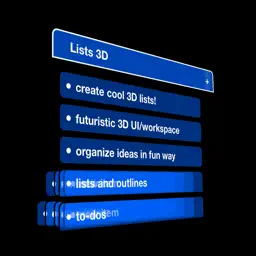
Preview


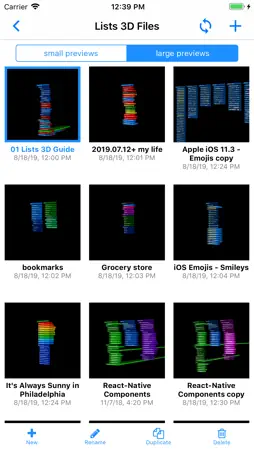
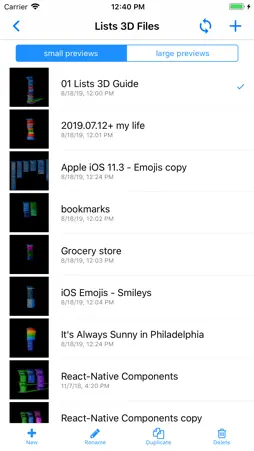


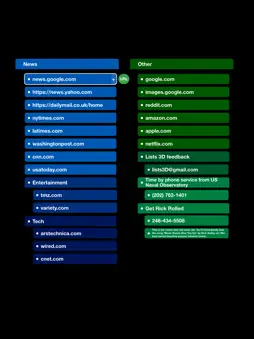


Description
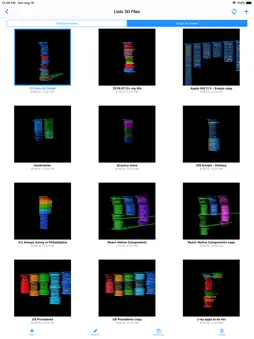
Lists 3D lets you create lists and outlines in a futuristic 3D view! Lists 3D can help you keep your ideas organized in an entertaining way in 3D space! Lists 3D is a lot of fun to play around with and also just stunning to look at while manipulating 3D lists on your screen. Cool 3D interface makes list making, outlining, and organizing thoughts fun, creative, and inspirational. Explore building hierarchical lists and outlines keeping track of to-dos, tasks, notes, ideas, and other stuff in a 3D environment! Lists 3D is interesting, uncluttered, stylish, and useful. •• Features •• ● cool 3D animations: - open/close lists (stacking children behind the parent list head item) - copy, cut, & paste items - recenter/zoom view, etc ● gorgeous full-screen mode (ie for taking stunning screenshots) ● large Color Palette to change list items background colors & alpha transparency ● instructional Help section to learn how to use Lists 3D in the app ● simple 3D User Interface: - ‘1 finger’: -- rotate the view -- double-tap list head item (parent) to open/fold subitems (children) – (animated 3D) -- longpress item to edit its text - ’2 fingers’: -- pinch to zoom in/out the view -- pan/move the view - ‘Recenter/Zoom’ button: -- vip use often to quickly straighten view – (animated 3D) -- (item selected) – zoom to selected item -- (no item selected) – recenter view - ‘Fullscreen’ button: -- toggle view to/from fullscreen mode ● simple list item text input: - longpress item to edit selected item’s text: -- zooms selected item above keyboard – (animated 3D) -- supports using special characters and emojis -- press Return/Next button to immediately add next item to input – (animated 3D) -- press Done button to exit text input mode ● 3D edit mode: - add new items (next item, subitems, new list groups) - move items: -- up & down list order -- indent & outdent -- copy, cut, and paste items – (animated 3D) - change item background color and opacity - add checkbox to item selected ● simple Lists 3D files chooser: - view by small or large previews - create new lists3d files - also rename, duplicate, and delete files ● Dropbox Cloud Service (Link/Unlink & Sync Files) – (Unlock Pro feature) - Link/Unlink Dropbox in the Side-Menu - Then, in the Files Lists screen, you can press the Sync Button in the top-right navigation bar to Sync files with your linked Dropbox. ● Auto Link (URL, email, phone number) – (Unlock Pro feature) - When you select a list item, Lists 3D auto detects its text for web URL, email address, or on iPhone phone number. - If valid link is found, a green Auto Link button will display to the right of the list item. - If you’ve unlocked Lists 3D Pro, you can press to perform the link (open URL, send email, or call phone number). ● dark mode - iOS >= 13 – autodetect Dark mode - iOS less than 13 – set in app side-menu settings ● universal app (iphone and ipad) Lists 3D is built by a small 2 person development team. Please consider supporting indie app development. If you like this app, we would be grateful for you leaving a rating or review on the App Store, it helps us a lot. Thank you for your support! For feedback email us at [email protected]
What's New
Version 1.5.6 2021-02-05
- bug fixes and performance improvements If you are enjoying the app, please consider leaving a review or rating! Technical Analysis
Package Overview Basic metadata
Bundle ID
com.lcdb.ios.Lists3D Current Version 1.5.6
Minimum iOS 11.0
Package Size App Store Size
Package Metadata 0 / 0 version records
Detailed binary, privacy manifest, framework, and Info.plist results have not been indexed for this package yet. The verified App Store and archive metadata above remains available.
Developer Information
Known Version Records
0 version records with stored package metadata
Stored metadata does not guarantee a package is currently available to download.
| Details | Version / IDs | Version date | Action |
|---|