Preview




Description
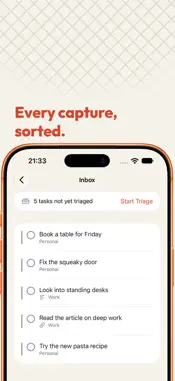
Sift is a fast triage layer on top of Apple Reminders. It uses the lists you already have, and there is nothing to migrate. Your tasks stay where they are. Sift reads and writes them through EventKit, Apple's own framework, so they remain ordinary reminders that Reminders, Siri and every other app you use can still see. Delete Sift tomorrow and Reminders keeps every task exactly as Sift last left it. THE EISENHOWER LENS Urgent against important, laid over the lists you already keep. Four quadrants, derived from a task's due date and its priority, and adjustable by hand whenever the derivation is wrong about your day. Pick the vocabulary that fits: plain verbs, the classic Eisenhower labels, or one word each. TRIAGE, NOT ANOTHER INBOX One card at a time, on the keyboard or under your thumb, until the pile is gone. Place it, snooze it, let it go. A task you are not going to do this week can be put out of sight without being deleted and without being a lie. THE DAILY REVIEW One short ritual that keeps the matrix honest, because a matrix nobody revisits is a drawing. It walks what is overdue, what has gone stale and what you are waiting on, and it ends by asking the only question that matters: what will you actually do today? RIGHT IN THE MENU BAR What is burning, one click from anywhere on the Mac, plus quick add without leaving what you are doing. ON THE PHONE The same matrix, the same quadrants, the same day. Everything a task can be doing has somewhere to be: snoozed until Tuesday, waiting on someone else, ignored until you are ready, or parked in someday. Every verb is one long press away. IT NEVER TOUCHES WHAT IT CANNOT SEE Tags, subtasks, attachments and flags are invisible to EventKit, so Sift neither shows them nor rewrites them. It never writes its own metadata into the notes field of your tasks. NO SERVER, NO ACCOUNT There is nothing to sign in to. Sift keeps a small lens beside your reminders (which quadrant a task sits in, whether it has been triaged, what is snoozed and until when, what you focused on, what you reviewed and when, the log of completed repeating occurrences, and your settings) and that lens lives in your own iCloud private database, which is how the Mac and the phone stay in step. Nobody else can read it, including us. There is no telemetry, no analytics and no advertising identifier. Free. No subscription.
What's New
Version 1.5.2 2026-11-09
Sift is faster and scrolls more smoothly. Plus a few fixes. Technical Analysis
Package Overview Basic metadata
Bundle ID
app.sift-tasks.mac Current Version 1.5.2
Minimum iOS 18.0
Package Size App Store Size
Package Metadata 0 / 0 version records
Detailed binary, privacy manifest, framework, and Info.plist results have not been indexed for this package yet. The verified App Store and archive metadata above remains available.
Developer Information
Known Version Records
0 version records with stored package metadata
Stored metadata does not guarantee a package is currently available to download.
| Details | Version / IDs | Version date | Action |
|---|