
Preview






Description
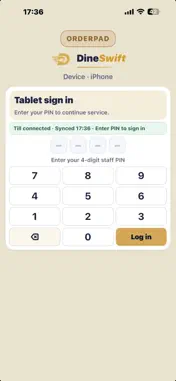
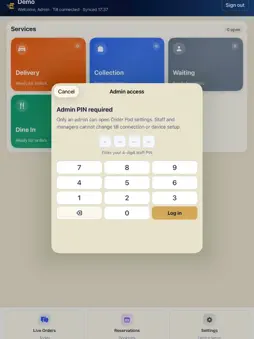
Dineswift Order Pad is the staff tablet companion for DineSwift EPOS. Take orders, manage tables, and sync with your main EPOS till on the restaurant network. Built for busy service floors — ideal for waiters and front-of-house on iPad or iPhone. KEY FEATURES • Staff PIN sign-in — quick waiter login • Pair with your main EPOS host on the local network • Table layout — see floor status and open tables • Order taking — browse menu, modifiers, and send to kitchen • Service modes — dine-in, collection, delivery, and more • Live orders, bookings, and bill printing via the till • Offline queue when the till is briefly unreachable HOW IT WORKS 1. Pair the device to the main EPOS with an admin PIN 2. Staff sign in with their 4-digit PIN 3. Orders flow to the main EPOS and kitchen in real time REQUIREMENTS • A DineSwift EPOS subscription and main EPOS host • iPad (recommended) or iPhone • Wi‑Fi on your restaurant network (or HTTPS staging for remote setup) Dineswift Order Pad is a business tool for restaurant staff. Not intended for consumer use or children. Support: https://dineswift.tech Privacy: https://dineswift.tech/orderpad-privacy
What's New
Version 1.58 2026-11-02
Connection. Finding the till is not the same as being connected. Connect & save stays on that screen and shows Till connected only after the pairing PIN is acce... Technical Analysis
Package Overview Basic metadata
Bundle ID
com.dineswift.epos.lite.ios Current Version 1.58
Minimum iOS 17.0
Package Size App Store Size
Package Metadata 0 / 0 version records
Detailed binary, privacy manifest, framework, and Info.plist results have not been indexed for this package yet. The verified App Store and archive metadata above remains available.
Developer Information
Known Version Records
0 version records with stored package metadata
Stored metadata does not guarantee a package is currently available to download.
| Details | Version / IDs | Version date | Action |
|---|