
Preview






Description
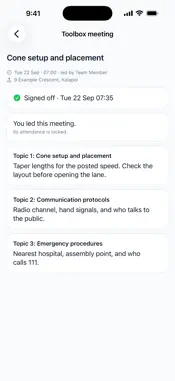
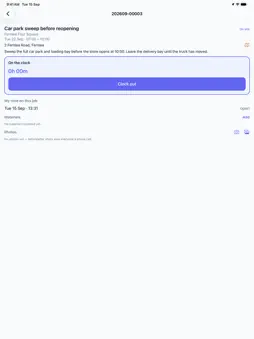
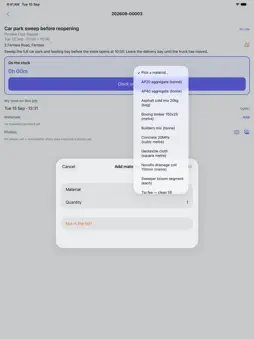
WorkWrite is the field app for crews at trade and service businesses that run their work on WorkWrite. The office schedules jobs on workwrite.co.nz; the app puts them in your pocket. MY JOBS See the jobs assigned to you, grouped by day. Acknowledge new work so the office knows you've seen it. A job turns green while you're on the clock and red once its start time has passed. CLOCK IN AND OUT Clock on to a job in one tap, choose the vehicle you're driving and enter the odometer. Clock off with your break and a note on what happened on site. Your hours go straight to the timesheet the office approves. VEHICLE PRE-START CHECKS Where the office has set up a checklist for a vehicle, walk around it before the clock starts. Mark each item OK, Fault or N/A and say what's wrong — the office sees faults straight away. MATERIALS AND PHOTOS Record the materials you use from your company's list, or type in a part that isn't on it. Take before-and-after photos, or add them from your library. RECORD FUEL Log a fill-up at the yard tank — vehicle, fuel type, litres and odometer — with no receipt needed. TOOLBOX MEETINGS See the meetings you're invited to or leading and read the topic beforehand. Sign off with Face ID, Touch ID or your passcode once it's held. Leaders start the meeting on site, tick who's there and complete it. WORKS WITHOUT SIGNAL Your jobs, vehicles and current shift are kept on your phone. Clock on, clock off and finish a job in a dead spot — the time you tap is saved and sent as soon as coverage returns, so your hours are never lost to a bad patch of signal. MY TIMESHEET Check the hours you've logged over the last two weeks, and which have been approved. BUILT FOR THE FIELD Big buttons, plain words, and light or dark mode. Face ID keeps your jobs private when the app reopens. WorkWrite accounts are set up by your employer, and the app does not create accounts. Ask your office to invite you. Available in New Zealand.
What's New
Version 0.1.8 2026-10-12
Clocking with no signal is more reliable. Your jobs, vehicles and current shift are now kept on your phone, so you can open a job and clock in or out in a dead... Technical Analysis
Package Overview Basic metadata
Bundle ID
app.phaselogic.workwrite Current Version 0.1.8
Minimum iOS 16.0
Package Size App Store Size
Package Metadata 0 / 0 version records
Detailed binary, privacy manifest, framework, and Info.plist results have not been indexed for this package yet. The verified App Store and archive metadata above remains available.
Developer Information
Known Version Records
0 version records with stored package metadata
Stored metadata does not guarantee a package is currently available to download.
| Details | Version / IDs | Version date | Action |
|---|