Preview



Description
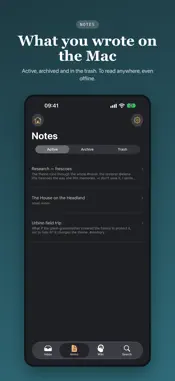
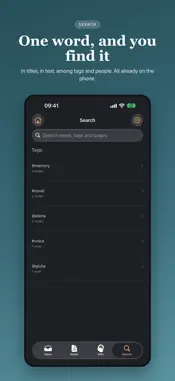
Ideas don't arrive while you're at the desk. wordspace starts from there. One app, two halves. On the iPhone you capture: a note written, or dictated while you walk. On the Mac you think: that's where you really write, and where the intelligence runs. Notes travel between the two on their own, through your iCloud Drive, and there is a single Inbox: everything is edited where it was born. The Inbox is the first door. What you catch on the fly stops there: it isn't a note yet, and it doesn't have to be. You look at it when you have time, and you decide: make a note of it, put it away, or throw it out. What you don't decide doesn't clutter your work. One file, three ways in. A document or a link can go into the Inbox and wait; become an external source inside a note, to consult but kept out of the wiki; or, if it's a text document of yours, a linked internal source: the text goes into the wiki and, when you edit the file in its own app, the note follows. The wiki grows by itself. As you write, wordspace recognises the topics and people that recur across your notes and builds a personal wiki: pages that link ideas, a synthesis of each topic, the contradictions between things you wrote at different times. Nothing to fill in by hand, and only what you decided to keep goes into the wiki. Ask a question, and the answer comes only from what you wrote. Themes: your archive, by topic. In Archives you choose the folders holding your documents — Word, OpenDocument, RTF, Markdown, plain text — and wordspace suggests the themes it finds there. You make a theme yours with a few points: a word, a suggested theme, a document. The map shows what they attract, and the ring, which you drag, decides how far it reaches. Even a PDF you received or a scan without text finds its theme, through the names, case numbers and dates it shares. Themes don't touch your files and don't write notes. A theme you've made yours names its notes in the Library and gets its own wiki page, written from the notes inside it. The editor thinks in blocks. Write in Markdown without thinking about it and see the text already formatted; any paragraph converts in one click into a heading, list, table or quote. • Inbox, notes, archive and trash: four places, three decisions, always the same • On-device intelligence in two profiles — Essential (8 GB Mac) and Advanced (16 GB): Gemma writes, the decider answers closed questions, the proofreader fixes style as you type • Search everywhere with ⌘F: this note, the others, and the wiki • Library: notes with where they come from, search with operators, a window to write in • Cloud: your archive in three tabs — Themes, Words, Files — to see how it connects • Links between notes with [[…]], and at the bottom of each note who cites it • Voice notes on the iPhone and the Mac, transcribed on the device • On the iPhone: read the Mac's notes and wiki, even offline • Export to Markdown, including a folder ready for Obsidian • Twelve colour themes, six languages, tables, images and links No account, no data collected. Your writing lives on your Mac and, if you use the iPhone or sync between Macs, in your iCloud: it never passes through us. Between Macs they travel end-to-end encrypted. The intelligence runs on the Mac; the network is only used to download a model, import a link, and for iCloud. Free, with two caps. Almost everything has no limit: notes, Inbox, wiki, Themes, every model profile, iCloud, export. Two things have a cap that resets on the first of every month: 10 imports of files or links, and 1 new theme. On-device intelligence needs a Mac with Apple silicon. The iPhone app works together with wordspace on the Mac: both need the same iCloud account with iCloud Drive turned on. For people who really write: novelists, researchers, students, anyone whose notes deserve to become knowledge.
What's New
Version 1.6 2026-11-09
More privacy between iPhone and Mac. • The Mac sends notes and wiki only to phones that use the app, and never the text of linked documents • Notes with Obsidi...More privacy between iPhone and Mac. • The Mac sends notes and wiki only to phones that use the app, and never the text of linked documents • Notes with Obsidian properties and links read cleanly • Update wordspace on the Mac too: they work as a pair Technical Analysis
Package Overview Basic metadata
Bundle ID
it.hestudio.wordspace Current Version 1.6
Minimum iOS 17.0
Package Size App Store Size
Package Metadata 0 / 0 version records
Detailed binary, privacy manifest, framework, and Info.plist results have not been indexed for this package yet. The verified App Store and archive metadata above remains available.
Developer Information
Known Version Records
0 version records with stored package metadata
Stored metadata does not guarantee a package is currently available to download.
| Details | Version / IDs | Version date | Action |
|---|