Preview




Description
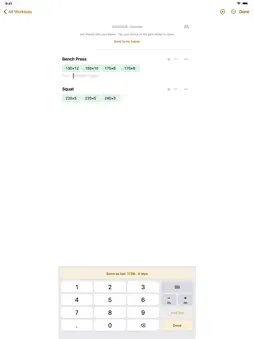
A workout log that connects to your gym. Type a set and it is logged. Join a gym that uses Gyms, and the app opens on that gym every time. ■ Your gym, in the app · At a gym that uses Gyms, hold your phone to the sticker at the entrance, or open your gym's link or QR code, to ask to join. Once a trainer approves, you are a member · See notices, your membership, PT sessions left and bookings; book PT and group classes · Before you ask to join, the app shows what the gym will see. Leave the gym any time ■ Typing is logging · Type "Bench Press" and the exercise opens; type "80 12" and a set is logged · Offline, what you typed is kept as written — logging is never blocked ■ Timers · Tabata and metronome timers go full screen. During a workout you started, clicks and voice counts (recorded English male and female voices) keep playing with the screen off; cues for quiet intervals arrive as notifications ■ Ask your log · Type "make a 1-hour routine" and AI plans one from your recent records to fit the time: the parts you rested longest first, at your usual weights, counting sets and rest · Ask "Did my squat go up since last month?" or "bench vs row" and get a table computed from your saved sets. Your phone counts the numbers, not the AI · Record questions use plates: you start with a few and earn 1 on each day you log 10 sets · Pro, a monthly or yearly auto-renewing subscription, tops your plates up to 300 a month for AI routines and record questions, and gives you more input help a day than free (meal photo and text estimates, printout reading, one-line setup). Logging stays free ■ Meals and calories · Log meals as text or a photo, then pick how much you ate · Calories show their source (Korea MFDS, USDA FoodData Central and others); anything else is marked as an AI estimate ■ Together · Up to 6 people write one record live, by code, link or holding iPhones close ■ Apple Health · Workouts are saved to Health, and active energy your watch measured is read back in · What is read from Health never leaves your device ■ AI help · One-line setup, meal estimates, record questions, printout reading and workout import send what you typed and photos (location removed) through our server to an external AI service; record questions can also send exercise names from your log. Our server does not store them · Asked once, the first time; nothing goes to AI before you agree. Without it, logging still works; change it in Settings › AI help ■ Also · kg, lb, km, minutes and seconds; dark mode follows your system Logging on your own needs no account. Gyms and Together need sign-in. Pro renews automatically at the same price unless canceled at least 24 hours before the current period ends. Cancel in your App Store subscription settings. Terms of Use (EULA): https://www.apple.com/legal/internet-services/itunes/dev/stdeula/ Privacy Policy: https://darak.studio/setpad-privacy
What's New
Version 5.3.4 2026-11-12
Trainers and members now work together more easily at the gym. · Scan your gym's QR code to join it right away · What a trainer logs for a member goes straight...Trainers and members now work together more easily at the gym. · Scan your gym's QR code to join it right away · What a trainer logs for a member goes straight into the member's log · The trainer screen shows the exercises in each member's waiting routine to log from · On your gym's Wi-Fi, ask to join from the first screen. A gym that sets its Wi-Fi sends routines only on it · The accent color now matches the neon of the Gyms icon Technical Analysis
Package Overview Basic metadata
Bundle ID
com.tskim.workoutlog Current Version 5.3.4
Minimum iOS 15.0
Package Size App Store Size
Package Metadata 0 / 0 version records
Detailed binary, privacy manifest, framework, and Info.plist results have not been indexed for this package yet. The verified App Store and archive metadata above remains available.
Developer Information
Known Version Records
0 version records with stored package metadata
Stored metadata does not guarantee a package is currently available to download.
| Details | Version / IDs | Version date | Action |
|---|