Preview







Description
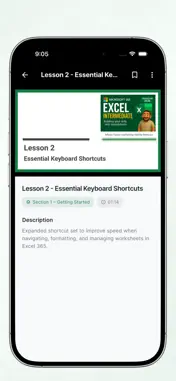
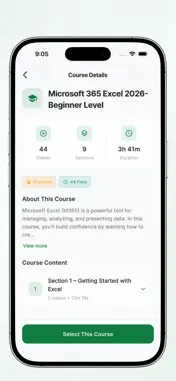
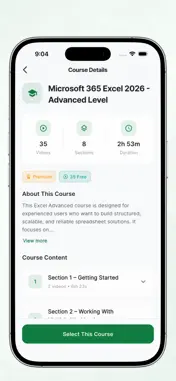
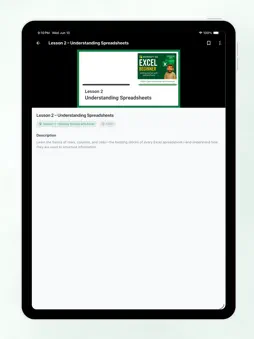
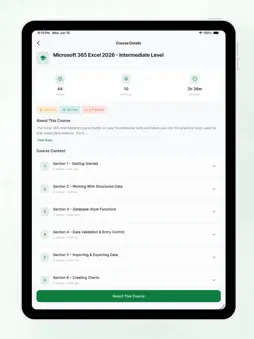
Learn Excel the way it sticks, and build skills that count at work. Short video lessons are followed by summaries, quizzes and flashcards, so every skill is locked in before you move on. Go from your first spreadsheet to PivotTables and dashboards on a clear, step-by-step path. At your own pace. No monthly fee. No traveling. MORE THAN A LIST OF VIDEOS Excel Mastery is a complete course. Every section ends with a summary, a quiz to check your understanding and flashcards to review the key ideas. You always know what you've learned and what comes next. FOUR COMPLETE COURSES • Excel Beginner: navigation, entering and formatting data, basic formulas and the essential skills every user needs. • Excel Intermediate: tables, functions such as VLOOKUP, INDEX/MATCH and XLOOKUP, data validation, and working faster with real-world spreadsheets. • Excel Advanced: database-style functions (DSUM, DAVERAGE, SUBTOTAL), data analysis, security and protection, and advanced techniques. • NEW! Excel PivotTables: From Basics to Power Pivot: build PivotTables, group and filter data, add PivotCharts and Slicers, create dashboards and get started with Power Pivot. LEARNING TOOLS IN EVERY COURSE • Video lessons: bite-sized, focused and easy to follow • Summaries: the key points of each section at a glance • Quizzes: check your understanding and see your score • Flashcards: review formulas, terms and shortcuts anytime • Tips & Tricks decks: time-saving tricks the pros use • Final project: put your skills together on a real task MADE FOR IPHONE DUO On iPhone Duo, lessons fill the large inner screen in portrait or landscape. Fold the phone halfway, stand it up like a small laptop, and the video plays on the upper screen while the lesson text sits on the lower one, so you can watch and follow along side by side. WORKS WITH YOUR VERSION OF EXCEL The core skills apply to Excel 2016, 2019, 2021 and Microsoft 365. Where features differ between versions, a dedicated notes lesson explains what changes, so you can follow along on the version you have. MORE FEATURES • Track your progress and performance with detailed statistics • Interactive cheat sheets for keyboard shortcuts • App interface in 7 languages: English, Chinese, Spanish, Japanese, French, German and Korean • Learn anytime, anywhere: on your commute, at lunch or at home WHO IT'S FOR Students, job seekers, office workers, career changers and small business owners. Anyone who wants to work faster and feel more confident with spreadsheets, from complete beginners to experienced users ready to master PivotTables. FREE TO START, PAY ONCE Unlock all courses, lessons, quizzes and flashcards with a one-time Premium purchase. No subscription, no monthly fee. Microsoft and Excel are trademarks of the Microsoft group of companies. This app is not affiliated with or endorsed by Microsoft.
What's New
Version 5.1.0 2026-10-26
What's new in 5.1: • Made for iPhone Duo: lessons fill the large inner screen and rotate with the phone. Fold it halfway and the video plays on the upper scree... Technical Analysis
Package Overview Basic metadata
Bundle ID
com.amazingelearning.mb005007 Current Version 5.1.0
Minimum iOS 15.6
Package Size App Store Size
Package Metadata 0 / 4 version records
Detailed binary, privacy manifest, framework, and Info.plist results have not been indexed for this package yet. The verified App Store and archive metadata above remains available.
Developer Information
Known Version Records
0 version records with stored package metadata • 4 known version records
Stored metadata does not guarantee a package is currently available to download.
| Details | Version / IDs | Version date | Action |
|---|---|---|---|
| Not archived | App Store ID: 864396782 | Unknown | Request Version |
| Not archived | App Store ID: 837132614 | Unknown | Request Version |
| Not archived | App Store ID: 10010239 | Unknown | Request Version |
| Not archived | App Store ID: 2643755 | Unknown | Request Version |