Preview


Description
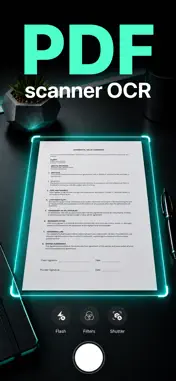
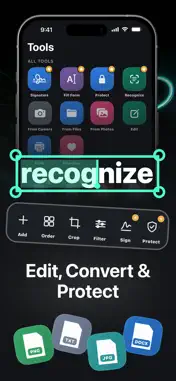
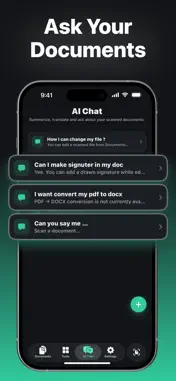
Paperwork in. A clean, ready-to-share PDF out. PixaDoc turns your iPhone or iPad into a fast document scanner for receipts, invoices, contracts, IDs, notes, books, photos, and forms. Capture several pages, clean them up, recognize text, edit, sign, organize, and export without jumping between apps. SCAN CLEAR DOCUMENTS • Automatic edge detection and auto-scan • Crop, straighten, perspective correction, brightness, contrast, and filters • Batch scanning for multi-page documents • Import from Camera, Photos, or Files EXTRACT TEXT WITH OCR Recognize text in scans and images, search the result, and copy the text you need. EDIT, FILL, AND SIGN • Add, delete, crop, rotate, and reorder pages • Add text and fill out forms • Draw and reuse your electronic signature • Choose common page sizes such as A4, Letter, Legal, A3, A5, Ledger, Tabloid, and Business Card CONVERT AND EXPORT Export PDF files to DOCX, XLSX, PPTX, TXT, PNG, or JPG. Save scans as PDF, JPG, or PNG. ORGANIZE AND PROTECT • Sort documents into folders and mark favorites • Lock documents with a passcode • Lock the app with a passcode or Face ID PRINT AND SHARE Print, use the iOS share sheet, or save a copy to Files. From the first photo to the final signed file, PixaDoc keeps the whole document workflow in one place. Privacy Policy: https://docs.google.com/document/d/12kNeQNTe2jX4QrJD2c6CY-is2h1lRrWz6TDAVWSKxcQ/edit?tab=t.0#heading=h.6pt0pzc7p7x7 Terms of Use: https://www.apple.com/legal/internet-services/itunes/dev/stdeula/
What's New
Version 1.3.4 2026-11-16
Minor fixes and improvements. Technical Analysis
Package Overview Basic metadata
Bundle ID
com.doc.pixaapp Current Version 1.3.4
Minimum iOS 26.0
Package Size App Store Size
Package Metadata 0 / 0 version records
Detailed binary, privacy manifest, framework, and Info.plist results have not been indexed for this package yet. The verified App Store and archive metadata above remains available.
Known Version Records
0 version records with stored package metadata
Stored metadata does not guarantee a package is currently available to download.
| Details | Version / IDs | Version date | Action |
|---|