Preview






Description
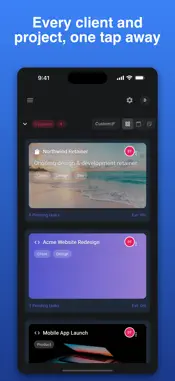
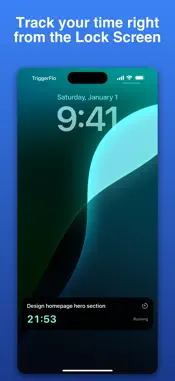
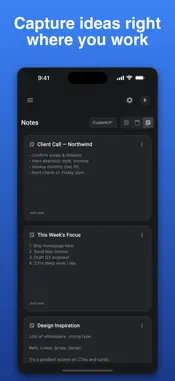
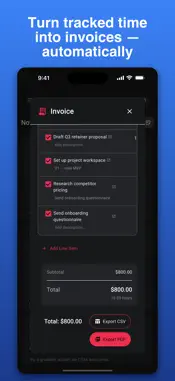
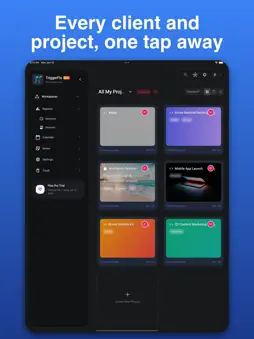
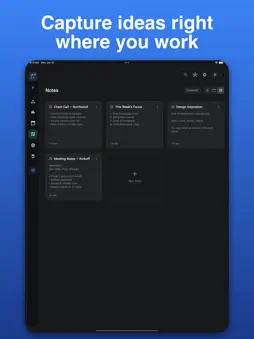
TriggerFlo is the focus timer that runs your whole workday — track your time, manage your tasks, and bill your clients without ever leaving the app. Most timers stop when you switch apps. TriggerFlo doesn't. Its floating focus timer stays on top while you work, so a single tap keeps you accountable to the task in front of you. When the session ends, that time is already attached to the right task — and one tap away from a finished invoice. — FOCUS TIMER THAT STAYS WITH YOU — • Floating, resizable timer that lives on top of everything you do • Pomodoro-style focus sessions to beat procrastination and protect deep work • Each session links straight to the task you're working on, so nothing goes untracked • Live timer on your Lock Screen and Dynamic Island, plus desktop and web — TASKS & PROJECTS, NOT JUST A LIST — • Visual Kanban boards to move work from To Do to Done • Subtasks, due dates, priorities, and tags to keep projects organized • Drag-and-drop columns built for the way you actually plan your day • Team collaboration so everyone sees the same board in real time — TURN TIME INTO MONEY — • Tracked time rolls up into client-ready invoices automatically • Set hourly rates, add line items, and send a professional invoice in seconds • Perfect for freelancers, consultants, and agencies who bill by the hour • No spreadsheets, no copying timestamps, no lost billable hours — EVERYWHERE YOU WORK — • Native apps for iPhone, iPad, and Mac, plus the web • Your timer, tasks, and invoices sync instantly across every device • Start a session on your phone, finish on your Mac — it just follows you WHY TRIGGERFLO Time tracking apps tell you where your hours went. Task managers tell you what to do next. Invoicing apps get you paid. TriggerFlo is the rare app that does all three and connects them, so the time you focus becomes the work you ship and the money you earn — automatically. Whether you're a freelancer protecting billable hours, a consultant juggling clients, or anyone who wants to stop multitasking and start finishing, TriggerFlo turns focus into flow. Download TriggerFlo and make every minute count. — Questions or feedback? We'd love to hear from you at [email protected]. Terms of Use: https://triggerflo.app/terms Privacy Policy: https://triggerflo.app/privacy
What's New
Version 2.8 2026-11-06
Keep-up cards: tick to log it, and get reminded again later or at set times. Import tasks from Todoist, Linear and Google Tasks, kept in sync. Fill from pasted ...Keep-up cards: tick to log it, and get reminded again later or at set times. Import tasks from Todoist, Linear and Google Tasks, kept in sync. Fill from pasted text: AI turns an email or ticket into a task. Cards can carry an hourly rate or fixed price for invoices. Fixed: overlapping due-date move rules moved cards back and forth on every board visit, and a card with no due time could move a day early. Triggers only send a notification when they point at a task. The rest still show in the trigger history. Sync: a bulk edit on a slow connection no longer knocks the app offline, and a change the server refuses now says so. A one-line tip on Triggers, Routines, Reports, Sessions, Life Zones, the Inbox and the daily brief says what each is for. You can now remove your profile photo. Card music has moved from the icon row into the three-dot menu on a card. The play button on column headers is now off by default. Turn it back on in Card display, Column play button. The subtask panel under a card now follows your card corner setting. Revisit rules now alert once for a board that is already overdue, and never ring the same alert twice. Fixed: dragging a board column to a new spot always slid it back. Play on a card times it on the board, with the timer on your lock screen. The phone board drops the column bar at the bottom, so cards get the full height. Apple Watch shows keep-up cards, with since, next and Log it. Technical Analysis
Package Overview Basic metadata
Bundle ID
app.triggerflo Current Version 2.8
Minimum iOS 16.2
Package Size App Store Size
Package Metadata 0 / 0 version records
Detailed binary, privacy manifest, framework, and Info.plist results have not been indexed for this package yet. The verified App Store and archive metadata above remains available.
Developer Information
Known Version Records
0 version records with stored package metadata
Stored metadata does not guarantee a package is currently available to download.
| Details | Version / IDs | Version date | Action |
|---|