
Preview


Description
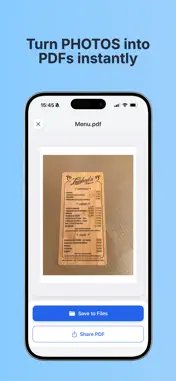
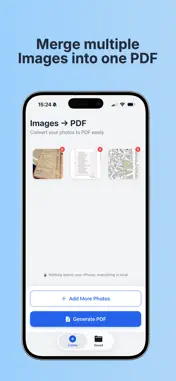
Convert your images to PDF instantly and securely. Looking for a simple way to turn your photos into PDF documents? "PDF Converter" is the ultimate tool for scanning and converting images without ever sending your data to a server. PRIVACY FIRST Unlike other apps, we process everything locally on your iPhone/iPad. Your sensitive documents and personal photos never leave your device. It works 100% offline. HOW IT WORKS: Select images from your gallery or take new photos. The app converts them into a high-quality PDF preview instantly. Unlock to Save: To save the final PDF file to your device or share it, an active subscription or lifetime purchase is required. KEY FEATURES: • Image to PDF: Convert JPG, PNG, HEIC, and other formats effortlessly. • Batch Processing: Select multiple images and merge them into a single PDF file. • Offline Mode: No internet connection needed. Perfect for travel or secure environments. • Share & Save: Save directly to Files or share via Email, Messages, or AirDrop (Requires Premium). • High Quality: Maintain the crispness of your original documents. GO PREMIUM: Unlock the full power of the app with PDF Converter Pro: • Save & Share Unlimited PDFs. • Unlimited daily conversions. • Unlimited batch processing size. • Ad-free experience. SUBSCRIPTION INFORMATION: To save generated files, you must have an active subscription or have purchased the lifetime version. Payment will be charged to your Apple ID account at the confirmation of purchase. Subscription automatically renews unless it is canceled at least 24 hours before the end of the current period. Your account will be charged for renewal within 24 hours prior to the end of the current period. You can manage and cancel your subscriptions by going to your account settings on the App Store after purchase. Privacy: https://sites.google.com/view/convertimagetopdf-privacy/inicio Terms: https://sites.google.com/view/convertimages-terms/inicio
What's New
Version 1.0.1 2025-12-09
We’ve cleaned up a few things under the hood to keep everything running smoothly Technical Analysis
Package Overview Basic metadata
Bundle ID
com.silverapps.convertimagetopdf Current Version 1.0.1
Minimum iOS 17.0
Package Size App Store Size
Package Metadata 1 / 2 version records
Detailed binary, privacy manifest, framework, and Info.plist results have not been indexed for this package yet. The verified App Store and archive metadata above remains available.
Known Version Records
1 version record with stored package metadata • 2 known version records
Stored metadata does not guarantee a package is currently available to download.
| Details | Version / IDs | Version date | Action |
|---|---|---|---|
| 18.41 MB | v1.0.1 App Store ID: 880477554Build: 1.0.1 | 2025-12-09 21:16:46 | Get Version |
| Not archived | App Store ID: 880343349 | Unknown | Request Version |