
Preview



Description
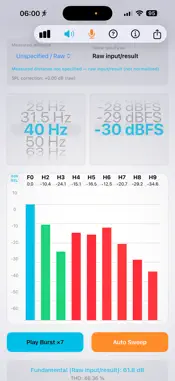
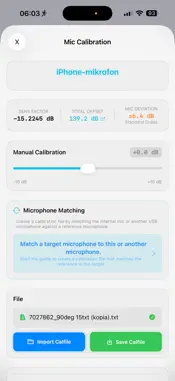
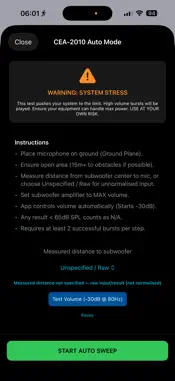
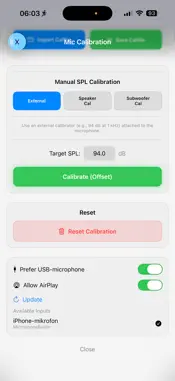
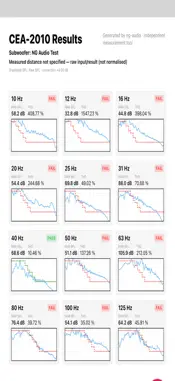
Ng-audio CEA2010 Subwoofer test is an independent subwoofer measurement tool designed for practical CEA-2010a testing with calibrated measurement equipment. Connect a compatible USB audio interface and calibrated measurement microphone to your iPhone or Mac and measure subwoofer output, distortion and pass/fail performance in real time. The app can generate its own measurement bursts or continuously analyse an external test signal, making it suitable for both portable field measurements and more controlled test setups. KEY FEATURES • Live subwoofer measurement and distortion analysis • CEA-2010-style pass/fail measurement workflow • Automatic frequency sweeps (experimental) • Support for externally generated tonebursts • USB audio interface support • Calibrated microphone workflow • Microphone SPL calibration • Microphone calibration file support • Measurement distance selection: 1 m, 2 m, 3 m, 4 m and 8 m • Raw measurement mode when distance is not specified • Result normalisation to 1 m Peak, 2 m Peak or 2 m RMS • Live spectrum display • Measurement history and result overview • PDF report export • Optional subwoofer name in exported reports • Independent export format selection MEASUREMENT WORKFLOW Place the measurement microphone on the ground plane at the selected distance from the subwoofer. For reliable results, use an open measurement area with sufficient distance from walls, buildings, vehicles and other large reflecting surfaces. Select the test frequency and increase the playback level until the highest valid result is reached without exceeding the distortion limits. Measurements can be performed using the app's internal burst generator or an appropriate external test signal. For best results, the app is intended to be used with: • A calibrated measurement microphone • A compatible USB audio interface • Correct microphone gain and SPL calibration • A suitable ground-plane measurement environment NORMALISED RESULTS Measurements can be displayed and exported as: • 1 m Peak • 2 m Peak • 2 m RMS • Raw input/result For example, a measurement performed at 4 metres can be automatically normalised and reported as: “4m measured distance normalised to 2m RMS” IMPORTANT Measurement accuracy depends on the microphone, audio interface, calibration, gain structure, test environment and measurement technique. CEA-2010 and CTA-2010 references describe the measurement methodology only. This is an independent measurement application and is not affiliated with, certified by, sponsored by or endorsed by the Consumer Technology Association (CTA).
Technical Analysis
Package Overview Basic metadata
Bundle ID
com.ng-audio.cea2010 Current Version 1.0
Minimum iOS 26.0
Package Size App Store Size
Package Metadata 0 / 0 version records
Detailed binary, privacy manifest, framework, and Info.plist results have not been indexed for this package yet. The verified App Store and archive metadata above remains available.
Known Version Records
0 version records with stored package metadata
Stored metadata does not guarantee a package is currently available to download.
| Details | Version / IDs | Version date | Action |
|---|