
Preview








Description
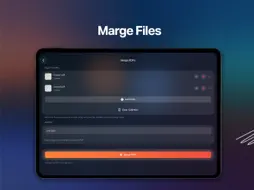
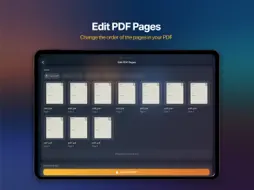
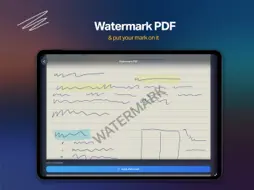
FileForge is a practical PDF toolkit built for everyday document tasks. Merge PDFs, compress files, convert between PDFs and images, and edit PDF pages in one clean and simple app. Whether you need to reduce file size, reorganize pages, or turn photos into PDFs, FileForge gives you the essential tools in one place. Key features • Merge multiple PDFs into one file • Compress PDFs to reduce file size • Compress images quickly and easily • Convert PDF pages to images • Convert images to PDF • Edit PDF pages • Reorder pages • Remove pages • Export a new PDF in the exact order you choose • Sign PDFs directly in the app • Add custom signatures to documents • Add a watermark to PDFs • Protect PDFs with a password • Unlock protected PDFs • Preview pages before saving • Save and export edited files • Work with files quickly and easily • Local processing on your device • No ads Why FileForge • Fast and easy to use • Clean interface focused on real tasks • Helpful tools gathered in one app • Great for work, study, and daily document management Privacy-focused workflow Your files stay under your control. FileForge is designed to process documents locally on your device whenever possible, making everyday PDF work faster and more convenient. Privacy Policy: https://nemchynov.github.io/file-forge-support/privacy.html Terms of Use (EULA): https://www.apple.com/legal/internet-services/itunes/dev/stdeula
What's New
Version 1.1.0 2026-07-18
• Sign PDFs directly in the app • Add custom signatures to documents • Add a watermark to PDFs • Protect PDFs with a password • Unlock protected PDFs Technical Analysis
Package Overview Basic metadata
Bundle ID
com.danielnemchynov.FileForge Current Version 1.1.0
Minimum iOS 26.0
Package Size App Store Size
Package Metadata 0 / 1 version records
Detailed binary, privacy manifest, framework, and Info.plist results have not been indexed for this package yet. The verified App Store and archive metadata above remains available.
Known Version Records
0 version records with stored package metadata • 1 known version records
Stored metadata does not guarantee a package is currently available to download.
| Details | Version / IDs | Version date | Action |
|---|---|---|---|
| Not archived | App Store ID: 883097382 | Unknown | Request Version |