Preview



Description
Deck Buddy turns your iPhone or iPad into an intelligent control deck for your Mac.
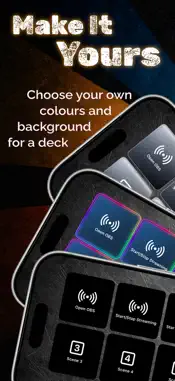
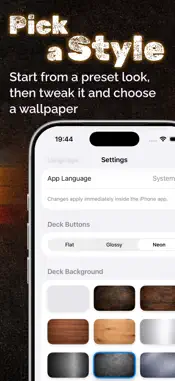
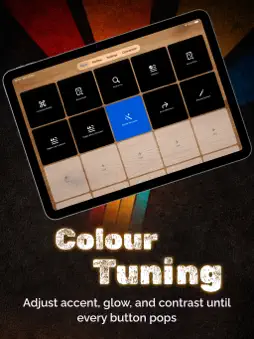
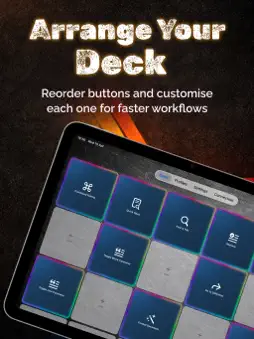
It’s more than a “shortcut remote” - it’s a full system for fast, context-aware control that adapts to whatever you’re doing. ≋≋ Always the right buttons ≋≋ DeckBuddy can switch layouts automatically based on the app currently active on your Mac. Use one deck for Xcode, another for Safari, another for your creative tools - and let DeckBuddy keep up as you switch. ≋≋ Two ways to work ≋≋ • Auto Mode: DeckBuddy follows the active Mac app and loads the matching deck. • Manual Mode: lock a specific deck whenever you want consistent controls. ≋≋ Built for real workflows ≋≋ • Trigger keyboard shortcuts remotely from your iPhone • Run advanced actions with AppleScript on macOS • Pair fast with a 6-digit code and remember trusted devices • Discover your Mac automatically via Bonjour (no IP typing) • Capture a shortcut from your Mac keyboard and assign it to a button • Create decks with multiple pages, custom rows/columns, and iPad layouts • Personalise button styles: colours, borders, system icons, and your own SVG/PNG • Start quickly with ready-made presets for popular use cases • Import/export backups of your profiles and actions ≋≋ Mac setup that’s actually clear ≋≋ Deck Buddy includes a guided macOS onboarding screen with setup steps, Accessibility permissions, and an option to launch at login. If you love speed, shortcuts, streaming, or creative work - DeckBuddy is a great one to try ≋≋ Version 1.0 ≋≋ • First release of DeckBuddy • Auto/Manual profiles, shortcut buttons, AppleScript actions • Presets, custom layouts, and backup import/export ≋≋ SUBSCRIPTION INFORMATION ≋≋ • Enjoy your first 2 weeks free with an annual subscription • Enjoy your first 3 days free with a monthly subscription • Payment will be charged to your Apple ID account at confirmation of purchase • Your subscription renews automatically unless canceled at least 24 hours before the end of the current billing period • You can manage or cancel your subscription anytime in your Account Settings • Pricing may vary by country or region and will be shown before purchase https://www.apple.com/legal/internet-services/itunes/dev/stdeula/
Technical Analysis
Package Overview Basic metadata
Bundle ID
com.miarkitech.danielmiara.ActionDock Current Version 1.0
Minimum iOS 17.0
Package Size App Store Size
Package Metadata 0 / 1 version records
Detailed binary, privacy manifest, framework, and Info.plist results have not been indexed for this package yet. The verified App Store and archive metadata above remains available.
Developer Information
Known Version Records
0 version records with stored package metadata • 1 known version records
Stored metadata does not guarantee a package is currently available to download.
| Details | Version / IDs | Version date | Action |
|---|---|---|---|
| Not archived | App Store ID: 883026875 | Unknown | Request Version |