Preview





Description
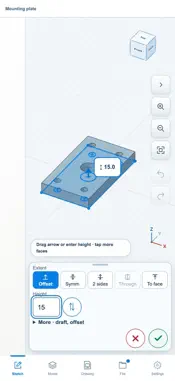
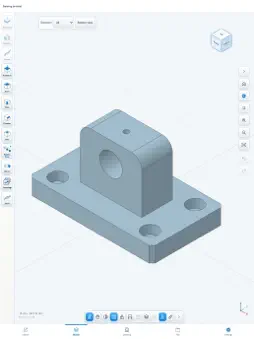
3D CAD is a modeling app for mechanical parts. Sketch a profile, turn it into a solid, add holes, fillets and chamfers, derive a dimensioned drawing and export the result as STEP, STL, 3MF or PDF. Everything runs on your device, also without an internet connection. Sketch precisely - Draw lines, polylines, tangent arcs, rectangles, circles, arcs, ellipses, splines, slots, polygons and text - Add dimensions and constraints such as horizontal, vertical, parallel, tangent and coincident - See at a glance whether a sketch is fully defined - Sketch on planes or directly on faces of a body - Trim, extend, offset, mirror, fillet and chamfer sketch geometry Build solid bodies - Extrude, revolve, sweep along a path and loft between profiles - Add or cut material and combine several bodies - Create holes with positions measured from edges - Round edges with fillets, break them with chamfers and hollow bodies with shell - Repeat features as linear or circular patterns and mirror them - Push and pull faces directly Change your design at any time - Every step stays in the feature history - Edit a sketch or a value and the model is rebuilt - Undo and redo without limits during a session - Automatic backups protect your work Shaft generator - Build stepped shafts from sections with diameters, lengths, chamfers and fillets - Add keyways, retaining ring grooves, threads and center holes Derive technical drawings - Place front, top, side, isometric and section views of your part - Add dimensions, center lines, symbols and tables - Use sheet frames and title blocks based on ISO standards - Export drawings as vector PDF or PNG Import and export - Open STEP and STL files - Export STEP for other CAD programs - Export STL, 3MF and OBJ for 3D printing - Save projects in the Files app and share them with other apps Made for touch - Designed for iPhone and iPad in portrait and landscape - Rotate, pan and zoom with your fingers, use the view cube for standard views - Section view, measuring tool and several display modes 3D CAD is suitable for machine parts, brackets, housings, fixtures, 3D printing models and workshop drawings.
Technical Analysis
Package Overview Basic metadata
Bundle ID
com.doh1studio.CAD3D Current Version 1.6
Minimum iOS 16.4
Package Size App Store Size
Package Metadata 0 / 0 version records
Detailed binary, privacy manifest, framework, and Info.plist results have not been indexed for this package yet. The verified App Store and archive metadata above remains available.
Known Version Records
0 version records with stored package metadata
Stored metadata does not guarantee a package is currently available to download.
| Details | Version / IDs | Version date | Action |
|---|