
Preview





Description
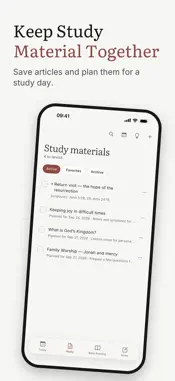
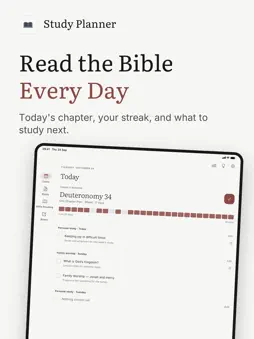
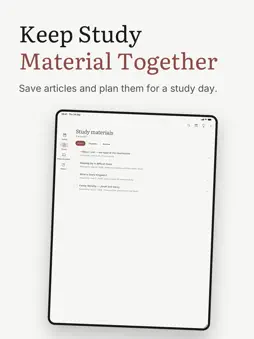
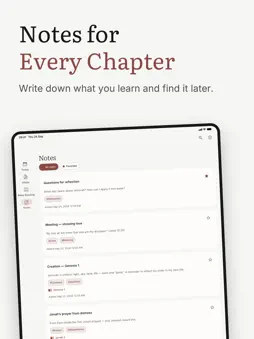
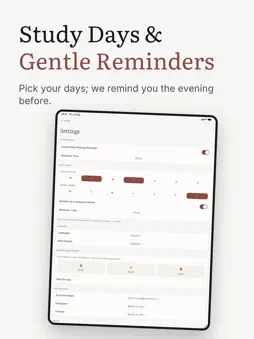
Bible Study Planner helps you read the Bible every day and keep everything you study in one place. Pick a way through the Bible that suits you, at a pace you can actually keep. Every plan keeps its own progress: switch between them and pick each one up where you left it. The app counts how many times you have read the Bible through on each plan. Tick chapters off as you go and watch your progress fill in, with a reading streak and a six-month calendar of the days you read. FOUR WAYS THROUGH THE BIBLE • A chapter a day, straight through from Genesis to Revelation • The whole Bible in a year, a few chapters a day • The books in the order they were written • The events in the order they happened PLAN WHAT YOU STUDY • Save articles and links as study material • Choose the day you will study each one • Set your personal study days and family worship days • Get a reminder the evening before if you have not picked your material yet • See everything due on the Today screen, grouped under the day it belongs to NOTES THAT STAY WITH THE CHAPTER • Write notes and attach photos or files • Link a note to a Bible book and chapter • Tag your notes and find them again with search • Work through reflection questions on what you have read ON YOUR HOME SCREEN • A widget with the verse for the year • A widget with questions for reflection BUILT TO FIT YOUR ROUTINE • Light and dark themes • English, Русский, Українська, Română • Open chapters in the Bible app or website you already use • Save a link straight from your browser with the share sheet • A daily reading reminder at the time you choose FREE, WITH NO STRINGS No ads, no subscription, no account to create. Your reading progress, notes, and study material are stored on your device. The app itself makes one kind of network request: reading the title of a link you save, so you do not have to type it yourself. Anything else that goes online — a voluntary tip, or the invitation to rate the app — is handled by Apple. If the app is useful to you, Settings has an optional tip jar. It unlocks nothing — every feature is already free.
What's New
Version 1.1.5 2026-11-09
• Your reading now follows you between your Apple devices: tick off a chapter on the phone and it is ticked off on the iPad • It all stays in your own iCloud: n...• Your reading now follows you between your Apple devices: tick off a chapter on the phone and it is ticked off on the iPad • It all stays in your own iCloud: no account to create, no server of ours in between. You can turn it off in Settings • The tab bar and the buttons at the top of every screen are now real Liquid Glass, as in iOS 26. The paper-and-ink pages stay as they are. As you scroll, a crisp edge appears under the title so it stays easy to read • Sheets float over the page, with a cross to close and a check mark to confirm at the top, in place of the buttons at the bottom • The app now speaks Romanian, widgets included • Tap a saved material to open its link. To change it, open the three-dot menu and choose Edit. A material without a link opens for editing, as before • Tap a chapter on Today or in Bible Reading to open it in the Bible app or on the website. Choose which in Settings, under Bible Reader. If the app isn't installed, the chapter opens on the website Technical Analysis
Package Overview Basic metadata
Bundle ID
ua.danchenko.bibleStudyPlanner Current Version 1.1.5
Minimum iOS 18.6
Package Size App Store Size
Package Metadata 0 / 0 version records
Detailed binary, privacy manifest, framework, and Info.plist results have not been indexed for this package yet. The verified App Store and archive metadata above remains available.
Developer Information
Known Version Records
0 version records with stored package metadata
Stored metadata does not guarantee a package is currently available to download.
| Details | Version / IDs | Version date | Action |
|---|