Preview



Description
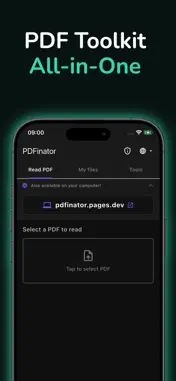
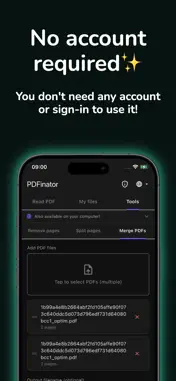
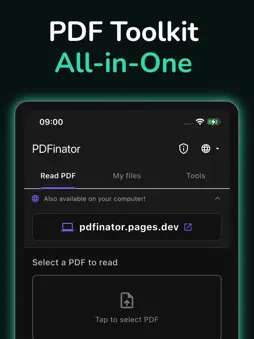
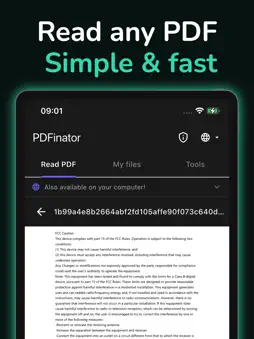
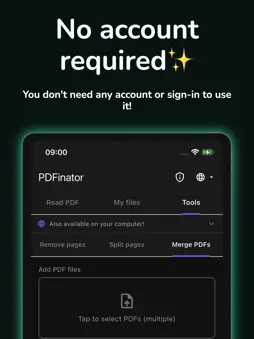
PDFinator is your all-in-one PDF toolkit for iOS. Manage your PDF files quickly and easily - no internet connection required. FEATURES: Read PDFs Open and read any PDF file with a smooth, built-in viewer. Supports encrypted PDFs — just enter the password and read. Remove Pages Select pages to remove by tapping thumbnails or typing page numbers and ranges. Save the modified PDF directly to your device. Split PDFs Extract individual pages or selected page ranges from any PDF. Get all split files in a convenient ZIP archive. Merge PDFs Combine multiple PDF files into one. Supports different page sizes — each page retains its original dimensions. Encrypted PDF Support Works with password-protected PDFs across all tools. Enter the password once, then remove pages, split, merge, or read without limitations. My Files Browse PDF files on your device. Sort by name, date, or size. Open any file directly in the built-in reader. 12 Languages Available in English, Polish, German, French, Spanish, Portuguese, Russian, Arabic, Hindi, Japanese, Korean, and Chinese. WHY PDFinator? • 100% offline — your files never leave your device • No registration or account needed • Lightweight and fast • Clean, dark-themed interface • Free to use Managing PDF documents has never been easier. Need to combine several files? Use the merge PDF feature to join them into one clean document in seconds. Want to break a large file apart? The split PDF tool lets you divide any PDF by page range or extract specific pages as a standalone file. You can also remove pages you don't need, keeping your documents tidy and concise. Beyond editing, PDFinator doubles as a fast, reliable PDF reader and PDF viewer - perfect for reading reports, contracts, or ebooks on the go. The built-in PDF editor gives you the control to annotate and reorganize content without needing a desktop computer. FEATURES AT A GLANCE • Merge PDF files into a single document • Split PDF into pages or custom ranges • Remove or extract pages from any PDF • Full-featured PDF reader and viewer • Lightweight PDF editor with annotation support • Works completely offline — no cloud upload required • No account or sign-in needed Download PDFinator today and take control of your PDF files.
What's New
Version 1.0.2 2026-07-03
- Added the ability to print the currently viewed PDF file directly from the mobile application - Fixed My files section Technical Analysis
Package Overview Basic metadata
Bundle ID
com.dgitallapps.pdfinator Current Version 1.0.2
Minimum iOS 13.0
Package Size App Store Size
Package Metadata 0 / 3 version records
Detailed binary, privacy manifest, framework, and Info.plist results have not been indexed for this package yet. The verified App Store and archive metadata above remains available.
Developer Information
Known Version Records
0 version records with stored package metadata • 3 known version records
Stored metadata does not guarantee a package is currently available to download.
| Details | Version / IDs | Version date | Action |
|---|---|---|---|
| Not archived | App Store ID: 887700130 | Unknown | Request Version |
| Not archived | App Store ID: 885267035 | Unknown | Request Version |
| Not archived | App Store ID: 885088746 | Unknown | Request Version |