
Preview







Description
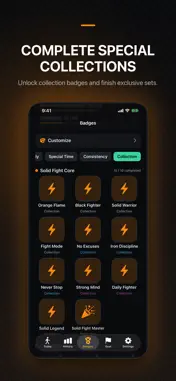
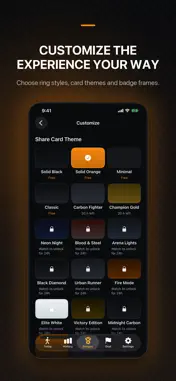
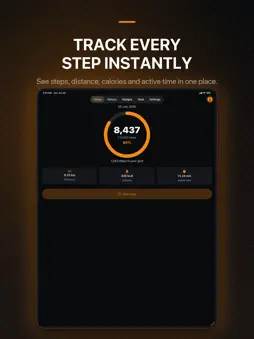
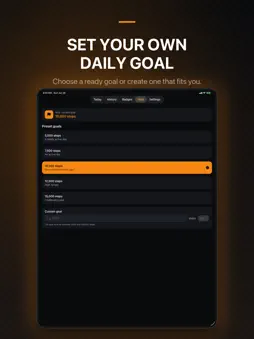
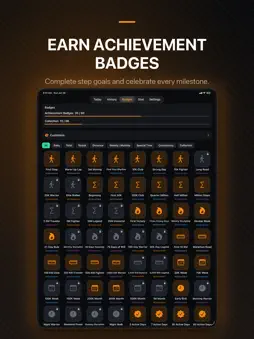
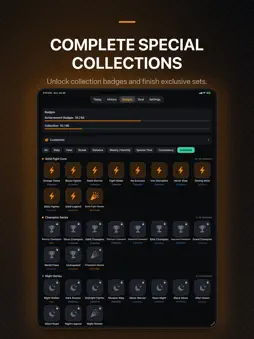
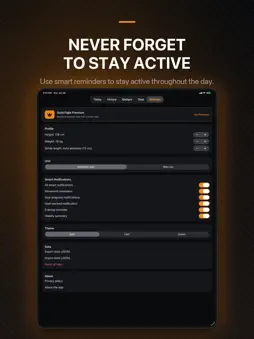
Solid Fight Step Counter helps you track your daily activity, set personal goals, and review your progress in detail. With iPhone, Apple Watch, and widget support, your daily activity is always within reach. DAILY STEP TRACKING • Track your daily step count • View estimated distance, calories, and active time • See your daily goal progress on a clear progress ring • Monitor your goal completion percentage throughout the day APPLE WATCH • View your daily step count directly on Apple Watch • Track your daily goal and completion percentage • See your distance, estimated calories, and active time • Automatically sync your daily goal, distance unit, height, weight, and stride length settings from iPhone to Apple Watch • Continue using your last synced settings even when your iPhone is not nearby HOME SCREEN AND LOCK SCREEN WIDGETS • Use the small Home Screen widget to quickly check your steps and goal progress • Use the medium widget to view steps, distance, calories, and active time • Check your progress at a glance with the circular Lock Screen widget • View your daily steps and goal status with the rectangular Lock Screen widget DETAILED HISTORY • Compare your step history from the last 7 days • Review your daily activity records in detail • View monthly and yearly statistics • Track your best days, averages, and totals GOALS AND ACHIEVEMENTS • Choose from ready-made daily step goals • Create your own custom daily goal • Earn achievement badges by reaching your step goals • Unlock achievements based on distance, total steps, streaks, and other activity milestones • Complete special collections and unlock new visual rewards • Celebrate newly earned achievements with dedicated animations PERSONALIZATION • Choose different share card themes • Change your progress ring style • Personalize your experience with badge frames • Share your daily progress with professionally designed social sharing visuals • Unlock additional cosmetic content through optional rewarded ads SMART REMINDERS • Enable movement reminders • Manage goal progress and goal completion notifications • Use evening reminders and weekly summaries APPLE HEALTH INTEGRATION Solid Fight Step Counter reads step data from Apple Health to accurately reflect daily steps recorded by your iPhone and Apple Watch. When Apple Watch steps are synced with Health, they are automatically included in your daily total. HealthKit’s combined step data is used to help prevent overlapping steps from being counted twice. The app accesses Health data only to read step information and does not write steps or any other data to Apple Health. SOLID FIGHT PREMIUM An optional monthly Solid Fight Premium subscription removes banner ads, app-open ads, and interstitial ads. Optional rewarded ads for cosmetic rewards remain available. Premium automatically renews every month. Payment is charged to your Apple Account. The subscription automatically renews unless cancelled at least 24 hours before the end of the current period. You can manage or cancel your subscription from your Apple Account subscription settings. Step, distance, calorie, and active time values may vary depending on your device, user settings, and available Health data. Terms of Use (EULA): https://www.apple.com/legal/internet-services/itunes/dev/stdeula/
What's New
Version 1.0.5 2026-08-30
• Improved live step tracking on iPhone and Apple Watch. Step counts now update more responsively while you are walking with the app open. • Improved step trac... Technical Analysis
Package Overview Basic metadata
Bundle ID
com.solidfight.stepcounter Current Version 1.0.5
Minimum iOS 16.0
Package Size App Store Size
Package Metadata 0 / 0 version records
Detailed binary, privacy manifest, framework, and Info.plist results have not been indexed for this package yet. The verified App Store and archive metadata above remains available.
Developer Information
Known Version Records
0 version records with stored package metadata
Stored metadata does not guarantee a package is currently available to download.
| Details | Version / IDs | Version date | Action |
|---|