Preview


Description
WeWeight is a private body-weight trend and goal-planning app. View your body-weight history, explore changes over time, and create a clear plan for your next bulk, cut, or maintenance phase. Features: • View your body-weight trend and 7-day rolling average • Inspect individual measurements directly on the chart • Create bulk, cut, and maintenance phases • Set a target weight or calculate a target from weekly or monthly percentage or kilogram changes • See today’s target weight and target range • Add manual measurements or import weight from Health • See the source of every measurement • Import and export goal plans as CSV • Optionally export your body-weight history and plan to a repository you control Your measurements and goals stay on your device unless you explicitly choose an export action. Use a private repository for exported data. Settings includes a feedback form and a link to planned development. Feedback is sent only when you tap Send. Contact details and device diagnostics are optional. Help and Settings link the English user guide. WeWeight is for personal tracking and planning, not medical advice, diagnosis or treatment. Targets and rates are your own planning choices, not clinical recommendations.
What's New
Version 1.2.1 2026-11-17
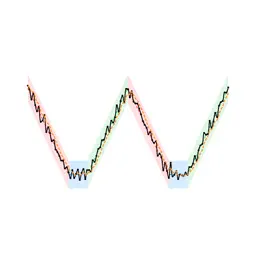
What's New. This list of changes in Settings. After an update with new features, it opens once and shows only those. Feedback and development. Settings has a sh...What's New. This list of changes in Settings. After an update with new features, it opens once and shows only those. Feedback and development. Settings has a short form for problems, suggestions and questions that goes straight to the developer and answers with a ticket number (an e-mail stays possible), and a link to the public list of planned and ongoing work. Improved: Persistent chart range. Your selected zoom range on the weight trend chart is remembered across launches. Improved: Ergonomic CSV actions. CSV import and download controls use prominent bordered buttons with symbols and wrap cleanly on compact screens. Improved: Chart app icon. A new W-shaped app icon combines symmetrical coloured target bands with the same measurement chart as the app. Fixed: CSV import error feedback. Selecting an inaccessible or unreadable file displays an alert instead of silently returning. Fixed: Number linebreaking and sheet idiom. Weight figures stay on a single line at large accessibility sizes, and the help sheet uses the standard close icon. Fixed: Interrupted editors. Measurement and phase drafts reopen after an interruption. Cancelling changed input asks before discarding it, including date and rate changes. Fixed: CSV safeguards. Imports validate the header, dates and target weights before asking to replace your phase history. Failed downloads show an error. Fixed: Consistent averages and faster charts. The dashboard includes the same seven calendar days as the chart and excludes future measurements. Larger histories need less chart calculation. Fixed: Cancellable imports and exports. Health reads and GitHub exports can be cancelled. Late Health results cannot restore deleted imported copies, and repository tests clear outdated results when settings change. Fixed: Feedback privacy and help. Device details in feedback start switched off. Help and Settings link the English user guide and privacy policy, and numeric editors offer a keyboard Done button. Fixed: Readable large text. The latest weight stays visible at accessibility text sizes, and change descriptions use the full available width. Technical Analysis
Package Overview Basic metadata
Bundle ID
cblum.ch.Wendl Current Version 1.2.1
Minimum iOS 18.5
Package Size App Store Size
Package Metadata 0 / 0 version records
Detailed binary, privacy manifest, framework, and Info.plist results have not been indexed for this package yet. The verified App Store and archive metadata above remains available.
Developer Information
Known Version Records
0 version records with stored package metadata
Stored metadata does not guarantee a package is currently available to download.
| Details | Version / IDs | Version date | Action |
|---|