
Preview







Description
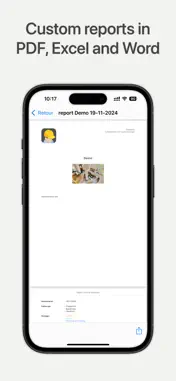
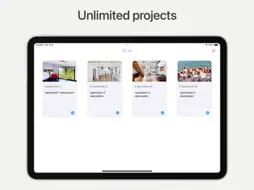
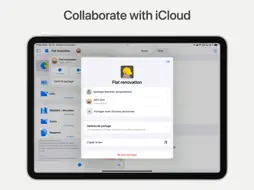
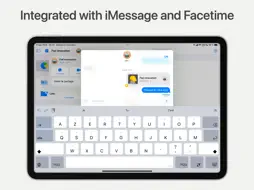
# This SiteWorks 2 version is dedicated only to Apple Business Manager users. # # If you don't use Apple Business Manager to purchase and manage your apps, please download SiteWorks 2 from the AppStore. # Collaborative site supervision on iPhone, iPad and Mac Eliminate the need for paper drawings and manual snag/punch list creation. Track detailed observations directly on drawings and instantly generate reports in PDF, Word, Excel, and CSV formats. With iCloud integration, you and your team will always stay updated. Get ready to save time! Terms of use: https://www.apple.com/legal/internet-services/itunes/dev/stdeula/ Effortless defect tracking Add detailed observations, punch/snag list items directly onto your PDF drawings, exactly where contractors and your team need to see them Create personalized lists to track general observations. Track progress over time: - Status (opened, in progress, finished, closed) - Package and stakeholders - Detailed description - Photos and annotations - Comments - Edit history Efficient and streamlined project management Tailored projects - Projects visuals, - Packages and stakeholders lists, - iCloud Collaborators with read or read/write permissions, - Reports customization (format, layout, content, logo, etc), - Standardized descriptions, - Numbering system for observations, - Project templates. Drawings always at hand - All your drawings are stored centrally in each project's library, available anytime, whether you're using your iPhone, iPad, or Mac. - Structured follow-ups - Create unlimited follow-ups to keep your annotated drawings and observation lists well-organized. Site dashboard - Get a real-time snapshot of your observation statuses and easily access recently updated or due items. - Check resolution statistics for each package. - Tap any observation on the dashboard to jump directly to the detailed on-drawing view. - Easily view observations assigned to specific packages and stakeholders, and tap to instantly access detailed on-drawing observations. Tailored reports Generate, archive, and share unlimited customized reports, punch/snag lists. Available formats: - PDF - Word - Excel - CSV Fully customizable reports: - Company and project logo, - Report title and description, - Paper format and orientation, - Drawings dimensions, - Report content (packages, statuses, photos, statistics, etc.), - Photo sizes, and more. Always on the same page With seamless iCloud integration, SiteWorks 2 allows you to share any project with team members and stakeholders in read-only or read/write modes, just like your favorite native apps. Simply tap the share button, choose collaborators, and start working together on your project—everything syncs automatically. Work seamlessly from any device Switching between your Mac, iPad, and iPhone is effortless with SiteWorks 2. Start a project on your iPad at home, continue on your iPhone at the construction site, and finish on your Mac at the office — your data stays with you every step of the way. With Handoff, moving between devices has never been easier. Quick and easy data import/export Effortlessly import and export your drawings, photos, reports, and more through multiple options: - Using the Files app or Finder (compatible with third-party cloud services, - Through the Mail app, - Via WebDAV by connecting to your WebDAV server from the app - From your Photo library or Camera, - Through any app that supports document import and export
What's New
Version 2.3.1 2026-09-14
What’s new in 2.3.1: • Easier pin positioning: When moving an observation, press and hold anywhere on the drawing to place it in a new location. Adjust its pos... Technical Analysis
Package Overview Basic metadata
Bundle ID
io.siteworks.siteworks-2s Current Version 2.3.1
Minimum iOS 17.0
Package Size App Store Size
Package Metadata 0 / 0 version records
Detailed binary, privacy manifest, framework, and Info.plist results have not been indexed for this package yet. The verified App Store and archive metadata above remains available.
Developer Information
Known Version Records
0 version records with stored package metadata
Stored metadata does not guarantee a package is currently available to download.
| Details | Version / IDs | Version date | Action |
|---|