Preview


Description
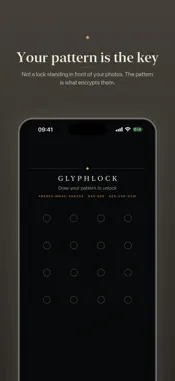
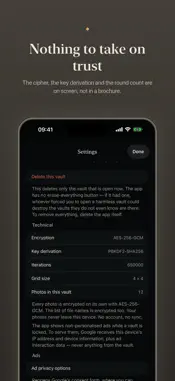
The pattern is the key, not a gate standing in front of your photos. Most "hide my photos" apps move your pictures into another folder and put a passcode at the door. The pictures stay perfectly readable; the app simply declines to show them. Glyphlock works differently. You draw a pattern on a 3×3 or 4×4 grid of dots, and that pattern is run through PBKDF2-HMAC-SHA256, 650,000 rounds, to derive a key that unwraps the vault's AES-256-GCM data key. Without the pattern there is no way to read the files. Not a refusal to display them: no method exists. The second the app spends thinking after you draw is deliberate: it is the same second anyone guessing patterns spends on every attempt. WHAT IS ENCRYPTED Every photo. Every video. And the index of file names, so even the names give nothing away. Videos are encrypted in 1 MB chunks and streamed, each chunk bound to its position and to the total count, so they cannot be reordered, truncated, or swapped in from another file. SEVERAL VAULTS ON ONE DEVICE One device can hold several vaults. Each pattern opens exactly one, with its own key, its own photos, its own recovery code. From inside a vault there is no way to learn the others exist: no list, no count, no marker saying which is "real". That exists for a reason. If someone takes your phone and makes you open the app, you open a vault that holds nothing but landscapes. RECOVERY CODE Each vault gets a 30-character recovery code, about 150 bits, shown exactly once at creation and never stored in readable form. Write it down or paste it into a password manager before you close that screen. There is no second showing. ALSO Optional Face ID / Touch ID, off by default. Auto-lock the moment you leave the app, or after 30 seconds, or 5 minutes. The screen is covered in the app switcher. Backups export to a .pvault file whose photos stay encrypted: opening it still takes that vault's pattern or recovery code, so it is exactly as strong as your pattern. Your photos do not leave the device: no server, no account, no sync, and the app itself measures nothing about you. English and Vietnamese. ADVERTISING Google banner ads, only on the two screens where the vault is still locked: unlock and first-run setup. Never in the gallery, never in the viewer, never on the recovery-code screen — an ad SDK loads remote content, so it must not share a screen with decrypted photos. The ads are not personalised, so the app never asks to track you. To serve an ad, Google receives your IP address and device information: no photos, no file names, nothing from a vault. WHAT THIS APP DOES NOT DO A 3×3 grid has only 389,112 possible patterns. Someone who copies the app's files off the device can try every one on a GPU within hours, and 650,000 rounds will not save you. A 4×4 grid has more than 100 trillion patterns and is the app's default: use it. The app says this on the grid-size screen too. Several vaults hide the content, and which vault matters, but not the number of vaults: anyone with file-system access can count the vault directories. They still cannot open any of them. While a video plays, a decrypted copy of it exists inside the app's private container, under iOS file protection, and is deleted the moment you close the player or lock the vault. Photos never have this problem: they are only decrypted in memory. The failed-attempt delay (30 seconds after 5 wrong patterns, then longer) is app-level. Its state file sits outside the encrypted area, so anyone with access to the app's folder can delete it and the delay is gone. The layer that cannot be bypassed is the PBKDF2 cost. iOS does not let an app delete your originals, so after you add photos to the vault you have to open the Photos app and delete them yourself. Until you do, hiding them has achieved nothing. And last: lose the pattern and the recovery code, and the photos in that vault are gone. No backdoor, no reset, and nobody can recover them for you, including the developer.
Technical Analysis
Package Overview Basic metadata
Bundle ID
com.SamCorp.Glyphlock Current Version 1.0
Minimum iOS 17.0
Package Size App Store Size
Package Metadata 0 / 0 version records
Detailed binary, privacy manifest, framework, and Info.plist results have not been indexed for this package yet. The verified App Store and archive metadata above remains available.
Developer Information
Known Version Records
0 version records with stored package metadata
Stored metadata does not guarantee a package is currently available to download.
| Details | Version / IDs | Version date | Action |
|---|